

How AI Agents Choose Which API to Call
Tool calling explained: how AI agents choose which API to call, the signals models read, why they pick the wrong tool, and how to fix selection with hundreds of APIs.

AI agents choose which API to call by reading each tool's name, description and input schema, then matching them against the user's request and the conversation so far. The model picks the tool whose description best fits the intent and fills in the arguments from the schema. Clear, distinct tool descriptions decide most of the outcome.
Selection is also where agents fail most. Anthropic reports that the most common tool-use failures are picking the wrong tool and passing the wrong parameters. When it let Claude Opus 4 search for tools instead of loading every definition at once, tool-selection accuracy rose from 49% to 74% on its large-library tests.
This guide covers what tool calling is, how an agent decides step by step, a worked example, the signals models use, why agents pick the wrong API, what changes with hundreds of APIs, how to write descriptions agents choose correctly, and how to test selection.
TL;DR
• How it works: the model reads tool names, descriptions and schemas, matches them to the request, then fills arguments and lets the runtime make the call.
• What matters most: descriptions that say what a tool does and when to use it, and tools that don't overlap.
• Why it fails: vague descriptions, near-duplicate tools, too many tools in context, loose schemas and stale specs.
• At scale: use tool search, domain grouping and per-agent scoping instead of loading every API.
• Prove it: keep an eval set of real requests and measure selection accuracy whenever specs change.
What is tool calling?
Tool calling, also called function calling, is defined as the ability of an AI model to request that an external function or API be run, by returning a structured call with the tool's name and arguments. The model doesn't run the API itself. Your application or agent runtime does, then hands the result back to the model.
For how this compares with MCP, see MCP vs function calling.
[fs-toc-omit]What does a tool definition look like?
Every tool the model can call is described like this:
{
  "name": "get_refund_status",
  "description": "Get the status of a refund for an order. Use when the customer asks where their refund is or whether it was processed. Do not use for order delivery status.",
  "input_schema": {
    "type": "object",
    "properties": {
      "order_id": { "type": "string", "description": "Order ID, e.g. 4471" }
    },
    "required": ["order_id"]
  }
}
The model sees only this text. It never sees your code, your database or your API documentation unless it is in the definition.
[fs-toc-omit]What are the main types of tools agents call?
| Tool type | Example | Risk level |
|---|---|---|
| Search and retrieval | Search the knowledge base, look up a policy | Low |
| Read APIs | Get an order, list invoices, check stock | Low to medium |
| Write and action APIs | Create a refund, update a ticket, send an email | High |
| Code execution | Run a script, analyze a file | Medium to high |
| Other agents | Hand a sub-task to a specialist agent | Varies |
How does an AI agent decide which API to call, step by step?
An AI agent decides which API to call in seven steps: load tool definitions, read the request, decide whether a tool is needed, match intent to descriptions, fill arguments, execute, and use the result to decide what's next.
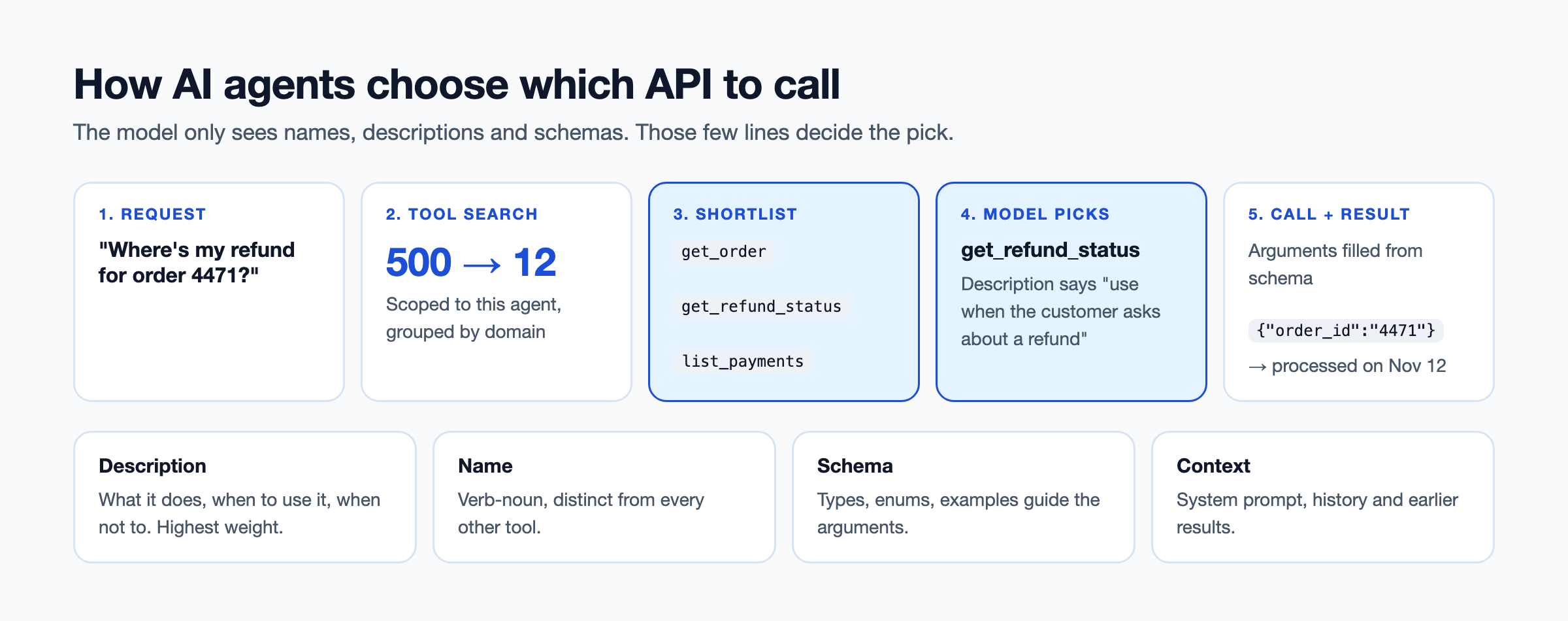
- Tool definitions are loaded into context: every available tool's name, description and schema is added to the model's input, or a shortlist is retrieved first by tool search.
- The model reads the request and the conversation state: the user's message, earlier turns, the system prompt and any previous tool results.
- It decides whether a tool is needed at all: if the answer is already known, the model replies directly. This step is where over-calling and under-calling start.
- It matches intent against names and descriptions: the model compares what the user wants with what each tool says it does and when to use it.
- It fills arguments from the schema: it pulls values from the conversation and maps them to parameter names, types and allowed values.
- The runtime validates and executes the call: your code checks the arguments, calls the API with the right credentials and returns the result.
- The result feeds the next decision: the model answers, calls another tool, retries with different arguments, or asks the user for missing information.
Steps 4 and 5 are where you have the most control, because they depend entirely on how your tools are described.
What does tool selection look like in a real example?
In a real example, the model picks between near-identical tools by comparing the user's intent with each description, and it fails when descriptions don't separate them. Here is one request handled two ways.
A customer writes: "Where's my refund for order 4471?" The agent has three tools that all accept an order ID:
| Tool | Good description | Vague description |
|---|---|---|
get_order | Get order details and delivery status. Use for questions about shipping or what was ordered. | Get an order |
get_refund_status | Get the status of a refund for an order. Use when the customer asks about a refund. | Get refund info |
list_payments | List all payment transactions for a customer. Use for billing history, not single refunds. | List payments |
With good descriptions, the model reasons: the user asks about a refund, and get_refund_status says to use it for refund questions. It calls:
{ "name": "get_refund_status", "input": { "order_id": "4471" } }The API returns {"status": "processed", "date": "2026-11-12"}, and the agent replies with the date.
With vague descriptions, "Get an order" looks like it could cover everything about the order. The model calls get_order, sees status: delivered, and tells the customer their order was delivered, which doesn't answer the question. Nothing errored. The agent picked the wrong API because the descriptions didn't tell it which one to pick.
What signals does the model use to pick a tool?
The model picks a tool mainly from its description and name, then uses parameter names, enums and examples to confirm the fit and fill arguments. The system prompt and earlier results also steer the choice.
| Signal | Example | Weight |
|---|---|---|
| Description | "Use when the customer asks about a refund" | High |
| Tool name | get_refund_status vs get_info | High |
| Parameter names and types | order_id: string | Medium |
| Enums and examples | reason: ["damaged", "missing", "late"] | Medium |
| System prompt | "Always check refund status before escalating" | Medium to high |
| Conversation history | The user mentioned order 4471 earlier | Medium |
| Prior tool results | The last call returned a refund ID | Medium |
| Tool choice setting | auto, required, or forcing one named tool | Overrides the model |
Weights are practical guidance from how models behave in tool-use tests, not published constants.
The tool_choice setting deserves a note. auto lets the model decide, required forces it to call some tool, and naming a tool forces that one. Forcing a tool is useful in fixed steps of a workflow, where you already know which API is right.
Tool calling vs function calling: is there a difference?
No. Tool calling and function calling describe the same mechanism. OpenAI introduced the term function calling. Anthropic and most newer frameworks say tool calling, partly because "tools" also covers search, code execution and other agents, not only functions. If you see either term in docs, the model is returning a structured request for your code to run.
Why do AI agents call the wrong API?
AI agents call the wrong API mostly because tool descriptions are vague or overlapping, too many tools are loaded at once, or the schema doesn't constrain the arguments. Anthropic notes that wrong-tool failures are most common when tools have similar names. There are eight causes to check.
[fs-toc-omit]Vague or missing descriptions
Symptom: the agent picks plausible but wrong tools. Fix: say what the tool does, when to use it and when not to.
[fs-toc-omit]Overlapping tools that do nearly the same thing
Symptom: the agent switches between two tools for the same request. Fix: merge them, or make their descriptions mutually exclusive.
[fs-toc-omit]Too many tools in context
Symptom: accuracy drops and cost rises as you add APIs. Fix: tool search, grouping and per-agent scoping, covered in the next section.
[fs-toc-omit]Missing enums and loose parameter types
Symptom: the right tool, but invalid arguments such as "reason": "broken" when the API expects "damaged". Fix: use enums, formats and examples in the schema.
[fs-toc-omit]Unhelpful error messages
Symptom: the agent retries the same bad call or gives up. Fix: return errors that say what was wrong and what to send instead.
[fs-toc-omit]Stale specs
Symptom: tools fail after an API release. Fix: generate tools from the live OpenAPI spec, never from a hand-copied version. We explain the failure in why hardcoded API calls break your AI agents.
[fs-toc-omit]Conflicting system prompt instructions
Symptom: the agent ignores a good description because the prompt said otherwise. Fix: keep tool guidance in tool descriptions, and keep the system prompt about goals and rules.
[fs-toc-omit]The wrong model for the job
Symptom: a small, fast model handles 5 tools well and 40 poorly. Fix: use a stronger model for routing or selection, and smaller models for narrow, scoped agents. Test before you choose; the best model for tool calling is the one that scores highest on your own eval set.
A pattern from a device protection and after-sales services platform shows the business side. Its agents call APIs directly, with tools defined per agent. Finding the right API is slow, and tools aren't reused across agents, so each new agent repeats the same selection problems.
What happens when an agent has hundreds of APIs to choose from?
With hundreds of APIs, loading every tool definition fills the context window, raises cost and lowers selection accuracy, so agents need tool search, grouping or scoping instead. Anthropic measured 58 tools from five MCP servers at about 55,000 tokens before any conversation, and has seen definitions reach 134,000 tokens.
| Tools available | All definitions loaded | What to do |
|---|---|---|
| 5 | Fine | Load them all |
| 50 | Costly, accuracy slipping | Group by domain or add tool search |
| 500 | Doesn't fit or fails often | Tool search plus per-agent scoping |
Anthropic recommends tool search once definitions pass about 10,000 tokens or 10 tools. Five techniques help.
[fs-toc-omit]Tool search and retrieval
The agent loads one search tool, describes what it needs, and receives a short list of matching tool definitions. Anthropic reports this cut tool-definition tokens by 85% and raised accuracy for Opus 4 from 49% to 74%, and for Opus 4.5 from 79.5% to 88.1%.
[fs-toc-omit]Domain grouping
Group tools by business domain, such as orders, payments and shipping. Selection happens in two stages: first the domain, then the tool inside it.
[fs-toc-omit]Per-agent tool scoping
Give each agent only the tools its job needs. A support agent doesn't need payroll APIs, and leaving them out is both safer and more accurate.
[fs-toc-omit]Code execution with MCP
Instead of loading every schema, the agent writes code that imports only the tools it needs. In Anthropic's code execution with MCP example, this cut token use from 150,000 to 2,000, a 98.7% saving.
[fs-toc-omit]Routing to specialist agents
A router agent picks the domain and hands the request to a specialist agent with a small tool set. This also fits naturally into agentic workflows with several agents.
How do you write tool descriptions agents choose correctly?
Write tool descriptions that state what the tool does, when to use it, when not to, and exactly what each parameter expects. Treat the description as the tool's documentation for a reader who sees nothing else.
Use this 10-point checklist:
- Verb-noun names:
get_refund_status, notrefundortool_7. - One-line purpose: the first sentence says what the tool returns or does.
- "Use when / don't use when": name the request types it covers and the ones it doesn't.
- Distinct tools: no two tools should answer the same question.
- Enums for fixed values: list allowed values instead of describing them.
- Examples: show a valid value for each non-obvious parameter.
- Units and formats: "amount in USD cents", "date as YYYY-MM-DD".
- Required vs optional: mark it in the schema, not in prose.
- Structured errors: errors that tell the model how to correct the call.
- Versioned specs: descriptions generated from the current spec, so they never drift.
A bad and a good version of the same tool:
| Bad | Good | |
|---|---|---|
| Name | refund | create_refund |
| Description | "Refund API" | "Create a refund for a shipped order. Use only after confirming the order with get_order. Do not use for cancellations before shipping." |
amount | number | integer, "Refund amount in USD cents, e.g. 14000" |
reason | string | enum: damaged, missing, late |
Only 24% of developers design APIs with agents in mind, according to Postman's 2025 State of the API, so most API descriptions today fail several of these checks. Teams with large API estates often use DigitalAPI to score every API's documentation before turning it into agent tools. For more on writing for models, see API docs for AI agents and OpenAPI spec best practices for MCP.
How do you test and measure tool selection?
Test tool selection with an eval set of real requests, each labeled with the correct tool and arguments, and re-run it whenever tools, specs or models change. Most teams skip this and find selection bugs in production.
Build it in four steps:
- Collect 50 or more real requests from tickets, chats or logs, including tricky and ambiguous ones.
- Label each one with the expected tool, or "no tool", and the expected arguments.
- Run the agent against the set and record what it chose.
- Re-run on every change to descriptions, specs, tool lists or the model.
Track four numbers:
| Metric | What it shows |
|---|---|
| Selection accuracy | Share of requests where the agent picked the right tool |
| Argument accuracy | Share of calls with correct, valid arguments |
| Unnecessary calls | Calls made when no tool was needed |
| Retries per request | How often the agent had to correct itself |
A drop in selection accuracy after an API release usually points to a changed or overlapping description.
Can agents discover new APIs at runtime?
Yes. With MCP, agents call tools/list to get the current tools and are notified when the list changes, so new APIs appear without a code change. Combined with an API catalog, a newly published API can become an available tool the same day. Read more in our guide to MCP tools and in agent skills vs MCP tools, which covers how skills can point agents at the right tool.
How does a governed API catalog help agents find the right API?
A governed API catalog helps agents choose correctly by giving them well-described, non-overlapping tools from one source, grouped by domain and scoped to each agent's job. Selection quality starts upstream, in the specs and descriptions the tools are built from.
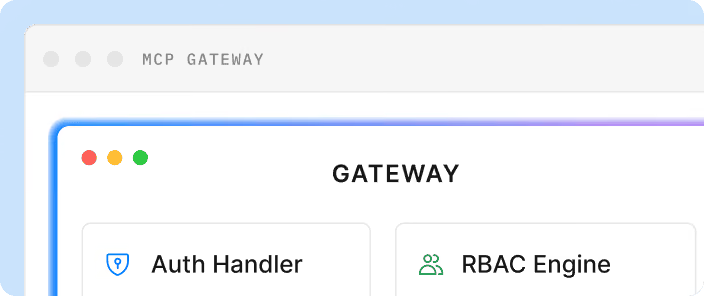
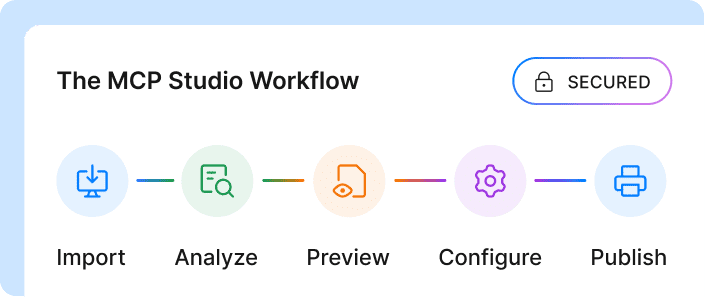
Teams using DigitalAPI bring every API from their existing gateways into one catalog and check each one against documentation and design standards. MCP Studio then turns those specs into MCP tools grouped by domain and tagged as read, write or sensitive. Each agent sees only the tools DigitalAPI scopes to it, so a support agent chooses from a dozen relevant tools instead of every API the company owns.
FAQs
[fs-toc-omit]What is tool calling in AI?
Tool calling is how an AI model asks to use an external function or API. The model returns a structured request naming the tool and its arguments, your application runs it, and the result goes back to the model so it can answer or take the next step.
[fs-toc-omit]What is the difference between tool calling and function calling?
There is no practical difference. Function calling is the term OpenAI introduced, and tool calling is the term Anthropic and most newer frameworks use. Both describe a model returning a structured request for your code to execute a function or API.
[fs-toc-omit]How does an LLM decide which tool to use?
An LLM reads the name, description and input schema of every available tool, compares them with the user's request and conversation history, and picks the tool whose description best matches the intent. It then fills in arguments from the schema. Clear, distinct descriptions are the biggest factor.
[fs-toc-omit]Can you give an example of tool calling?
A user asks, "Where's my refund for order 4471?" The model sees a get_refund_status tool described for refund questions, returns a call with order_id 4471, the application calls the refunds API, and the model replies with the refund status and date.
[fs-toc-omit]How many tools can an LLM handle?
There's no hard limit, but accuracy and cost worsen as tool counts grow. Anthropic measured 58 tools at about 55,000 tokens of context and recommends tool search once definitions pass about 10,000 tokens or 10 tools. Grouping and per-agent scoping keep the effective list short.
[fs-toc-omit]Why does my agent call the wrong tool?
The most common causes are vague or overlapping tool descriptions, too many tools loaded at once, and loose schemas without enums or examples. Rewrite descriptions to say when to use and not use each tool, merge near-duplicates and limit each agent to the tools its job needs.
[fs-toc-omit]Do tool descriptions affect accuracy?
Yes, more than any other factor you control. The model sees only the tool's name, description and schema, so a description that states purpose, when to use it and when not to use it directly improves selection. Test changes against an eval set to confirm.
[fs-toc-omit]What is tool search?
Tool search is a technique where the agent loads a single search tool instead of every tool definition, describes what it needs, and gets back a short list of relevant tools. Anthropic reported it cut tool-definition tokens by 85% and raised Opus 4's accuracy from 49% to 74%.
[fs-toc-omit]Which LLM is best for tool calling?
The best model for tool calling is the one that scores highest on your own eval set of real requests and tools. Larger frontier models generally select tools more reliably across long tool lists, while smaller models work well for narrow agents with a few well-described tools.
Final word
Agents don't choose APIs the way developers do. They can't open the docs, ask a colleague or read the code. They choose from a name, a description and a schema, so those few lines decide whether the right API gets called.
Pull the five tools your agents call most and read their descriptions as if you were the model. If two of them could answer the same question, you've found your next selection bug.
Want agents to pick the right API every time?
See how DigitalAPI turns your API catalog into well-scoped agent tools.
Dhayalan Subramanian is Associate Director, Product Growth at DigitalAPI, where he leads go-to-market and product growth for the company’s multi-gateway API management platform. His work focuses on helping large enterprises and mid-market cloud companies consolidate APIs across AWS, Azure, Apigee, Kong, MuleSoft, and other gateways into a single control plane for governance, discovery, monetization, and agent consumption.
Dhayalan brings 14+ years of experience across product strategy, enterprise architecture, and engineering leadership. Earlier in his career, he held senior roles at Encora (as Associate Architect and Technical Manager), Mindtree (Technology Lead), Tech Mahindra (Technical Lead), and Primus Analytics, where he designed integration frameworks and delivered enterprise-grade digital platforms for global customers.
At DigitalAPI, he works directly with platform, integration, and developer experience leaders at Fortune 500 organizations to operationalize unified API catalogs, developer portals, and MCP-ready APIs. He writes regularly on API developer experience, API governance, and AI agent architectures.
One email a fortnight. Worth opening.
A short digest of what we're writing, what we're learning from customers, and the handful of links you'd actually want from us. No tracking pixels.