

MCP vs Function Calling (and MCP vs APIs): Which Should Your Agents Use?
Function calling is how a model asks to run a tool. MCP is where tools live and how agents find them. Here's how they differ, how MCP relates to APIs, and when to use each.

TL;DR
Function calling is how a model asks to run a tool. MCP is where tools live and how agents find them. APIs are what the tool calls in the end.
Use function calling alone for one app with a few tools. Use MCP when several agents, models or teams need the same tools. In practice, most production systems use all three: the model uses function calling, the tools come from MCP servers, and the servers call your APIs.
MCP vs function calling isn't an either-or choice: function calling is how a model asks to run a tool, and MCP (Model Context Protocol) is an open standard for where tools live and how agents find them. Most production agents use both, and both end up calling your APIs.
Interest is high, but use is still early. Postman's 2025 State of the API report found that 70% of developers are aware of MCP, but only 10% use it regularly.
This guide explains how each one works, compares MCP vs function calling and MCP vs APIs side by side, and shows when to use each, including what changes when many teams share the same tools.
What is function calling (or tool calling)?
Function calling is defined as a model feature that lets an LLM ask your application to run a specific function, with arguments the model fills in. You describe each function to the model, the model returns a structured request when it wants one, and your code runs it.
The loop has four steps:
- You send tool definitions: Each request to the model includes a list of functions, with a name, a description and a schema for the parameters.
- The model picks one: If a function helps answer the user, the model returns its name and the arguments as structured JSON instead of plain text.
- Your code runs it: Your application calls the real API or function and gets a result.
- You send the result back: The model reads the result and writes its answer, or calls another function.
Is function calling the same as tool calling?
Yes. "Function calling" is the name OpenAI first used, and "tool calling" or "tool use" is the more general term that Anthropic, Google and OpenAI's newer APIs use. They describe the same thing: a model returning a structured request to run a tool. The request format differs between vendors, which matters later.
What is MCP?
MCP (Model Context Protocol) is defined as an open standard for connecting AI applications to external tools and data. Anthropic introduced MCP in November 2024, and it's now supported by most major AI apps and agent frameworks. Our guide to what the Model Context Protocol is covers it from the start.
MCP has three parts:
- Host: The AI application the user works in, such as a chat app, an IDE or an agent.
- Client: The part of the host that speaks MCP and connects to servers.
- Server: A program that offers capabilities to any MCP client.
A server can offer three kinds of capability:
- Tools: Actions the model can take, such as "create ticket" or "look up order". These are the focus of this guide. See our guide to MCP tools for examples.
- Resources: Data the application can read, such as a file or a database schema.
- Prompts: Reusable templates a user can pick.
The current MCP specification, dated 28 July 2026, made the protocol stateless: every request carries what the server needs, with no start-up handshake. That makes MCP servers easier to run behind load balancers and gateways, like any other web service.
How does the same tool look with function calling vs MCP?
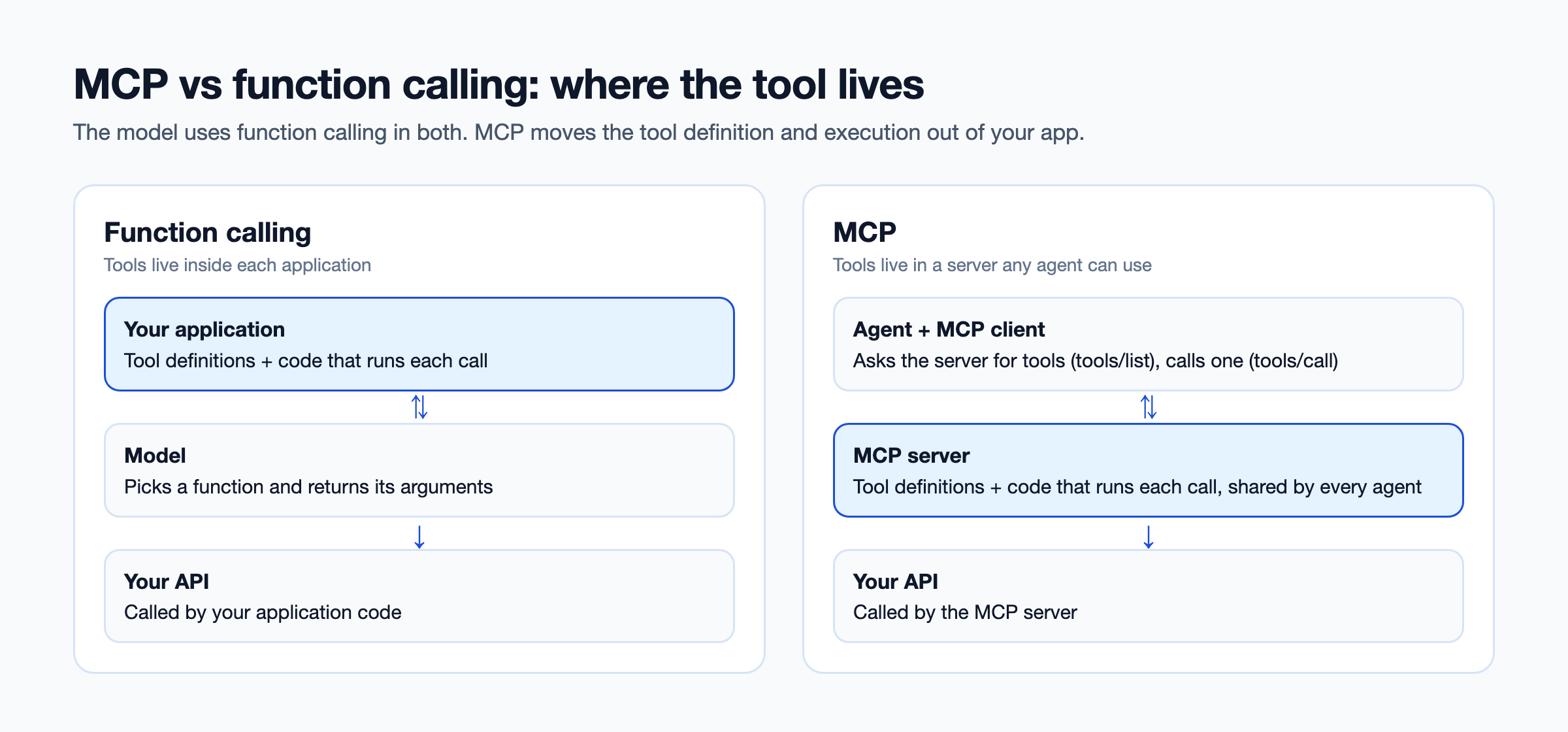
The tool definition looks almost the same in both. What changes is where it lives and who runs it. With function calling, the definition and the execution live inside your application. With MCP, they live in a server any agent can connect to.
Here's a tool definition in the shape the MCP specification uses, adapted from the spec's own example:
{
  "name": "get_order_status",
  "title": "Order status lookup",
  "description": "Get the current status of a customer order by order ID",
  "inputSchema": {
    "type": "object",
    "properties": {
      "order_id": {
        "type": "string",
        "description": "The order ID, for example ORD-10293"
      }
    },
    "required": ["order_id"]
  }
}
With function calling, you'd paste a definition like this into your application and send it with every request to the model. Your code would then call the order API when the model asks.
With MCP, the definition lives in an MCP server. An agent asks the server for its tool list (a tools/list request), and the server sends this definition back. When the model picks the tool, the client sends a tools/call request and the server calls the order API. The model still uses function calling under the hood. MCP decides where the tool comes from.
MCP vs function calling: what are the key differences?
The key difference is that function calling is a model feature inside one application, while MCP is a protocol that makes tools reusable across applications. The table below compares them on the nine points that matter when you choose.
| Function calling | MCP | |
|---|---|---|
| What it is | A feature of the model's API | An open protocol between apps and tool servers |
| Where tools are defined | In your application code | In MCP servers |
| How the agent finds tools | You list them in every request | The client asks each server at runtime |
| Reuse across agents | Copy the definitions into each agent | Connect any MCP client to the same server |
| Model vendors | Format differs per vendor | One server works with any MCP-compatible client |
| Where credentials live | In your application | In the server, away from the agent |
| Latency | No extra hop | One extra call to the server |
| Effort to start | Low: a few lines of config | Higher: a server to build or run |
| Best for | One app with a few tools | Many agents, models or teams sharing tools |
Is MCP slower than function calling?
Slightly. MCP adds a call from the client to the server, which may be local or over the network. For most agent tasks, that's small next to the time the model takes to respond. It matters more for high-volume, low-latency paths, where a direct function may be the better fit.
How does function calling differ across OpenAI, Anthropic and Gemini?
Each model provider uses its own function calling format, so a tool written for one model has to be rewritten for another. The ideas are the same everywhere: a name, a description and a JSON Schema for the inputs. The field names, the shape of the model's reply and the way you send results back all differ.
| OpenAI | Anthropic (Claude) | Google Gemini | |
|---|---|---|---|
| Where you declare tools | A tools list, each with type function | A tools list | A tools list holding functionDeclarations |
| Input schema field | parameters | input_schema | parameters |
| What the model returns | A function_call item with arguments as a JSON string | A tool_use block with an input object | A functionCall part with args |
| How you send the result back | A function_call_output item matched by call_id | A tool_result block matched by tool_use_id | A functionResponse part |
The OpenAI column shows its Responses API. Its older Chat Completions API uses a slightly different shape again.
That's three adapters for one tool, and each one has to change when a provider updates its API. Teams that switch models, or run more than one, end up maintaining a copy of every tool per provider.
MCP removes that layer. You define the tool once on an MCP server, in one format: name, description and inputSchema. Each MCP client translates it into its own model's function calling format, so moving from Claude to GPT, or running both, doesn't touch the tool.
If you'll only ever use one model, the per-vendor format costs you little. If you expect to switch or mix models, it's one of the strongest reasons to put tools behind MCP.
MCP vs APIs: what's the difference?
MCP doesn't replace APIs. An MCP tool usually wraps an API call and describes it so an AI agent can use it. APIs are built for developers who read docs and write code. MCP tools are built for models that choose tools by reading their names and descriptions at runtime.
| REST API | Function (function calling) | MCP tool | |
|---|---|---|---|
| Built for | Developers writing code | One AI application | Any MCP-compatible AI agent |
| How it's described | OpenAPI spec and docs | A schema in the app's code | A tool definition the server sends at runtime |
| How it's found | Docs, portals, catalogs | Hard-coded in the app | Listed by the server when asked |
| Who calls it | Application code | The app, when the model asks | The MCP server, when the model asks |
| Sign-in | API keys, OAuth, mTLS | Handled by the app | Handled by the server |
Think of it in layers. Your API does the work. An MCP tool describes that work in a way agents understand. Function calling is how the model asks for it. If your APIs have good OpenAPI specs, you already have most of what an MCP tool needs: names, descriptions and schemas.
When should you use function calling, and when MCP?
Use function calling when one application needs a few tools that only it uses. Use MCP when tools need to be shared, governed or used from more than one AI client. Most teams end up with a mix.
Use function calling alone if:
- You're building a prototype or a single app
- You have a handful of tools, and no other agent needs them
- The tools are specific to this app's logic, like formatting a reply
- You need the lowest possible latency
Use MCP if:
- Several agents, apps or teams need the same tools
- You want tools to work across models from different vendors
- You want credentials kept away from agent code
- Security needs one place to approve, scope and audit tool access
- You want to use ready-made MCP servers for tools like GitHub or Slack
Watch the tool count either way. Every tool description takes up space in the model's context. Connecting several large MCP servers can add thousands of tokens to every request, which raises cost and makes wrong tool choices more likely. Give each agent only the tools its job needs.
What does the hybrid pattern look like?
Keep app-specific actions as plain functions inside the app. Move shared business tools, such as order lookup, customer search or ticket creation, onto MCP servers that every agent can use. This keeps simple things simple and gives shared tools one owner.
What changes when 10 teams and 50 APIs are involved?
At scale, function calling turns into copies of copies, and plain MCP turns into a sprawl of servers nobody governs. Neither problem shows up in a single-app demo, which is why most comparisons skip it.
Here's what happens with function calling alone across many teams:
- Definitions drift: Five agents each have their own "get customer" function, written slightly differently, and only some were updated when the API changed.
- Credentials spread: Each agent holds its own keys to the same APIs, stored in different places.
- Nobody has the full picture: No one can answer "which agents can call the billing API?" without reading every repository.
MCP fixes the reuse problem, but it creates a new one if every team runs its own servers. You get dozens of servers with different sign-in methods, different logging and no shared list of what exists.
One device services company we work with had agents calling APIs directly through hard-coded functions. They wanted to move to MCP so tools could be found and reused across agents, instead of being re-taught to each one. The step that made it work wasn't MCP alone. It was putting every tool behind one gateway with a shared registry, permissions and audit. Our guide to the MCP gateway explains that layer, and the MCP registry guide covers how teams find each other's tools.
How do you move from function calling to MCP?
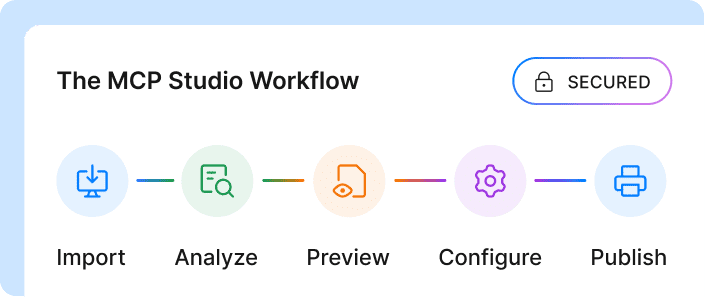
Move shared tools first, keep app-specific ones as functions, and put everything behind one governed entry point. You don't need to rewrite every agent at once.
- List your existing functions: Pull every function definition from every agent. Note which API each one calls and which agents use it.
- Find the duplicates: Functions that call the same API in different agents are your first MCP tools.
- Generate tools from your API specs: Your OpenAPI specs already hold names, descriptions and schemas. Turning specs into tools keeps them in sync with the API. DigitalAPI does this in one click for APIs behind your existing gateways.
- Govern access in one place: Give each agent an identity, decide which tools it can call and keep credentials out of agent code. Our MCP security guide covers the controls.
- Retire the copies: Point agents at the shared tools and delete their local function definitions one by one.
Which approach is right for you?
MCP behind a gateway is right for you if:
- More than one team is building agents
- Your agents need internal APIs, not only SaaS apps
- Security has to approve and audit what agents can call
Function calling alone is right for you if:
- You have one app with a few tools that no one else needs
- You're prototyping and expect to change everything next month
How does an MCP gateway help?
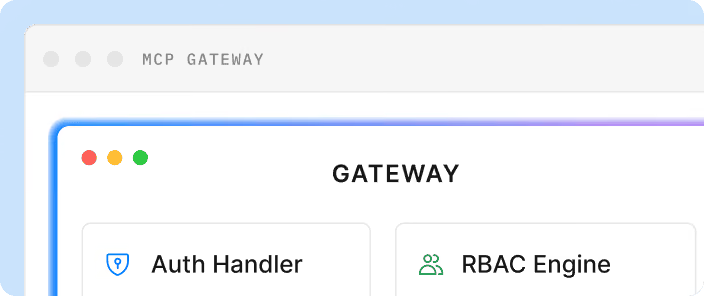
An MCP gateway lets you keep the simplicity of function calling for the model while managing tools in one place. DigitalAPI's MCP Gateway turns any API in your catalog into MCP tools straight from its OpenAPI spec, so you don't rewrite function schemas for each agent.
Every agent connects to one endpoint and sees only the tools its identity allows. The gateway brokers credentials, applies deny-by-default policy and sends every call through the same audit pipeline as your API traffic. It works with Claude, GPT, Gemini, Cursor and custom agents. Teams using DigitalAPI replace copied function definitions with one governed set of tools. See the MCP Gateway for details, or read how to connect AI agents to your internal APIs.
FAQs
Is MCP the same as function calling?
No. Function calling is a model feature that lets an LLM request a specific function with arguments. MCP is an open protocol that defines where tools live and how AI applications find and call them. MCP clients use function calling under the hood to let the model choose MCP tools.
Does MCP replace APIs?
No. MCP tools usually wrap existing APIs and describe them so AI agents can use them. The API still does the work. MCP adds a standard way for agents to find the tool, understand its inputs and call it.
What's the difference between MCP and tool calling?
Tool calling is how a model asks to run a tool. MCP is how tools are packaged, found and served to AI applications. A model uses tool calling to pick an MCP tool, and the MCP client and server handle the rest.
Does ChatGPT use MCP?
Yes. OpenAI supports MCP in its agent tools and lets ChatGPT connect to remote MCP servers through connectors and apps. Anthropic's Claude, Google's Gemini CLI, Microsoft Copilot Studio and IDEs like Cursor and VS Code also support MCP.
Is MCP slower than function calling?
Slightly, because MCP adds a call from the client to the server. For most agent tasks, the delay is small compared with the model's own response time. For high-volume, low-latency paths, a direct function can be faster.
Can I use MCP with any LLM?
Yes, as long as the application or agent framework you use includes an MCP client. The MCP server doesn't depend on the model, so the same server works with Claude, GPT, Gemini or open-source models.
Is MCP secure?
MCP can be secure, but security depends on how servers are built and run. Use one identity per agent, narrow permissions per tool, credentials kept on the server side, human approval for actions that change data and a full audit trail. An MCP gateway applies these controls in one place.
Final word
The question isn't MCP or function calling. The model will use function calling either way. The question is where your tools live: copied into every agent, or defined once and shared.
If the same tool definition already exists in more than one of your agents, you've answered it.
Stop rewriting the same tool for every agent.
See how DigitalAPI turns your APIs into governed MCP tools.
Dhayalan Subramanian is Associate Director, Product Growth at DigitalAPI, where he leads go-to-market and product growth for the company’s multi-gateway API management platform. His work focuses on helping large enterprises and mid-market cloud companies consolidate APIs across AWS, Azure, Apigee, Kong, MuleSoft, and other gateways into a single control plane for governance, discovery, monetization, and agent consumption.
Dhayalan brings 14+ years of experience across product strategy, enterprise architecture, and engineering leadership. Earlier in his career, he held senior roles at Encora (as Associate Architect and Technical Manager), Mindtree (Technology Lead), Tech Mahindra (Technical Lead), and Primus Analytics, where he designed integration frameworks and delivered enterprise-grade digital platforms for global customers.
At DigitalAPI, he works directly with platform, integration, and developer experience leaders at Fortune 500 organizations to operationalize unified API catalogs, developer portals, and MCP-ready APIs. He writes regularly on API developer experience, API governance, and AI agent architectures.


One email a fortnight. Worth opening.
A short digest of what we're writing, what we're learning from customers, and the handful of links you'd actually want from us. No tracking pixels.