

How to Connect AI Agents to Your Internal APIs (2026 Guide)
AI agent integration for internal APIs: the four ways to connect agents to your APIs, what breaks at scale, a step-by-step plan and a security checklist.


AI agent integration is how you connect AI agents to the systems they need, so they can read data and take actions through APIs. For your internal APIs, that means four things: the agent can find the API, understand it, is allowed to call it, and every call is audited.
Most API teams will face this soon. Gartner predicts that 33% of enterprise software applications will include agentic AI by 2028, up from less than 1% in 2024.
This guide compares the four ways to connect AI agents to internal APIs, shows what breaks when you hand-build integrations, and gives you a step-by-step plan and a security checklist.
TL;DR
Hand-coding API calls into an agent works for two or three APIs. Beyond that, turn your API specs into MCP tools and put them behind one governed MCP gateway, so every agent finds, calls and is audited the same way.
What is AI agent integration?
AI agent integration is defined as connecting an AI agent to the software systems it needs, so it can read data and take actions instead of only answering questions. The agent decides what to do, and the integration lets it call an API to do it.
Most guides on AI agent integration cover third-party SaaS apps like Salesforce, Slack or HubSpot. Those come with ready-made connectors. This guide covers the harder case: your own internal APIs, the ones your company built and runs.
| SaaS app integrations | Internal API integrations | |
|---|---|---|
| Who built the API | A vendor | Your own teams |
| Ready-made connectors | Usually, from integration platforms | Rarely |
| How agents sign in | OAuth with the vendor | Whatever each team chose: keys, OAuth, mTLS |
| Where the docs live | The vendor's public docs | Specs in Git, wikis or nowhere |
| Who approves access | The vendor's admin settings | Your security and API owners |
If your agents only need Slack and Google Drive, an integration platform may be enough. If they need your order, billing or inventory APIs, read on.
Why is connecting agents to internal APIs harder than SaaS apps?
Internal APIs are harder because nothing about them was designed for agents. They sit behind different gateways, use different sign-in methods and have specs of mixed quality. An agent can only use what it can find and understand.
Three problems show up in almost every company:
- APIs are spread across gateways: A large company might run Apigee for partner APIs, Kong for internal services and AWS API Gateway for newer teams. An agent has no single place to look.
- Access is managed per team: Each API has its own owner, its own keys and its own approval process. Postman's 2025 State of the API report found managing access is a collaboration blocker for 26% of teams, before agents enter the picture.
- Specs are written for humans: A description like "Gets data" is enough for an engineer who can ask a colleague. An agent picks tools by reading descriptions, so vague ones lead to wrong calls. Our guide to API docs for AI agents covers what agents need.
Interest is running ahead of practice. The same Postman report found 70% of developers are aware of MCP, but only 10% use it regularly. Gartner also predicts that over 40% of agentic AI projects will be canceled by the end of 2027, citing costs, unclear business value and inadequate risk controls. How you connect agents to your APIs decides which side of that line you land on.
What are the 4 ways to connect AI agents to internal APIs?
There are four patterns for AI agent integration with internal APIs: direct API calls, function calling, one MCP server per API, and an MCP gateway in front of your API catalog. They run from least to most reusable. Most teams start with the first and move down the list as the number of APIs and agents grows.
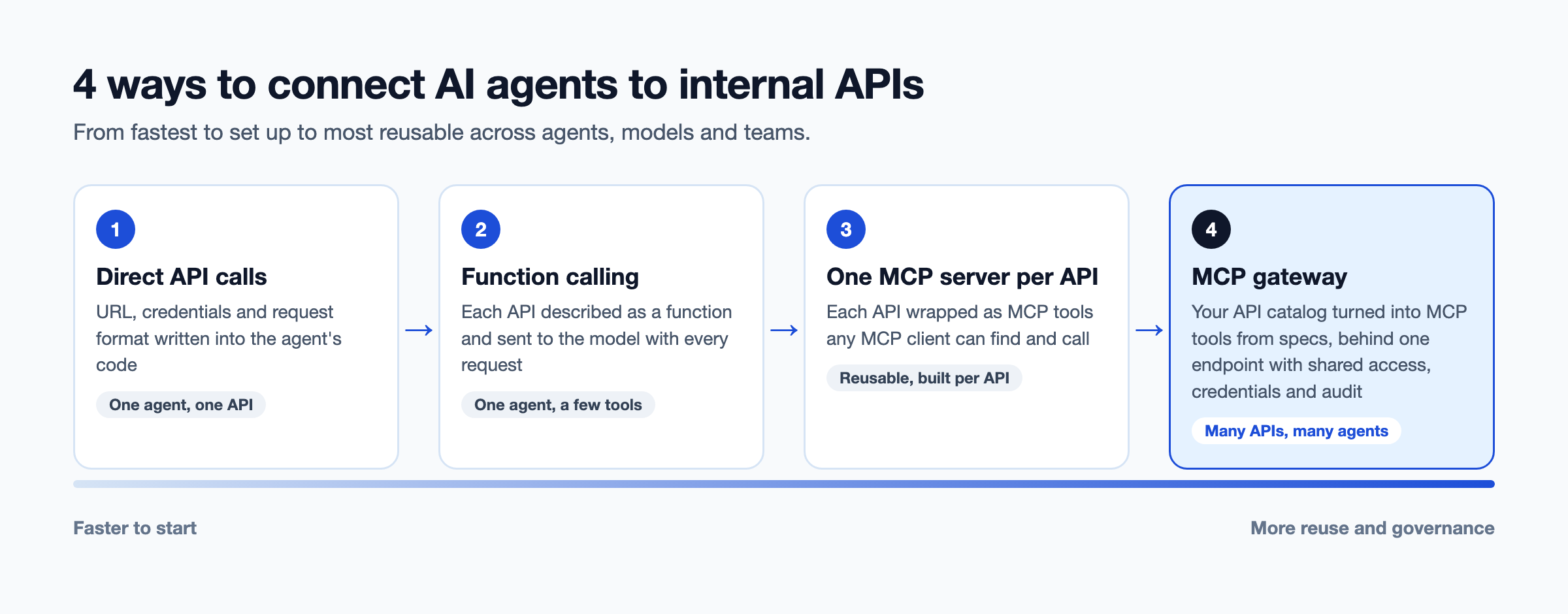
1. Direct API calls
The agent's code calls the API directly, with the URL, credentials and request format written in. It's the fastest way to connect one agent to one API. Every change to the API means a change to the agent, and no other agent can reuse the work.
2. Function calling (tool calling)
You describe each API as a "function" with a name, a description and parameters, and send those descriptions to the model. The model decides when to call one, and your code runs the call. This is cleaner than direct calls, but the function definitions still live inside each agent. Our comparison of MCP vs function calling explains the difference in depth.
3. One MCP server per API
The Model Context Protocol (MCP) is an open standard for connecting AI applications to tools. You wrap each API in an MCP server, which describes the API as MCP tools any MCP-compatible agent can find and call. This makes tools reusable across agents and models. The catch: someone has to build, host, secure and update a server for every API.
4. An MCP gateway in front of your API catalog
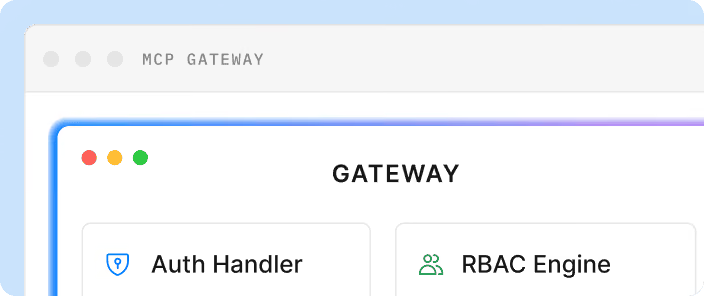
An MCP gateway turns the APIs you already have into MCP tools from their specs, and puts them behind one endpoint with shared sign-in, permissions and audit. Agents connect once and see only the tools they're allowed to use. Our guide to the MCP gateway covers how it works.
| Direct API calls | Function calling | One MCP server per API | MCP gateway over your catalog | |
|---|---|---|---|---|
| Setup for the first API | Hours | Hours | Days | Days, then minutes per API |
| Reuse across agents | None | Low: copied per agent | High | High |
| How agents find tools | Hard-coded | Listed in each agent | Connect to each server | One endpoint, filtered by permission |
| Where credentials live | In the agent | In the agent's code | In each server | Brokered by the gateway |
| Audit trail | Whatever each agent logs | Whatever each agent logs | Per server | One trail for every call |
| Works across model vendors | Yes, rewritten per vendor | Format differs per vendor | Yes | Yes |
| Best for | A prototype | One agent, a few tools | A few high-value APIs | Many APIs, many agents |
| Example | Custom code | OpenAI or Anthropic tool use | Open-source MCP servers | DigitalAPI MCP Gateway |
What breaks when you hand-build agent integrations?
Hand-built agent integrations break at scale because every new API and every new agent multiplies the work. Three failure modes show up once a company has more than a handful of agents.
- Every MCP tool is built by hand: Teams write a tool definition, map it to the API and test it, one API at a time. One industrial manufacturer we spoke with found that turning a single order API into one useful MCP tool meant chaining three API calls by hand. Their first question was whether that work could go away.
- API calls are hard-coded into agent workflows: Each workflow knows a fixed set of methods, and every new API means a new ticket. One device services company had agents calling APIs directly and wanted to move to MCP servers, so tools could be discovered and reused instead of rewritten.
- Agents can't find or reuse tools across teams: Team A builds an "order lookup" tool. Team B builds its own. Neither knows about the other, and both hold separate credentials to the same API.
The cost isn't only engineering time. Each hand-built integration is another place where credentials live, another log nobody reviews and another tool security hasn't approved.
How do you connect an AI agent to an internal API, step by step?
Start with read-only APIs, turn their specs into tools, then add permissions and audit before you add write access. These seven steps work whether you build MCP servers yourself or use a gateway.
- List your APIs and where they run: Pull every API from each gateway into one API catalog. You can't connect agents to APIs nobody can find.
- Check spec quality: Agents read operation names, descriptions and parameter descriptions to choose tools. Fix vague descriptions and missing examples first.
- Pick read-only APIs to start: Lookups and searches carry less risk than creates and updates. They let you prove the pattern safely.
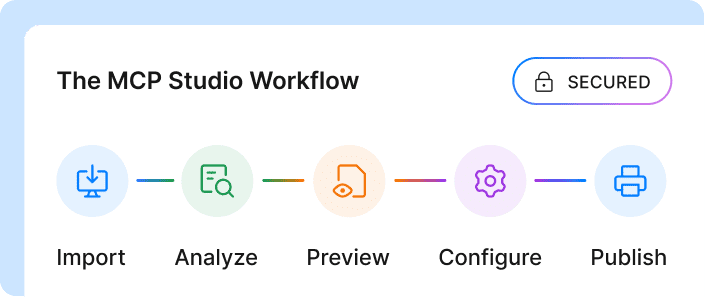
- Turn specs into tools: Map each API operation to an MCP tool with a clear name, description and input schema. Generate this from the OpenAPI spec where you can, so tools stay in sync with the API.
- Decide what each agent can call: Give each agent its own identity and a list of allowed tools. A support agent doesn't need billing tools.
- Broker credentials: Keep API keys and tokens out of agent code and prompts. The gateway or MCP server signs in on the agent's behalf.
- Trace and review every call: Log which agent called which tool, with what inputs and what result. Review the logs weekly at first, then add write access one tool at a time.
How do you keep AI agents secure when they call internal APIs?
Treat every agent as a new kind of user with its own identity, the narrowest possible access and a full audit trail. The MCP specification says applications should keep a human in the loop who can deny tool calls, and that's a starting point, not the whole answer.
Use this checklist before any agent touches production APIs:
- Deny by default: Agents can call nothing until a policy allows it.
- One identity per agent: Don't share keys between agents, so you can see and revoke each one separately.
- Narrow scopes per tool: Allow "read orders", not "orders API".
- No secrets in agents: Credentials stay in the gateway or server, never in prompts, code or logs.
- Rate limits: Agents can loop. Cap calls per agent and per tool.
- Human approval for writes: Require confirmation before tools that create, change or delete data.
- Full audit trail: Record every call with the agent, tool, inputs, result and trace ID.
- A kill switch: Be able to cut off one agent or one tool right away.
Our guide to MCP security covers the threats in more depth, including tool poisoning and prompt injection.
What does a good agentic AI architecture for internal APIs look like?
A good agentic AI architecture puts one governed layer between agents and your APIs, so agents never connect to backend systems directly. It has five layers, and each one has a single job.
| Layer | What it does | Examples |
|---|---|---|
| Agents | Decide what to do and which tool to call | Claude, GPT or Gemini agents, custom copilots, n8n workflows |
| MCP clients | Speak MCP on the agent's behalf | Built into agent frameworks and AI apps |
| MCP gateway and registry | Lists approved tools, checks permissions, brokers credentials, logs calls | An MCP gateway with a tool registry |
| API gateways | Enforce rate limits and route traffic | Apigee, Kong, AWS API Gateway, Azure API Management |
| Services | Run the business logic | Order, billing, inventory and customer services |
The middle layer is where the value sits. It's the one place that knows every tool, every agent and every call. Without it, those answers are spread across every agent's code. A tool registry inside that layer is what lets Team B find the tool Team A already built.
What are AI agent integration platforms, and do they cover internal APIs?
AI agent integration platforms give agents ready-made connections to software, mostly third-party SaaS apps like Salesforce, Slack and Google Drive. They handle sign-in, connectors and tool definitions for apps they already support. Most don't cover the internal APIs your own teams built, because no vendor has a connector for your order or billing system.
The market splits into five types. Each solves a different part of the problem:
| Platform type | What it does | Covers your internal APIs? | Best for |
|---|---|---|---|
| Agent tool platforms | Prebuilt tools and managed user sign-in for popular SaaS apps | Rarely | Agents that act in SaaS apps on a user's behalf |
| Unified API platforms | One API for a whole category, such as CRM or HR systems | No | Products that integrate with many customers' SaaS tools |
| Embedded integration platforms | Connectors you embed inside your own product | Partly, with custom work | SaaS companies offering integrations to their customers |
| Workflow automation platforms | Trigger-and-action workflows across apps, now with agent steps | Partly, through custom connectors | Business teams automating cross-app processes |
| MCP gateways | Turn the APIs you already run into governed MCP tools | Yes | Platform teams with many internal APIs and several agent teams |
How do you choose an AI agent integration platform?
Start with where your agents' data lives. If most of it sits in SaaS apps, an agent tool platform or unified API gets you moving fastest. If it sits in your own APIs, check these five things before you buy:
- Internal API support: Can it use your OpenAPI specs, or only its own connector catalog?
- Identity: Does each agent get its own identity and permissions, or does every agent share one key?
- Credentials: Are secrets brokered by the platform, or handed to the agent?
- Audit: Can security see every call in the same logs as your other API traffic?
- Fit with your gateways: Does it work alongside the API gateways you already run, or replace them?
Many companies end up with two: a SaaS-focused platform for third-party apps and an MCP gateway for their own APIs.
Should you build MCP servers yourself or use an MCP gateway?
Build MCP servers yourself for a few high-value APIs. Use an MCP gateway when you have dozens of APIs or several teams building agents. The tipping point is usually when a second team asks for a tool the first team already built.
| Build your own MCP servers | Use an MCP gateway | |
|---|---|---|
| Effort per API | Write, host and maintain a server | Point at the spec |
| Sign-in | Built into each server | Shared across all tools |
| Permissions | Per server, often all-or-nothing | Per agent and per tool |
| Audit | Per server, in different formats | One trail for every call |
| Tool discovery | Agents connect to each server | One endpoint and a registry |
| Best for | A few APIs, one team | Many APIs, many teams |
Is an MCP gateway right for you?
This is right for you if:
- You have more than a handful of internal APIs agents need to call
- More than one team is building agents
- Your APIs run on more than one gateway
- Security needs to approve agent access before anything goes live
This is not right for you if:
- Your agents only need SaaS apps with ready-made connectors
- You're building one prototype agent that calls two or three APIs
How does an MCP gateway speed up AI agent integration?
An MCP gateway removes the per-API build work and gives security one place to control agent access. DigitalAPI's MCP Gateway turns any API behind Apigee, Kong or AWS into MCP tools in one click, straight from its OpenAPI spec, with descriptions, schemas and examples preserved.
- Deny by default: Agents get exactly the tools their identity allows, scoped per agent, per tool and per partner.
- Credentials brokered: Agents never hold API keys. The gateway signs in using the OAuth, API key or mTLS setup you already run.
- One audit pipeline: Every MCP call carries the same trace ID and goes through the same audit and metering as your normal API traffic.
- A registry of tools: Every tool and version is searchable, so teams reuse tools instead of rebuilding them.
- Any client: It works with Claude, GPT, Gemini, Cursor and custom copilots.
Teams using DigitalAPI make their existing API catalog agent-ready without rebuilding integrations for each agent. See the MCP Gateway for details.
FAQs
What is AI agent integration?
AI agent integration is connecting an AI agent to the software systems it needs, so it can read data and take actions. It usually works through APIs, using function calling or the Model Context Protocol (MCP). For internal systems, it also needs permissions, credential management and an audit trail.
Can AI agents call REST APIs directly?
Yes. An agent can call a REST API directly if its code includes the URL, credentials and request format. This works for prototypes but doesn't scale, because every agent repeats the work and holds its own credentials. Function calling or MCP tools make the same APIs reusable.
Do I need MCP to connect an AI agent to an API?
No, but it helps once you have more than a few APIs or agents. Function calling works for one agent with a few tools. MCP makes tools reusable across agents and models, so you describe each API once instead of once per agent.
How do AI agents authenticate to internal APIs?
The safest way is for agents to never hold credentials at all. An MCP gateway or server signs in to the API on the agent's behalf, using the OAuth, API key or mTLS setup the API already uses. Each agent gets its own identity so its access can be scoped, logged and revoked.
What is an MCP gateway?
An MCP gateway is a single entry point between AI agents and the tools they call. It turns APIs into MCP tools, checks which agent can call which tool, brokers credentials and logs every call. It does for agent traffic what an API gateway does for app traffic.
How many tools can an AI agent handle?
There's no fixed limit, but every tool description takes up space in the model's context, and too many similar tools make wrong choices more likely. Give each agent only the tools its job needs, and use clear, distinct names and descriptions.
Is it safe to let AI agents write data through APIs?
It can be, with controls. Start with read-only tools, then add write tools one at a time with narrow scopes, rate limits and human approval before actions that create, change or delete data. Keep a full audit trail so every write can be traced back to an agent.
Final word
Connecting one agent to one API is easy. The hard part is the tenth API and the fifth agent, when every team has its own tools, keys and logs.
If every new API still means a new ticket for every agent, the problem isn't the agent. It's the layer between the agent and your APIs.
Your APIs already exist. Your agents shouldn't need a ticket to use them.
See how DigitalAPI makes your API catalog agent-ready.
Dhayalan Subramanian is Associate Director, Product Growth at DigitalAPI, where he leads go-to-market and product growth for the company’s multi-gateway API management platform. His work focuses on helping large enterprises and mid-market cloud companies consolidate APIs across AWS, Azure, Apigee, Kong, MuleSoft, and other gateways into a single control plane for governance, discovery, monetization, and agent consumption.
Dhayalan brings 14+ years of experience across product strategy, enterprise architecture, and engineering leadership. Earlier in his career, he held senior roles at Encora (as Associate Architect and Technical Manager), Mindtree (Technology Lead), Tech Mahindra (Technical Lead), and Primus Analytics, where he designed integration frameworks and delivered enterprise-grade digital platforms for global customers.
At DigitalAPI, he works directly with platform, integration, and developer experience leaders at Fortune 500 organizations to operationalize unified API catalogs, developer portals, and MCP-ready APIs. He writes regularly on API developer experience, API governance, and AI agent architectures.

One email a fortnight. Worth opening.
A short digest of what we're writing, what we're learning from customers, and the handful of links you'd actually want from us. No tracking pixels.