

SwaggerHub Alternatives and Pricing in 2026: When a Design Tool Isn't a Developer Portal
What SwaggerHub costs in 2026, what its portal leaves out, and 10 SwaggerHub alternatives compared by the job you need done.

TL;DR
SwaggerHub, now sold by SmartBear as Swagger, costs $22.80 to $58.80 per user per month billed yearly, or $30 to $70.80 billed monthly. Enterprise Plus is quoted.
The best SwaggerHub alternative depends on the job. Choose DigitalAPI if partners need onboarding, keys and access control. Choose Apidog or Postman for design and testing, Redocly, ReadMe or Scalar for docs, and Stoplight to stay with SmartBear.
Most teams look for SwaggerHub alternatives for one of two reasons. Per-user pricing grows with every person who only reviews or reads, or the portal publishes docs but can’t give partners access. This guide covers both. It sets out SwaggerHub’s 2026 prices and limits and what its portal includes on each plan. It then matches 10 alternatives to the job you need done.
Before you compare tools, count the seats you pay for. Then count the people who edited an API definition in the last 90 days. The difference is what you pay for people who only read.
What is SwaggerHub called now, and what does it include?
SwaggerHub is SmartBear's commercial API platform, now sold under the Swagger name. SmartBear first renamed it API Hub, then relaunched it as Swagger. The login still runs on app.swaggerhub.com, so most teams still call it SwaggerHub.
What is SwaggerHub? SwaggerHub is a hosted platform for designing, documenting and testing APIs that use the OpenAPI Specification, the standard format for describing REST APIs. It is separate from the free, open-source Swagger tools: Swagger Editor, Swagger UI and Swagger Codegen.
As of November 2026, the platform has six modules:
- Catalog: One place to find and organize your APIs, included in every plan.
- Studio: Code and form editors for API design, with code generation and component libraries.
- Portal: Publishes API documentation to external developers as "products."
- Contract Testing: Catches breaking changes between API providers and consumers.
- Functional Testing: Runs automated API tests, with CI/CD integration.
- Explore: Sends requests to APIs to see how they respond.
It runs as SaaS or on-premises. Studio syncs with Amazon API Gateway, Azure API Management, Apigee Edge and IBM API Connect, and with GitHub, GitLab, Bitbucket and Azure DevOps.
How much does SwaggerHub cost in 2026?
SwaggerHub costs $22.80 to $58.80 per user per month billed yearly, across three self-serve plans. Billed monthly, the same plans cost $30 to $70.80. Enterprise Plus is quoted by sales. These are SmartBear's published prices, checked on 3 November 2026.
A test run counts each time a whole test runs, and suites count each test in them. Spectral-powered linting starts on Enterprise.
Add-ons are also priced per user, per month:
What does SwaggerHub cost for a team of 10?
A 10-person team on the Team plan pays $4,132.80 a year with yearly billing. Billed monthly, that becomes $5,040. Adding Portal Pro for the same 10 seats adds $3,528 a year, for a total of $7,660.80.
Every seat counts, including people who only review or read. That's why the seat count in the opening matters.
Is there a free SwaggerHub plan?
SmartBear's current pricing page lists a free trial, not a free plan. Older SmartBear docs describe a 14-day trial that becomes a limited free account. Confirm the current terms with SmartBear before you plan around them. The open-source Swagger tools stay free.
When is SwaggerHub a design tool rather than a developer portal?
SwaggerHub is strongest at designing and testing APIs, and its portal publishes the results. A developer portal also has to let outside developers sign up, request access and get credentials. On self-serve plans, SwaggerHub's portal covers publishing, and access control costs extra or needs Enterprise Plus.
This is where many teams get stuck without noticing. The docs are published, so the portal box is ticked. Access then runs through email, a ticket or a spreadsheet of keys.
Postman's 2025 State of the API report found that 55% of respondents struggle with inconsistent documentation. It also found that 31% of organizations run more than one API gateway. With several gateways, the gap between "docs published" and "developer has access" gets wider. Our guide to self-serve developer experience covers what closing that gap looks like.
SwaggerHub is right for you if: Your main work is designing and testing APIs, and your portal readers are mostly internal.
SwaggerHub is not right for you if: POartners need to sign up, request access and get keys without emailing your team.
What are the best SwaggerHub alternatives at a glance?
Most SwaggerHub alternatives replace one or two of its modules, not all six. Shortlist by the job you need done. Free-plan details come from each vendor's site, checked in late October 2026.
What are the 10 best SwaggerHub alternatives in 2026?
The 10 best SwaggerHub alternatives are DigitalAPI, Redocly, ReadMe, Postman, Apidog, Scalar, Stoplight, Bump.sh, Mintlify and Apicurio Registry. They're ordered by how much of the path from published docs to a working developer program they cover. DigitalAPI publishes this guide, so weigh its top spot with that in mind, and use the cons as your checklist.
1. DigitalAPI
DigitalAPI is an API management platform with a developer portal, API catalog and marketplace that sit over the gateways you already run, including Apigee, Kong, AWS and Azure. It publishes interactive docs, then handles what a design tool leaves to email: sign-up, access requests, credentials and subscriptions. Keep a spec editor alongside it for design work.
Key features:
- Interactive API docs: Generates docs from your gateways, Git, Postman and SwaggerHub, with a try-it console using live or mock responses.
- Multi-gateway catalog: Puts APIs from different gateways in one searchable place, with role-based visibility for each audience.
- Self-serve onboarding: Lets developers sign up, request access and subscribe to a plan, with API owners approving where needed.
- Keys through your gateway: Requests credentials from the underlying gateway instead of storing them in the portal, with automated key rotation.
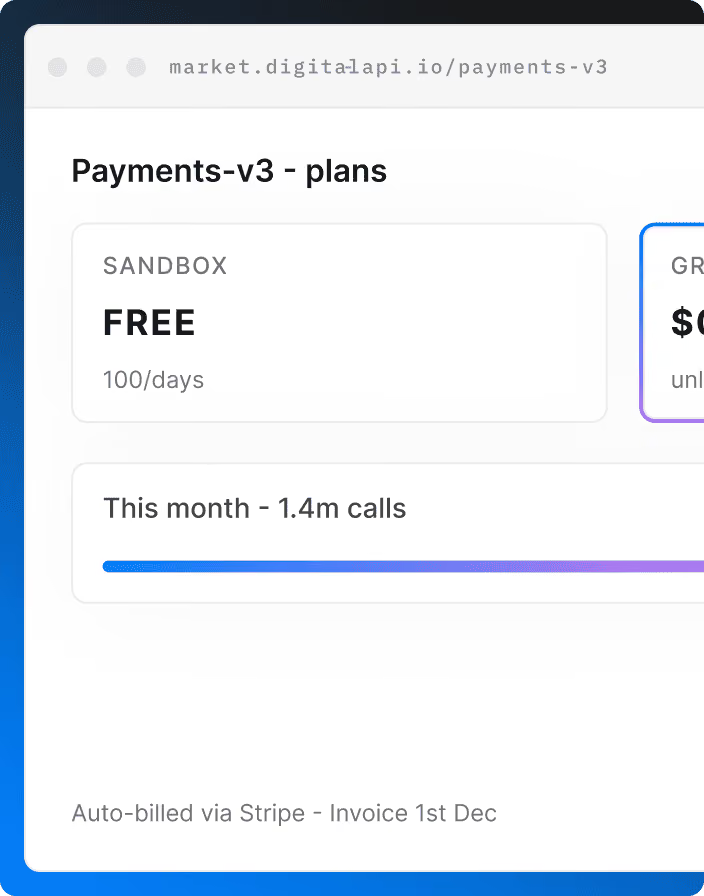
- Products, plans and billing: Packages APIs from several gateways into one product with tiers and quotas, with built-in billing and Stripe integration.
- Governance: Scores APIs on security, style and documentation, with lint rules and breaking-change checks across gateways.
- Analytics: Shows latency, errors, adoption and top consumers across gateways.
- AI agents and deployment: Generates MCP servers from OpenAPI specs, with white-labeling and SaaS, single-tenant or self-hosted VPC options.
Pros:
- Covers access requests, keys and onboarding, not only publishing
- Works with your existing gateways, so there's no gateway migration
- Brands the portal as your own, with private APIs per partner through role-based visibility
- Combines docs, governance, analytics and billing in one platform, with modules also sold separately
- Keeps credentials in your gateway instead of storing them in the portal
- Generates MCP servers from your OpenAPI specs, so AI agents can use the same catalog
Cons:
- Not a replacement for Studio's code and form editors for API design
- Pricing is by custom quote, and the free trial's length and scope aren't published
Want partners to get API access without emailing your team?
See how it works with your gateways → Talk to our experts
2. Redocly
Redocly is an OpenAPI documentation platform with a command-line tool and the open-source Redoc renderer. Docs live in Git and change through pull requests, with previews for review. It replaces SwaggerHub's portal and linting for teams that already work docs-as-code, and its unlimited seats suit large contributor groups better than per-user pricing.
Key features:
- Interactive docs: Publishes reference docs for OpenAPI, GraphQL and AsyncAPI.
- Linting: Checks API descriptions against configurable rules in the command line and CI.
- Mock server: Lets developers try calls before an API is ready.
- Developer onboarding: Lets external developers register apps and manage credentials, with Apigee and Gravitee adapters.
Pros:
- Pull request previews fit how developers already review changes
- Includes onboarding for teams on Apigee or Gravitee
- Unlimited seats help larger contributor groups
Cons:
- No visual design editor like Studio's form editor
- No hosted free plan, so trying it means a trial or the open-source tools
3. ReadMe
ReadMe is a hosted developer hub known for its interactive API reference and polished reader experience. It suits teams that want better-looking docs than a design tool's portal, without running a docs pipeline. Once you connect its Metrics SDK or API, it also shows what each developer called, which helps support teams answer questions.
Key features:
- Interactive reference: Lets developers read about and try API calls from the docs.
- Two-way Git sync: Keeps specs and docs aligned between your repository and ReadMe.
- Usage analytics: Shows what each developer called, once you connect its Metrics SDK or API.
- AI access: Includes an MCP server and llms.txt, so AI tools can read your docs.
Pros:
- Reader experience is a step up from most design-tool portals
- Usage logs help support teams answer developer questions faster
- Free plan makes it easy to test with one API
Cons:
- Displays API keys, but your own systems still issue them
- Its basic API Designer doesn't replace Studio for design work
- Some G2 reviewers mention editor bugs and weak search
4. Postman
Postman is an API client and platform covering specs, testing, mock servers and docs. If your team already tests in Postman, it can absorb SwaggerHub's design, Explore and testing work in a tool your developers already know. Postman acquired Fern in January 2026, adding docs and SDK generation, so check its roadmap before you commit long term.
Key features:
- API client: Sends and debugs requests across several API protocols.
- Spec Hub: Manages API specs in Postman, with native Git support.
- Mock servers: Simulates endpoints so teams can build before an API exists.
- Automated runs: Chains requests with Collection Runner and Flows.
Pros:
- Replaces Explore, testing and mocking in one tool your developers likely know
- Large public API network
- Free for one user
Cons:
- Partner and private API features sit in Enterprise workspaces
- Testing centers on collections, so spec-first teams sync them from Spec Hub
- Its docs direction may shift after the Fern acquisition
See our Postman alternatives guide for more.
5. Apidog
Apidog is an all-in-one tool for API design, debugging, mocking, testing and docs. Its visual OpenAPI designer is the closest match to Studio's form editor on this list, and it bundles testing in the same tool. It suits smaller teams that want to replace several SwaggerHub modules at once, without stitching tools together.
Key features:
- Visual designer: Designs APIs with OpenAPI and JSON Schema, without hand-writing specs.
- Multi-protocol client: Debugs APIs across protocols, including gRPC and MCP.
- Mocks: Generates smart and cloud mock responses.
- Testing and docs: Builds test scenarios, runs them from a command-line tool and publishes docs.
Pros:
- Replaces Studio, testing and the portal without separate tools
- Free for up to 4 users
- Supports gRPC and MCP as well as REST
Cons:
- Spectral rulesets and CI linting don't appear to be included
- Some G2 reviewers find the interface cluttered at first
- A broad tool means more to learn
6. Scalar
Scalar combines API reference docs, an API client, SDK generation and hosted MCP servers in one product. It's a modern replacement for SwaggerHub's published docs, and for Swagger UI embedded on your own site. Its open-source tools appeal to developers, though publishing a hosted docs site, Git sync and MCP servers need a paid plan.
Key features:
- Hosted docs: Publishes interactive reference docs from OpenAPI files.
- API client: Lets developers test requests from the docs.
- SDK generation: Generates SDKs from the same API description, like Codegen.
- Hosted MCP servers: Makes your APIs available to AI agents.
Pros:
- Modern reference docs that can replace both the SwaggerHub portal and Swagger UI
- Open-source tools you can start with for free
- Covers SDKs as well as docs
Cons:
- Publishing hosted docs, Git sync and MCP servers need a paid plan
- Not a full design or testing platform
7. Stoplight
Stoplight is SmartBear's other API design and docs product, acquired in 2023. It's the option if you want to leave SwaggerHub but stay with the same vendor. Its open-source projects, Spectral for linting and Prism for mocking, are widely used outside Stoplight, and its form-based designer suits people who don't write YAML.
Key features:
- Visual designer: Edits OpenAPI with a form-based designer and Git sync.
- Style guides: Applies Spectral rules to keep API designs consistent.
- Mock servers: Runs Prism mocks from your API descriptions.
- Hosted docs: Publishes docs, and Stoplight Elements embeds them in your own site.
Pros:
- Guided visual editing for designers who don't write YAML
- Spectral and Prism are open source and stay usable without a subscription
- Free plan for one user, plus a 14-day trial of paid plans
Cons:
- Same vendor as SwaggerHub, so it doesn't reduce your reliance on SmartBear
- APIs You Won't Hate wrote in October 2025 that work on Stoplight appears to be slowing
- Its portal focuses on docs, and we didn't find key issuing
Read our Stoplight alternatives guide before you choose it.
8. Bump.sh
Bump.sh publishes API documentation portals and tracks changes between versions automatically. It suits teams with many specs who use SwaggerHub mainly to publish them, not to design them. API hubs group related docs with unified search, and a GitHub Action publishes each change, so docs stay current without anyone updating them by hand.
Key features:
- Broad format support: Publishes docs from OpenAPI and AsyncAPI, with Overlays.
- API hubs: Groups many API docs with unified search.
- Breaking-change detection: Shows what changed between versions and what could break.
- Automation: Publishes through a command-line tool and a GitHub Action.
Pros:
- Change tracking is clearer than comparing versions by hand
- Handles large numbers of specs well
- Supports event-driven APIs through AsyncAPI
Cons:
- No design editor or mock server
- Works best when specs already live in a pipeline
9. Mintlify
Mintlify is an AI-focused docs platform with a web editor, Git sync and an API playground. It suits teams that want modern product docs and API reference in one place, and care how AI tools read them. Its AI features use credits, so estimate your expected usage before you move from SwaggerHub's portal.
Key features:
- Web editor and Git sync: Lets writers edit in a browser while developers work in Git.
- API playground: Gives readers a place to try calls.
- MCP server: Makes your docs available to AI tools.
- AI assistant: Answers reader questions, on the Pro plan.
Pros:
- Produces modern-looking docs quickly
- Writers and developers can work in the same docs
- Free plan to start
Cons:
- Per-user auth and API key prefill are Enterprise features
- Not a design or testing tool
- AI features use credits, which adds something to track
10. Apicurio Registry
Apicurio Registry is an open-source registry for API and schema definitions. It replaces SwaggerHub's catalog for platform teams that want to self-host. Apicurio Studio, its old design tool, was deprecated in October 2025, and core design features moved into the Registry as an opt-in. It's best for governance, not for publishing docs.
Key features:
- Wide format support: Stores OpenAPI, AsyncAPI, GraphQL, Avro, Protobuf and JSON Schema.
- Content rules: Checks that new versions are valid and backward compatible.
- Storage choices: Runs on Kafka, PostgreSQL or MySQL.
- REST API: Automates publishing and retrieving definitions.
Pros:
- Apache 2.0 open source, so there are no seat fees
- Self-hosted, so your definitions stay in your infrastructure
- Covers event schemas as well as REST APIs
Cons:
- No hosted version, so you run and maintain it yourself
- A registry first, with no docs portal or testing
How do you choose the right SwaggerHub alternative?
List which SwaggerHub modules each team used in the last 90 days, then replace jobs, not the whole platform. Many teams end up with a design tool plus a portal, and keep Spectral in their pipeline.
For docs-only options, see our guides to the best API documentation tools and Swagger alternatives.
How do you migrate off SwaggerHub?
Export your OpenAPI definitions first, because they're portable, then rebuild what isn't. Domains, style rules, portal pages, user access and redirects take the real work. Start 90 days before your renewal.
- List what you have. Record your APIs, domains (shared components), custom templates, portal products and users.
- Export your definitions. Download each API as OpenAPI YAML or JSON, or keep them in Git through SwaggerHub's source control sync.
- Resolve shared components. References to SwaggerHub domains need to point to files your new tool can read.
- Move your rules. If you use Spectral-based linting, keep the ruleset in your pipeline.
- Rebuild your hardest API. Test auth, examples and any gateway sync in your shortlisted tools.
- Move docs and access. Recreate portal products, then set up redirects from old docs URLs.
- Tell developers once. Then watch for broken links and support tickets.
Want partners to get access without emailing your team? See how it works with your gateways → Talk to our experts
FAQ
How much does SwaggerHub cost?
SwaggerHub, now sold as Swagger, costs $22.80 (Individual), $34.44 (Team) or $58.80 (Enterprise) per user per month billed yearly, as of November 2026. Monthly billing costs $30, $42 and $70.80. Enterprise Plus is quoted, and add-ons such as Portal Pro cost extra per user.
Is SwaggerHub free?
No. SwaggerHub's current pricing page lists a free trial, not a free plan. Older SmartBear docs describe a 14-day trial that becomes a limited free account, so check current terms with SmartBear. The open-source Swagger Editor, Swagger UI and Swagger Codegen are free.
What is the difference between Swagger and SwaggerHub?
Swagger is the name of SmartBear's open-source tools and, since its relaunch, its commercial platform. SwaggerHub is the older name of that commercial platform, which was renamed API Hub before it became Swagger. The open-source tools are free, while the platform is priced per user.
Is SwaggerHub now API Hub?
SwaggerHub was renamed API Hub, and SmartBear now sells the same platform under the Swagger name. Its modules are Catalog, Studio, Portal, Contract Testing, Functional Testing and Explore. The login still runs on app.swaggerhub.com.
What is the best free alternative to SwaggerHub?
Apidog is free for up to 4 users and covers design, testing and docs. Postman and Stoplight are free for one user. For open source, Apicurio Registry covers cataloging, Redoc renders docs, and Spectral and Prism handle linting and mocking.
Can SwaggerHub issue API keys to developers?
We didn't find API key issuing in SwaggerHub's published plans, as of November 2026. Its portal publishes API products, and access control is part of Enterprise Plus or the Portal Pro add-on. Keys usually come from your API gateway or a developer portal that connects to it.
Final word
- Price the seats, not the plan. SwaggerHub bills per user, so readers cost the same as designers.
- Replace jobs, not logos. Most teams need a design tool and a portal, and can keep Spectral.
- Check what happens after the docs. If partners still email for access, a better docs tool won't change that.
Look at how the last few partners got their API keys. That tells you whether you're replacing a design tool or adding a developer portal.
Ready to give partners self-serve access? See how DigitalAPI handles onboarding, keys and access across your gateways → Talk to our experts
Dhayalan Subramanian is Associate Director, Product Growth at DigitalAPI, where he leads go-to-market and product growth for the company’s multi-gateway API management platform. His work focuses on helping large enterprises and mid-market cloud companies consolidate APIs across AWS, Azure, Apigee, Kong, MuleSoft, and other gateways into a single control plane for governance, discovery, monetization, and agent consumption.
Dhayalan brings 14+ years of experience across product strategy, enterprise architecture, and engineering leadership. Earlier in his career, he held senior roles at Encora (as Associate Architect and Technical Manager), Mindtree (Technology Lead), Tech Mahindra (Technical Lead), and Primus Analytics, where he designed integration frameworks and delivered enterprise-grade digital platforms for global customers.
At DigitalAPI, he works directly with platform, integration, and developer experience leaders at Fortune 500 organizations to operationalize unified API catalogs, developer portals, and MCP-ready APIs. He writes regularly on API developer experience, API governance, and AI agent architectures.

One email a fortnight. Worth opening.
A short digest of what we're writing, what we're learning from customers, and the handful of links you'd actually want from us. No tracking pixels.