

What Is a Self-Service API Portal? 10 Things Developers Should Do Without Emailing You
What a self-service API portal is, the 10 tasks developers should finish without emailing you, what still needs a human, and how to build one.

TL;DR
A self-service API portal is a website where outside developers find your APIs, test them, get credentials and go live without contacting your team. It is sometimes called a self-service developer portal.
A portal counts as self-service when a developer can do 10 things alone: find an API, read accurate docs, test in a sandbox, sign up, get keys, request restricted access, rotate keys, change plans, see usage and get support. Humans should only step in for approvals, contracts and compliance checks.
Count the emails your team sent last quarter to issue API keys. Then count the keys you issued.
If the first number is bigger, part of your developer portal runs out of an inbox. This guide covers what a self-service API portal is, the 10 tasks it should take off that inbox, what should still need a person, and how to build one.
What is a self-service API portal?
A self-service API portal is a developer portal where external developers complete the full path from discovery to production calls without a person in the loop. They find the API, read the docs, test it, register an app, get credentials and track their usage on their own. Your team sets the rules once, and the portal applies them to every request.
That separates it from two things people often call a portal:
- A documentation site explains the API, but a developer still has to email someone to get access.
- A gateway's default portal issues keys for the APIs on that one gateway. It doesn't show APIs on your other gateways, and it often has no approval flow or plan management.
The gap matters because discovery is already hard. In Postman's 2025 State of the API report, 34% of respondents said they can't find existing APIs. When a developer can't find the API, nothing after that step can be self-service either.
Is a self-service API portal the same as an internal developer portal?
No. A self-service API portal serves people who consume your APIs, usually partners, customers or other teams. An internal developer portal (IDP) serves your own engineers, who use it to create services, provision infrastructure and see who owns what. Tools like Backstage, Port and OpsLevel are internal developer portals. They share the word "self-service" but solve a different problem.
If you're searching for a way to let your own engineers provision infrastructure, you want an IDP. If you want partners to stop emailing you for API keys, you want a self-service API portal, and the rest of this guide is about that.
What should a developer be able to do without emailing you?
A developer should be able to do 10 things alone: find the right API, read accurate docs, test in a sandbox, sign up, get credentials, request restricted access, rotate keys, change plans, see usage and get support. If any one of these needs an email, that step sets the pace for the whole onboarding. Each item below shows the email version and the self-service version.
1. Find the right API
- Email version: A partner asks your account manager which API handles refunds. The account manager asks engineering.
- Self-service version: One searchable catalog lists every API, with a plain description, an owner and a status (beta, live, deprecated).
2. Read docs that match production
- Email version: The docs say one thing, the API returns another, and the developer emails to ask which is right.
- Self-service version: Docs are generated from the same OpenAPI spec that's deployed. Postman's 2025 report found that 55% of respondents struggle with inconsistent documentation, so this step alone removes a large share of support questions.
3. Test in a sandbox
- Email version: The developer asks for test credentials and waits for someone to create them.
- Self-service version: A sandbox with realistic test data is available as soon as they sign up, and they can try calls from the docs page. See how self-serve sandbox APIs speed up partner onboarding.
4. Sign up and create an app
- Email version: Someone fills in a form, and an admin creates their account by hand.
- Self-service version: The developer signs up, joins or creates their organization, and registers an app that will hold their credentials.
5. Get API keys or OAuth credentials
- Email version: An engineer generates a key and sends it over email or chat, where it stays forever.
- Self-service version: The portal issues an API key or OAuth 2.0 client credentials (RFC 6749) for the app, shown once and stored securely.
6. Request access to restricted APIs
- Email version: The developer emails to ask for production or premium access. The request sits in a shared inbox.
- Self-service version: The developer clicks "request access". The request goes to the right approver with the app, plan and company attached, and the developer can see its status.
7. Rotate and revoke keys
- Email version: A key leaks, and the partner has to email you to get a new one while their integration is down.
- Self-service version: The developer creates a second key, switches over, then revokes the old one, with no downtime and no ticket.
8. Choose or change a plan
- Email version: A partner hits a rate limit and asks sales for a higher tier.
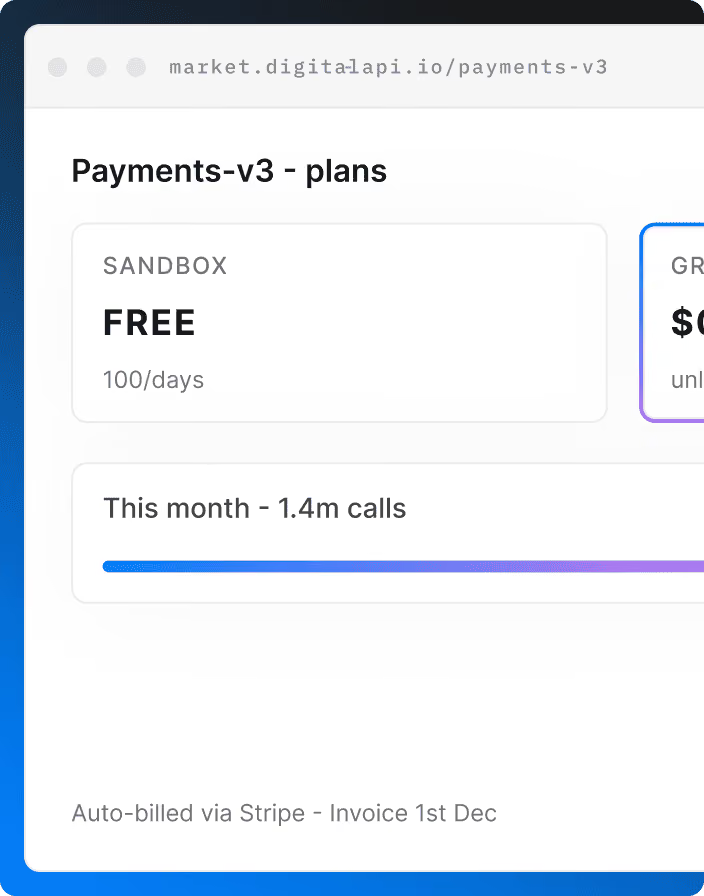
- Self-service version: Plans, limits and prices are listed in the portal, and upgrades apply right away. Monetized APIs bill automatically. Self-serve matters even more when you charge for APIs.
9. See usage and errors
- Email version: A partner asks why their calls are failing, and your team digs through gateway logs.
- Self-service version: Each app has a dashboard showing calls, errors, latency and quota left.
10. Get status and support
- Email version: The developer emails to ask whether the API is down.
- Self-service version: A status page, a changelog, deprecation notices and a support form that captures the app ID and error details are all in the portal.
What should still need a human?
Self-service doesn't mean zero people. Approvals, contracts and compliance checks should still have a person in them, because they carry legal or financial risk. The goal is that people only handle decisions, not paperwork. A good portal routes these decisions to the right person with the context already attached.
Keep a human in the loop for:
- Production access to sensitive APIs, such as payments, health data or personal data.
- Commercial terms that go beyond your published plans, such as custom pricing or volume deals.
- Partner verification, such as KYC checks in banking or a signed data-sharing agreement.
- Exceptions, such as raising a rate limit above the top plan for a one-off launch.
Everything else on the list above should run without anyone touching it.
How do you know your portal isn't self-service yet?
Your portal isn't self-service if your team does work that the portal should do. The clearest signs are a shared inbox for access requests, a spreadsheet of who has which keys, and engineers answering "which API do I use?" in chat. Most teams don't see these as problems, because each one only takes a few minutes. Together, they set how fast every partner can go live.
This is right for you if partners or customers consume your APIs, you issue more than a handful of keys a month, or your APIs sit on more than one gateway. Postman's 2025 report found that 31% of organizations run more than one gateway.
This is not right for you yet if you have one or two partners on a fixed integration. A short onboarding call is cheaper than a portal at that size.
How do you build a self-service API portal?
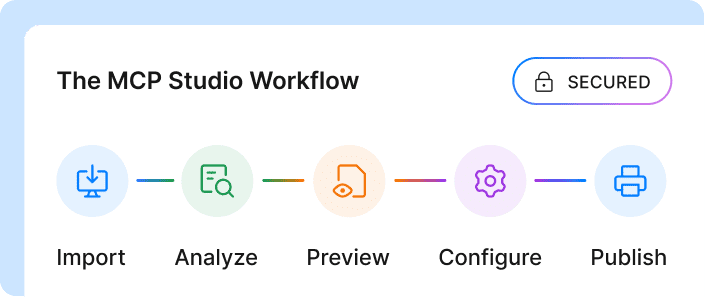
You build a self-service API portal in five steps: list every API you want to expose, generate docs from specs, define products and plans, automate credentials and approvals, and give developers usage data. Start with the steps that remove the most emails, which are usually credentials and access requests. You can launch with a few APIs and add more once the flow works.
- Inventory your APIs: List every API you want to expose, across all gateways, with an owner and a status for each. Skip this and you'll publish duplicates and dead APIs.
- Generate docs from specs: Publish from the OpenAPI spec that's deployed, so docs update when the API does. Add a getting-started guide that reaches a first successful call.
- Package APIs into products and plans: Group APIs into products developers can subscribe to, each with rate limits, prices and an approval rule (automatic or manual).
- Automate credentials and approvals: Let developers create apps and get keys or OAuth credentials on their own. Route restricted requests to an approver inside the portal, not to email.
- Show usage and measure onboarding: Give each app a usage dashboard. Track time to first call and how many access requests still need a person. These developer experience metrics tell you which step to fix next.
For the wider strategy, see our guide to self-serve developer experience and how to cut time to first call.
What should a self-service API portal include?
A self-service API portal should include features for three groups: developers who consume APIs, API owners who publish them, and security teams who control access. If a portal only serves developers, API owners end up publishing by hand. If it only serves security, developers wait. The table shows what each group needs.
The last row is new. Postman's 2025 report found that 89% of developers use AI, but only 24% design APIs with AI agents in mind. A portal that serves agents as well as people is quickly becoming part of what self-service means.
How does DigitalAPI's self-service developer portal work?
DigitalAPI's developer portal gives external developers one place to find, test, subscribe to and track APIs from every gateway you run. Your team sets products, plans and approval rules once, and the portal handles sign-ups, credentials and access requests from then on. It sits on top of your existing gateways rather than replacing them.
Here's how it covers the checklist above:
- One catalog across gateways: APIs from Apigee, Kong, AWS, Azure API Management, IBM and the DigitalAPI API Gateway appear in one searchable portal.
- Products, plans and subscriptions: Developers subscribe to plans. Restricted plans go through an approval workflow, so access requests reach an approver instead of an inbox.
- Apps and credentials: Developers register apps and get credentials for them, without an engineer generating keys by hand.
- Docs and testing: Docs are published from your API specs, and developers can try calls before they ask for production access.
- Usage analytics and monetization: Developers see their own usage. Providers can charge with fixed, usage-based, tiered or freemium pricing.
- Governance before publishing: Each API gets a score out of 100 that averages security, style and documentation checks, so poor-quality APIs are caught before partners see them.
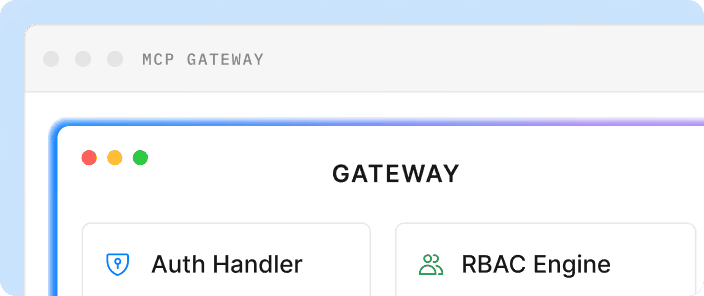
- Access for AI agents: MCP servers can be generated from an OpenAPI spec, so AI agents can use the same catalog as developers.
- Deployment: SaaS, private cloud or on-premises, including air-gapped environments.
Teams using DigitalAPI replace shared inboxes and key spreadsheets with one approval flow across all their gateways. See the developer portal, or book a demo to see how partners would onboard to your APIs.
FAQ
What is a self-service API portal?
A self-service API portal is a website where external developers find APIs, read docs, test in a sandbox, get credentials and track usage without contacting the API provider. The provider sets rules for plans and approvals once, and the portal applies them to every request.
What is the difference between a self-service API portal and an internal developer portal?
A self-service API portal serves developers who consume your APIs, such as partners and customers. An internal developer portal, such as Backstage or Port, serves your own engineers, who use it to create services and provision infrastructure. Both are "self-service", but they serve different users.
What features does a self-service developer portal need?
A self-service developer portal needs a searchable API catalog, docs generated from specs, a sandbox, app and credential management, an access request and approval flow, key rotation, published plans, usage dashboards, and status and support pages. Security features such as SSO, role-based access and audit logs keep it controlled.
Does self-service mean no approvals?
No. Self-service removes manual work, not control. Sensitive APIs, custom commercial terms and partner verification should still need a human decision. The portal routes those requests to the right approver with the details attached, instead of sending them to a shared inbox.
How do you measure whether an API portal is self-service?
Track time to first successful call, the share of access requests approved without manual work, and the number of support tickets per new developer. If your team still sends keys by email or keeps a spreadsheet of credentials, the portal isn't fully self-service yet.
Can one self-service API portal cover APIs on different gateways?
Yes, if the portal federates gateways instead of being tied to one. Gateway-native portals usually only show APIs from their own gateway. A federated portal pulls APIs from several gateways, such as Apigee, Kong and AWS, into one catalog with one sign-up and approval flow.
Final word
A self-service API portal is measured by what developers can do alone, not by how its docs look. Use the 10-task checklist above as an audit: wherever a step needs an email, that's where your partners wait. Fix credentials and access requests first, because those usually create the most email.
If you want to see what that looks like across all your gateways, book a DigitalAPI demo.
Dhayalan Subramanian is Associate Director, Product Growth at DigitalAPI, where he leads go-to-market and product growth for the company’s multi-gateway API management platform. His work focuses on helping large enterprises and mid-market cloud companies consolidate APIs across AWS, Azure, Apigee, Kong, MuleSoft, and other gateways into a single control plane for governance, discovery, monetization, and agent consumption.
Dhayalan brings 14+ years of experience across product strategy, enterprise architecture, and engineering leadership. Earlier in his career, he held senior roles at Encora (as Associate Architect and Technical Manager), Mindtree (Technology Lead), Tech Mahindra (Technical Lead), and Primus Analytics, where he designed integration frameworks and delivered enterprise-grade digital platforms for global customers.
At DigitalAPI, he works directly with platform, integration, and developer experience leaders at Fortune 500 organizations to operationalize unified API catalogs, developer portals, and MCP-ready APIs. He writes regularly on API developer experience, API governance, and AI agent architectures.

One email a fortnight. Worth opening.
A short digest of what we're writing, what we're learning from customers, and the handful of links you'd actually want from us. No tracking pixels.