


Mintlify Alternatives for Enterprise API Docs (With Access Control, Not Just Pretty Pages)
What Mintlify costs in 2026, the enterprise access gaps it leaves, and 10 Mintlify alternatives scored on SSO, partner access, keys and approvals.

TL;DR
Mintlify is free for up to 5 editors, costs $450 a month on Pro (billed annually) and is priced by quote on Enterprise, where SSO, role-based access, audit logs and self-hosting live.
The best Mintlify alternative for enterprise API docs is DigitalAPI if partners need SSO, API keys and access approval across your gateways, and you can keep Mintlify for docs alongside it.
For docs only, choose ReadMe for API reference, Fern for docs plus SDKs, Redocly for docs-as-code or Docusaurus for open source.
The new docs site went live on a Tuesday. It had dark mode, an API playground and an AI assistant that answered questions in seconds. The platform lead sent the link to the first enterprise partner that afternoon.
The reply came the next morning: "Docs look great. Who do we email for production keys?"
The platform lead forwarded it to the gateway team. The gateway team asked security which partner tier this was. Security asked for the contract. Two weeks later, the partner made its first call.
What is Mintlify, and where does it fit?
Mintlify is a hosted documentation platform with a web editor, Git sync, an API playground and AI features such as an assistant, a writing agent and an MCP server. It's popular with startups and AI companies that want modern-looking docs fast. It fits best when your docs need to look good and read well for people and AI tools, and access to the API is handled somewhere else.
Where Mintlify is strong, as of November 2026:
- Modern design out of the box: Sites look polished with little setup.
- Writers and developers together: The web editor and Git sync let both work on the same docs.
- AI readiness: Every plan includes an MCP server, and Pro adds an assistant, agent and Autopilot.
- Unlimited editors on Pro: You don't pay per writer once you're on Pro.
Mintlify is right for you if your main goal is great-looking docs, your readers are mostly public, and partners already get API access some other way without delay.
Mintlify is not right for you if enterprise partners need SSO, partner-specific content, API keys and access approval from the same place they read your docs.
How much does Mintlify cost in 2026?
Mintlify has three plans: Starter at $0, Pro at $450 a month billed annually ($540 billed monthly) and custom Enterprise pricing. Pro includes 10,000 AI credits a month, and extra credits cost $0.01 each. Most enterprise controls, including SSO, role-based permissions and audit logs, are on Enterprise only.
Source: mintlify.com/pricing, checked 5 November 2026.
What does Mintlify's AI cost in practice?
Mintlify's assistant uses 25 credits per answer, so Pro's 10,000 monthly credits cover about 400 answers. Every answer after that costs about $0.25. A docs site that gets 2,000 assistant questions a month would add roughly $400 a month in credits on top of the $450 plan fee.
Is Mintlify free?
Yes, for small teams. The Starter plan is free for up to 5 editors and includes a custom domain, the web editor, the API playground and an MCP server. AI features, preview deployments and unlimited editors need Pro, and enterprise security needs Enterprise.
Why do enterprise API docs end up fragmented?
Enterprise API docs end up fragmented because APIs live on several gateways, and each gateway, team and tool publishes its own docs. A new docs platform adds one more site instead of replacing the others. Partners then have to work out which site is current and where to ask for access.
A typical enterprise ends up with API docs in five places:
- Gateway portals: Apigee, Azure API Management and Kong each come with their own portal.
- A docs platform: Mintlify or similar, for the APIs a team chose to polish.
- Confluence or a wiki: Internal APIs and older integration guides.
- Postman collections: Shared directly with partners during onboarding.
- Email and PDFs: Partner-specific specs that never made it online.
The numbers show how common this is. Postman's 2025 State of the API report found that 31% of organizations run more than one API gateway, and 34% of respondents can't find existing APIs. It also found that 55% struggle with inconsistent documentation. A prettier docs site fixes how one set of docs looks. It doesn't fix where the other four live, or how partners get access to any of them.
What do enterprises need that Mintlify doesn't cover?
Enterprises need control over who sees which APIs, how partners get credentials and how access is approved and audited. Mintlify's Enterprise plan covers reader login, role-based content and audit logs for the docs, but we didn't find API key issuing or access approval workflows. Those steps still happen in your gateway, your ticket system or your inbox.
Mintlify closes the docs half of the problem well, especially on Enterprise. The access half, which is the part partners wait on, needs an access layer. Our guide to the self-service API portal lists the 10 tasks partners should finish without emailing you.
See how partners get keys without emailing you: book a DigitalAPI demo.
Do you have to replace Mintlify?
No. Many enterprises keep a docs platform for guides and add an access layer for API keys, approvals and the API catalog. The docs tool handles how content reads. The access layer handles who can call which API. Replacing Mintlify only makes sense if you want docs and access in one place, or you're consolidating tools.
There are three common setups:
- Mintlify plus an access layer: Keep Mintlify for product guides. Use a developer portal such as DigitalAPI for the API catalog, sign-up, keys and approvals, and link between the two.
- One portal for docs and access: Move API reference into the developer portal and keep Mintlify only for marketing-style guides, or retire it.
- A different docs tool: Switch to another docs platform from this list if Mintlify's cost or design model doesn't suit you, and solve access separately.
Teams that choose the first setup usually see the change where partners feel it most: a partner signs in with SSO, sees only the APIs their contract covers, requests production access and gets a key from your gateway, without anyone writing an email. The docs site stays the same.
Keep Mintlify, and give partners self-service access: see how DigitalAPI works alongside your docs.
What are the best Mintlify alternatives at a glance?
The best Mintlify alternative depends on whether you need access control or only better docs. Only one tool on this list issues API keys through your gateways and approves access requests across them. The others replace Mintlify's docs, with different strengths in reference, SDKs, docs-as-code or hosting.
Plan details come from each vendor's pricing page, checked 5 November 2026.
What are the 10 best Mintlify alternatives for enterprise API docs?
The 10 best Mintlify alternatives for enterprise API docs are DigitalAPI, ReadMe, Redocly, Fern, GitBook, Scalar, Bump.sh, Document360, Apidog and Docusaurus. They're ranked by how much of enterprise access they cover, not by how their docs look. DigitalAPI publishes this guide, so weigh its top spot with that in mind, and use the "Where Mintlify still wins" notes as your checklist.
Each tool below has the same enterprise access scorecard, so you can compare them line by line.
1. DigitalAPI: enterprise access and docs across every gateway
DigitalAPI is an API management platform with a developer portal, API catalog and marketplace that sit over the gateways you already run. Compared with Mintlify, it focuses on what happens after a partner reads the docs: SSO sign-in, partner-specific catalogs, access approval and keys created through your gateway. It suits enterprises with partners on several gateways.
Enterprise access scorecard:
- SSO: Yes, with SAML 2.0, OIDC and SCIM, including Okta, Entra ID and Google Workspace
- Partner-level access: Yes, role-based visibility controls which APIs each partner or group sees
- Keys and approvals: Issues keys through your gateway after approval, with partner key rotation and instant revocation
- Hosting: SaaS, single-tenant or self-hosted, with data residency options
- Multi-gateway catalog: Yes, across Apigee, Kong, AWS, Azure, MuleSoft, IBM and Tyk
What partner onboarding looks like:
- Sign in: The partner signs in through your identity provider.
- Browse: They see only the APIs and plans their role allows.
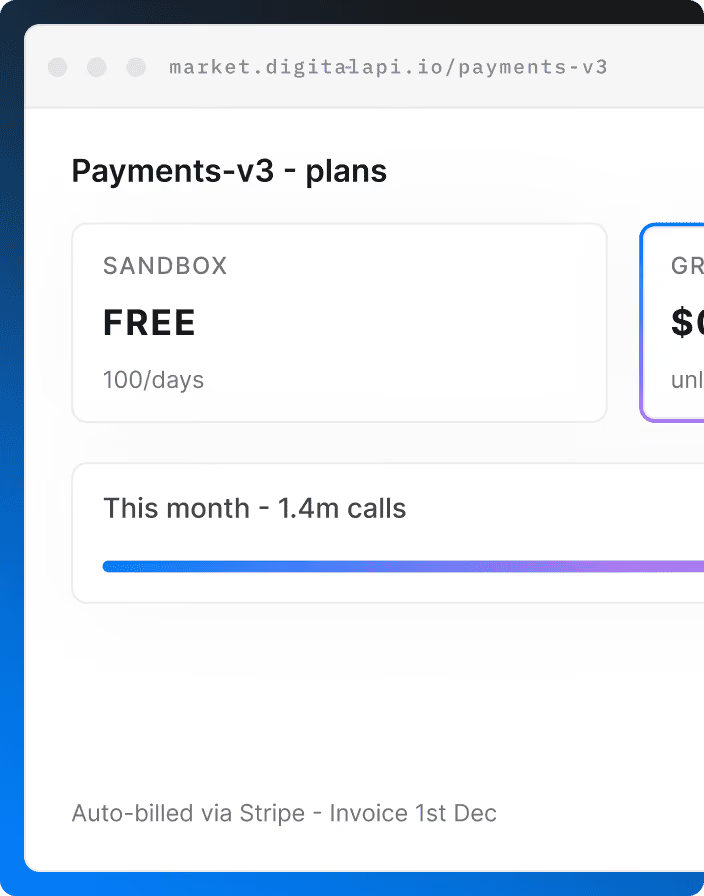
- Request: They subscribe to a plan. Sandbox plans can approve themselves, and production plans go to an owner.
- Approve: The API owner approves in one click, with the partner and plan attached.
- Call: DigitalAPI creates the key in your gateway, and the partner makes a first call from the built-in console.
Where it beats Mintlify:
- Issues keys and approves access, which docs platforms leave to email or tickets
- Puts APIs from every gateway in one catalog, so partners stop asking which portal is current
- Adds governance scoring, usage analytics and billing for APIs, not just docs
Where Mintlify still wins:
- Mintlify's editor and design are better for long-form product guides
- Mintlify publishes its pricing, while DigitalAPI's is by quote
Switching effort: Low. You can keep Mintlify for guides, connect your gateways and link the two, or move API reference into DigitalAPI later.
Choose it if: partners need SSO, their own catalog and keys without emailing your team.
See it with your own gateways: book a DigitalAPI demo.
2. ReadMe: API reference with per-developer usage data
ReadMe is a hosted developer hub built around interactive API reference. Compared with Mintlify, it puts more weight on how developers use your API than on how the docs look, showing per-developer API logs once you connect its Metrics SDK or API. It suits enterprises whose docs are mostly reference and whose support teams field integration questions.
Enterprise access scorecard:
- SSO: On Enterprise, with OAuth
- Partner-level access: Reader login with JWT or OAuth
- Keys and approvals: Shows keys your own systems issue; no approval workflow
- Hosting: SaaS
- Multi-gateway catalog: No
Where it beats Mintlify:
- Per-developer API logs help support teams see what a partner called
- Two-way Git sync covers both docs and API specs
Where Mintlify still wins:
- More modern design out of the box and a stronger focus on AI tools
- Unlimited editors on Pro
Switching effort: Medium. Markdown moves over, but Mintlify components need rebuilding, and OpenAPI files import directly.
Choose it if: your docs are mostly API reference and support needs to see what developers called. See our guide to ReadMe alternatives to compare further.
3. Redocly: docs-as-code with some developer onboarding
Redocly is an OpenAPI documentation platform with a command-line tool and the open-source Redoc renderer. Compared with Mintlify, it ties docs more tightly to your specs through linting and pull request previews, and its higher plans add reader SSO and OAuth clients for API access. It suits enterprise teams that work docs-as-code and run Apigee or Gravitee.
Enterprise access scorecard:
- SSO: On Scale and Enterprise
- Partner-level access: Project RBAC on Enterprise, or as a Scale add-on
- Keys and approvals: OAuth clients for API access on Scale and Enterprise, with Apigee and Gravitee adapters
- Hosting: SaaS, with single-tenant and data residency options on Enterprise
- Multi-gateway catalog: Adapters for Apigee and Gravitee only
Where it beats Mintlify:
- Linting and pull request previews keep docs in step with the spec
- Some developer onboarding for teams on Apigee or Gravitee
Where Mintlify still wins:
- Much easier for non-developers to edit
- Stronger AI assistant and agent features
Switching effort: Medium. MDX guides need reworking into Redocly's format, but OpenAPI files move as-is.
Choose it if: your team works docs-as-code and your APIs run on Apigee or Gravitee.
4. Fern: docs and SDKs from one spec
Fern generates API docs and client SDKs from the same API spec, so both stay in step. Postman acquired it in January 2026. Compared with Mintlify, it adds SDK generation and broader spec support, and its Enterprise plan includes RBAC, reader SSO and self-hosting. It suits API-first companies that ship SDKs alongside their docs.
Enterprise access scorecard:
- SSO: On Enterprise, with SCIM
- Partner-level access: RBAC, JWT and SSO visitor login on Enterprise
- Keys and approvals: Auto-fills keys in the API explorer; doesn't issue them or approve access
- Hosting: SaaS, with self-hosting available on Enterprise
- Multi-gateway catalog: No
Where it beats Mintlify:
- Generates SDKs from your specs, so docs and client libraries match
- Supports OpenAPI, AsyncAPI, gRPC, GraphQL and OpenRPC
- A free plan with 10 team members and 1,000 pages
Where Mintlify still wins:
- More polished default design
- A longer track record as an independent docs product, while Fern's roadmap now sits with Postman
Switching effort: Low to medium. Both use Markdown and MDX, but navigation and components need remapping.
Choose it if: you ship SDKs and want them generated from the same spec as your docs.
5. GitBook: writer-led product docs
GitBook is a hosted docs platform with a block-based visual editor and two-way Git Sync. Compared with Mintlify, it's easier for non-developers and charges per site plus $12 per user. Its Ultimate plan adds authenticated access and adaptive content, and Enterprise adds SAML SSO. It suits enterprises where writers, not engineers, own the docs.
Enterprise access scorecard:
- SSO: SAML on Enterprise
- Partner-level access: Authenticated access and adaptive content on Ultimate
- Keys and approvals: No
- Hosting: SaaS
- Multi-gateway catalog: No
Where it beats Mintlify:
- A block editor that non-developers pick up fast
- Gated docs from Ultimate, without needing an Enterprise contract
Where Mintlify still wins:
- Developer-first workflow and a stronger API playground
- Self-hosting and EU hosting options on Enterprise
Switching effort: Medium. Git Sync imports Markdown, but MDX components need rebuilding as GitBook blocks.
Choose it if: writers own your docs and you want gated content without an enterprise contract. See our full list of GitBook alternatives.
6. Scalar: modern reference docs plus SDKs
Scalar offers API reference docs, an API client, SDK generation and hosted MCP servers in one product. Compared with Mintlify, it's more reference-first and developer-focused, with open-source components you can run yourself. Its paid plans add access groups and email-domain access, and Business adds SSO. It suits API teams that want modern reference and SDKs.
Enterprise access scorecard:
- SSO: On Business and Enterprise
- Partner-level access: Access groups and email-domain access on Pro and above; RBAC on Enterprise
- Keys and approvals: Not listed
- Hosting: SaaS; open-source components can be self-hosted
- Multi-gateway catalog: No
Where it beats Mintlify:
- A built-in API client and SDK generation
- Open-source tools you can try or run yourself
Where Mintlify still wins:
- Better suited to long, writer-led guides
- A more complete AI assistant and agent
Switching effort: Medium. API reference moves over with your specs, but guides and components need rebuilding.
Choose it if: your docs are mostly reference and you want SDKs from the same source.
7. Bump.sh: many specs with change tracking
Bump.sh publishes API documentation portals from OpenAPI and AsyncAPI files, with automatic change tracking between versions. Compared with Mintlify, it's spec-first and suits large API estates where knowing what changed matters more than design. It offers role-based access by organization, hub and doc, and adds SSO on its Custom plan for larger organizations.
Enterprise access scorecard:
- SSO: On the Custom plan
- Partner-level access: Role-based access by organization, hub and doc, with guest users
- Keys and approvals: No
- Hosting: SaaS, with an on-premises MCP dataplane on Custom
- Multi-gateway catalog: No, docs come from specs in your CI
Where it beats Mintlify:
- Breaking-change detection shows what changed between API versions
- API hubs group many specs with unified search
Where Mintlify still wins:
- Far better for product guides and tutorials
- A free plan, while Bump.sh offers a 14-day trial
Switching effort: Low for API reference, high for guides, which Bump.sh isn't built for.
Choose it if: you manage many specs and need to track what changed.
8. Document360: knowledge base with API docs
Document360 is a knowledge base platform with an API documentation use case. Compared with Mintlify, it's built for support and technical writing teams, with review workflows, private projects with reader accounts and a choice of data-center region. Pricing is custom. It suits enterprises that keep product guides, support content and API docs together.
Enterprise access scorecard:
- SSO: Yes, with SCIM; plan not published
- Partner-level access: Private projects with reader accounts, roles and IP restriction
- Keys and approvals: No
- Hosting: SaaS, with a choice of data-center region
- Multi-gateway catalog: No
Where it beats Mintlify:
- Review workflows and revision history for regulated teams
- Data-center region choice without an Enterprise-only self-hosting project
Where Mintlify still wins:
- Stronger API reference and playground
- A more modern, developer-focused design
Switching effort: High. Content moves into a different editor and structure.
Choose it if: support and technical writers own your docs and need workflows.
9. Apidog: design, testing and docs in one tool
Apidog is an all-in-one tool for API design, debugging, mocking, testing and docs. Compared with Mintlify, it covers the whole API lifecycle rather than publishing alone, and its Enterprise plan adds SAML SSO and an on-premises option. It's free for up to 4 users. It suits teams that want to replace several API tools at once.
Enterprise access scorecard:
- SSO: SAML on Enterprise
- Partner-level access: Doc IP allowlist on Professional
- Keys and approvals: No
- Hosting: Cloud, or on-premises on Enterprise
- Multi-gateway catalog: No
Where it beats Mintlify:
- Design, mocking, testing and docs in one product
- An on-premises option for air-gapped teams
Where Mintlify still wins:
- Much better for product guides and public docs design
- Stronger AI writing features
Switching effort: Medium. API reference comes from Apidog projects, while guides need rebuilding.
Choose it if: you want one tool for designing, testing and documenting APIs.
10. Docusaurus: open-source, self-hosted docs
Docusaurus is an open-source documentation site generator from Meta, built on React. Compared with Mintlify, it has no license fees and runs wherever you host it, but you build access control, search and API reference yourself. It suits engineering teams that want full control and already have the people to maintain a docs site.
Enterprise access scorecard:
- SSO: Not built in; add it through your hosting
- Partner-level access: Not built in
- Keys and approvals: No
- Hosting: Self-hosted
- Multi-gateway catalog: No
Where it beats Mintlify:
- Free and open source, with full control over hosting and data
- Native MDX, so Mintlify content moves over more easily than to most tools
Where Mintlify still wins:
- Hosting, AI features, search and API playground out of the box
- No maintenance for your team
Switching effort: Low to medium. MDX pages move over, but components need rebuilding in React and OpenAPI reference needs a community plugin.
Choose it if: you want open source and can maintain the site yourself.
What are the best open-source Mintlify alternatives?
The best open-source Mintlify alternative is Docusaurus, often paired with Redoc or Swagger UI for API reference. All three are free to license and self-host. Several newer open-source projects also advertise drop-in compatibility with Mintlify's docs.json and MDX files, but they're young, so test them on a copy of your docs first.
Open source removes license fees, not work. None of these tools handles SSO, partner-level access or API keys, so an enterprise still needs an access layer in front of them.
How does Mintlify compare with Fern and ReadMe?
Fern and ReadMe are the two tools enterprise teams most often weigh against Mintlify. Fern competes on docs plus SDKs, and ReadMe competes on API reference and usage data.
Mintlify vs Fern: which is better for enterprise API docs?
Fern is the better choice if you ship SDKs and want them generated from the same spec as your docs. Mintlify is the better choice if design and AI features matter more than SDKs. Both put SSO, RBAC and self-hosting on Enterprise, and neither issues API keys.
Mintlify vs ReadMe: which is better for enterprise API docs?
ReadMe is the better choice if your docs are mostly API reference and support needs per-developer usage data. Mintlify is the better choice if you want modern product docs and stronger AI writing tools. Neither issues API keys or approves access.
How do you choose a Mintlify alternative for enterprise?
Start with the problem partners complain about. If it's how the docs read, change docs tools. If it's how long access takes, add an access layer. Most enterprise complaints are about access, which is why a better docs site often doesn't change partner time to first call.
Stay on Mintlify if: your readers are mostly public, design and AI features matter most, and access already works without delay.
Add or switch if: enterprise partners email for keys, your APIs sit on more than one gateway, or security needs an audit trail of who got access to what. For a wider view, see our list of API documentation tools.
How do you migrate from Mintlify?
You migrate from Mintlify in six steps: export your repository, move your OpenAPI specs, map docs.json navigation, rebuild components, set up redirects and switch your domain. Mintlify content is MDX in a Git repository, so the text moves easily. Most of the work is in custom components and redirects.
- Export your repository: Your Mintlify docs already live in Git as MDX files plus a docs.json configuration file.
- Move your API specs: Point the new tool at the same OpenAPI files, so reference docs stay in step.
- Map your navigation: Rebuild the docs.json structure in the new tool's navigation format.
- Rebuild components: Replace Mintlify components, such as cards, tabs and callouts, with the new tool's equivalents.
- Set up redirects: Redirect every old URL to its new page, so you keep search rankings and partner bookmarks.
- Switch your domain: Move your custom domain, then check search, analytics and AI features on the new site.
If you're adding an access layer instead of replacing Mintlify, skip these steps. Link Mintlify's API pages to the developer portal, where partners sign in, request access and get keys. Our guide on cutting time to first call covers what to measure after the change.
FAQs
What is the best Mintlify alternative for enterprise API docs?
For enterprise API docs, the best Mintlify alternative is DigitalAPI if partners need SSO, partner-specific catalogs, API keys and access approval across several gateways. For docs only, ReadMe suits API reference, Fern suits docs plus SDKs and Redocly suits docs-as-code teams.
How much does Mintlify cost?
As of November 2026, Mintlify's Starter plan is free for up to 5 editors. Pro costs $450 a month billed annually or $540 billed monthly, with unlimited editors and 10,000 AI credits a month. Enterprise is priced by quote and includes SSO, role-based permissions, audit logs and self-hosting.
Can Mintlify issue API keys?
No. As of November 2026, Mintlify doesn't list API key issuing or access approval workflows on any plan. Its Enterprise plan adds reader login through OAuth, JWT or SSO and role-based permissions for docs content. Credentials still come from your gateway or another tool.
Does Mintlify support SSO?
Yes, on Enterprise. Mintlify's Enterprise plan includes dashboard SSO and SCIM for your team, plus OAuth, JWT and SSO login for readers. The Starter plan uses Mintlify auth, and Pro adds password protection.
Can I keep Mintlify and add access control?
Yes. Many enterprises keep Mintlify for guides and add a developer portal for the API catalog, sign-up, keys and approvals. The two link to each other, so partners read docs in Mintlify and get access in the portal without emailing your team.
Is Mintlify open source?
No. Mintlify is a commercial hosted platform, and self-hosting is available only on its Enterprise plan. Docusaurus is the most widely used open-source alternative, and Redoc and Swagger UI are open-source options for API reference.
What is the cheapest Mintlify alternative?
Docusaurus is free and open source, but you pay in hosting and maintenance. Fern has a free plan for up to 10 team members, and Apidog is free for up to 4 users. Mintlify's own Starter plan is free for up to 5 editors.
Can Mintlify be self-hosted?
Yes, on Enterprise. Mintlify lists self-hosting and EU hosting as Enterprise options. Fern also offers self-hosting on Enterprise, Apidog offers an on-premises Enterprise plan, and DigitalAPI offers SaaS, single-tenant or self-hosted deployment.
Which Mintlify alternative issues API keys?
DigitalAPI issues API keys through your existing gateways after an approval step, and lets partners rotate their own keys. Redocly offers OAuth clients for API access on its Scale and Enterprise plans. ReadMe and Fern display or auto-fill keys but don't issue them.
Is Mintlify good for enterprise?
Mintlify is good for enterprise docs, especially on its Enterprise plan with SSO, role-based permissions, audit logs and self-hosting. It's a docs platform, not an access platform, so enterprises that need API key issuing, approvals or one catalog across gateways usually pair it with a developer portal.
Final word
Mintlify makes API docs look good, and on Enterprise it keeps the right readers in. What it doesn't do is give partners access to the API itself. If your partners still email for keys, a new docs tool won't change that. An access layer will, and you can add one without giving up Mintlify.
If enterprise partners are still waiting on email for production access, see how DigitalAPI gets them to a first call across every gateway you run.
Dhayalan Subramanian is Associate Director, Product Growth at DigitalAPI, where he leads go-to-market and product growth for the company’s multi-gateway API management platform. His work focuses on helping large enterprises and mid-market cloud companies consolidate APIs across AWS, Azure, Apigee, Kong, MuleSoft, and other gateways into a single control plane for governance, discovery, monetization, and agent consumption.
Dhayalan brings 14+ years of experience across product strategy, enterprise architecture, and engineering leadership. Earlier in his career, he held senior roles at Encora (as Associate Architect and Technical Manager), Mindtree (Technology Lead), Tech Mahindra (Technical Lead), and Primus Analytics, where he designed integration frameworks and delivered enterprise-grade digital platforms for global customers.
At DigitalAPI, he works directly with platform, integration, and developer experience leaders at Fortune 500 organizations to operationalize unified API catalogs, developer portals, and MCP-ready APIs. He writes regularly on API developer experience, API governance, and AI agent architectures.
One email a fortnight. Worth opening.
A short digest of what we're writing, what we're learning from customers, and the handful of links you'd actually want from us. No tracking pixels.