



Best GitBook Alternatives for API Documentation in 2026
This guide compares GitBook alternatives for API documentation by the job you need done, starting with what GitBook costs and where it stops.

GitBook is a good place to write about your API. It was never built to give anyone access to it. Most teams know this. Few have checked how much of their API onboarding still happens outside the docs. This guide compares GitBook alternatives for API documentation by the job you need done, starting with what GitBook costs and where it stops.
What is GitBook, and who is it best for?
GitBook is a hosted documentation platform with a block-based visual editor and two-way sync with GitHub or GitLab. Writers edit in the browser while developers work in Git. It's best for product docs, help centers and knowledge bases where API reference is one part of a wider set of docs.
GitBook's strengths, as of November 2026:
- Writer-friendly editing: The block editor lets non-developers write without Markdown or Git.
- Git Sync: Content syncs both ways with GitHub or GitLab, so developers can review changes in pull requests.
- API docs from OpenAPI: It generates interactive API reference from your spec, on every plan including Free.
- AI-ready docs: Every published site gets an MCP server, and paid plans add an AI assistant for readers.
Where GitBook is weaker, as of November 2026:
- No API access management: It doesn't issue API keys, approve access requests or manage plans.
- Per-site pricing: Each separate docs site needs its own plan, plus $12 per team member.
- Hosted only: There's no self-hosted option on GitBook's published plans.
- No SDK generation: Client libraries have to come from another tool.
GitBook is right for you if your readers mainly need to understand your product, and your API reference sits alongside guides and help articles.
GitBook is not right for you if outside developers need to sign up, get API keys and request access to APIs from the same place they read the docs.
How much does GitBook cost in 2026?
GitBook has four plans: Free for individuals, Essential at $65 per site per month, Ultimate at $249 per site per month, and custom Enterprise pricing. Paid plans add $12 per user per month for each team member. These prices are for annual billing, which GitBook says saves two months. Paid plans have a 14-day free trial.
Source: gitbook.com/pricing, checked 5 November 2026.
What does GitBook cost for a team of 10?
A team of 10 on one Ultimate site pays $249 plus 10 × $12, which is $369 a month or $4,428 a year on annual billing. A second site, such as separate public and partner docs, adds another $249 a month. AI use beyond the included credits is billed separately.
Is there a free GitBook plan?
Yes. GitBook's Free plan is for individuals and includes the block editor, Git Sync, interactive API docs and an MCP server. You need Essential to invite your team or use a custom domain. Open-source projects can apply for free docs through GitBook's open-source program.
Where does GitBook fall short for API documentation?
GitBook publishes API docs, but it doesn't manage access to the API itself. It can limit who reads your docs through authenticated access on Ultimate. It doesn't let developers register apps, get API keys, subscribe to plans or request access to restricted APIs. Those steps stay with your gateway, your support team or your inbox.
That gap is why most teams look at GitBook alternatives for API documentation. The table shows what external developers need and where GitBook stands.
These gaps matter more as API programs grow. Postman's 2025 State of the API report found that 34% of respondents can't find existing APIs, and 31% of organizations run more than one API gateway. A docs site doesn't fix either problem, because it shows what you document, not what you run. Our guide to the self-service API portal lists the 10 tasks developers should finish without emailing you.
Teams usually switch from GitBook for one of these reasons:
- Partners need access, not only docs: Keys, approvals and plans are still handled by hand.
- Docs drift from the API: Postman's 2025 report found that 55% of respondents struggle with inconsistent documentation, and docs-as-code tools tie docs closer to the spec.
- They want SDKs: GitBook doesn't generate client libraries.
- They want to self-host: GitBook is a hosted service, so teams that need docs on their own infrastructure look at open-source tools.
- Per-site and per-user costs add up: Each extra site costs another plan fee.
What should you look for in a GitBook alternative?
Look for a tool that does the job GitBook isn't doing for you, not one that copies its editor. For API documentation, that usually means checking eight things: how docs stay in step with the spec, who can edit, how developers try calls, and whether developers can get access without emailing you. We used these eight criteria to choose and rank the tools in this guide.
- Spec-driven reference: Does it generate API reference from OpenAPI, and update it when the spec changes?
- Try-it console: Can developers make real or mock calls from the docs?
- Editing model: Can writers edit visually, and can developers review changes in Git?
- Access and keys: Can developers sign up, get credentials and request access to restricted APIs?
- AI readiness: Does it offer an MCP server, LLMs.txt or an AI assistant, so AI tools read your docs correctly?
- Multi-gateway support: Can it show APIs from more than one gateway in one catalog?
- Hosting options: Is it hosted only, or can you self-host for compliance?
- Pricing model: Do you pay per site, per user or per plan, and what happens as your team grows?
Most docs tools score well on the first three and poorly on access, gateways and hosting. If criteria 4 and 6 matter to you, you're choosing a developer portal, not a docs tool.
What are the best GitBook alternatives at a glance?
The best GitBook alternative depends on whether you need better docs, docs plus SDKs, an open-source tool or a full developer portal with access control. Most alternatives replace GitBook's docs. Only a few also handle API keys and access. Free-plan details come from each vendor's site, checked between late October and early November 2026.
What are the 11 best GitBook alternatives for API documentation?
The 11 best GitBook alternatives for API documentation are DigitalAPI, Mintlify, ReadMe, Fern, Redocly, Apidog, Scalar, Archbee, Bump.sh, Docusaurus and Document360. They're ordered by how much of the path from published docs to a working API call they cover. DigitalAPI publishes this guide, so weigh its top spot with that in mind, and use the cons as your checklist.
1. DigitalAPI
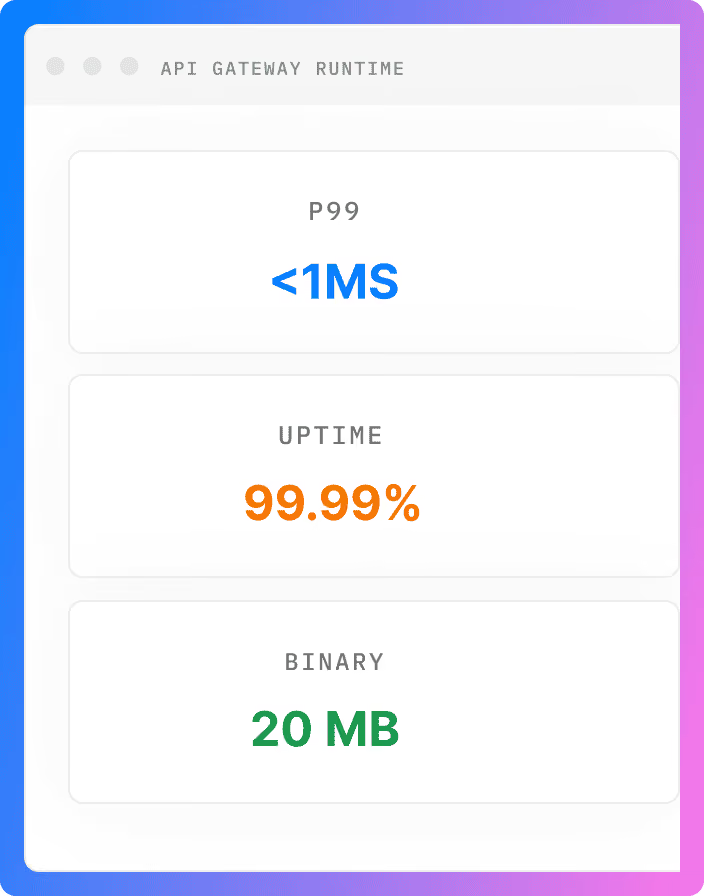
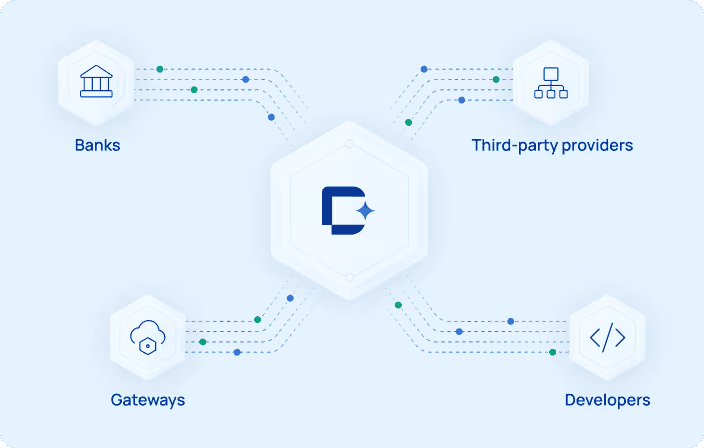
DigitalAPI is an API management platform with a developer portal, API catalog and marketplace that sit over the gateways you already run, including Apigee, Kong, AWS and Azure. It publishes interactive API docs like GitBook does, then handles what a docs site leaves to email: sign-up, access requests, credentials and subscriptions.
Key features:
- Interactive API docs: Generates docs from your gateways, Git and API specs, with a try-it console using live or mock responses.
- Multi-gateway catalog: Puts APIs from different gateways in one searchable place, with role-based visibility for each audience.
- Self-serve onboarding: Lets developers sign up, request access and subscribe to a plan, with API owners approving where needed.
- Keys through your gateway: Requests credentials from the underlying gateway instead of storing them in the portal, with automated key rotation.
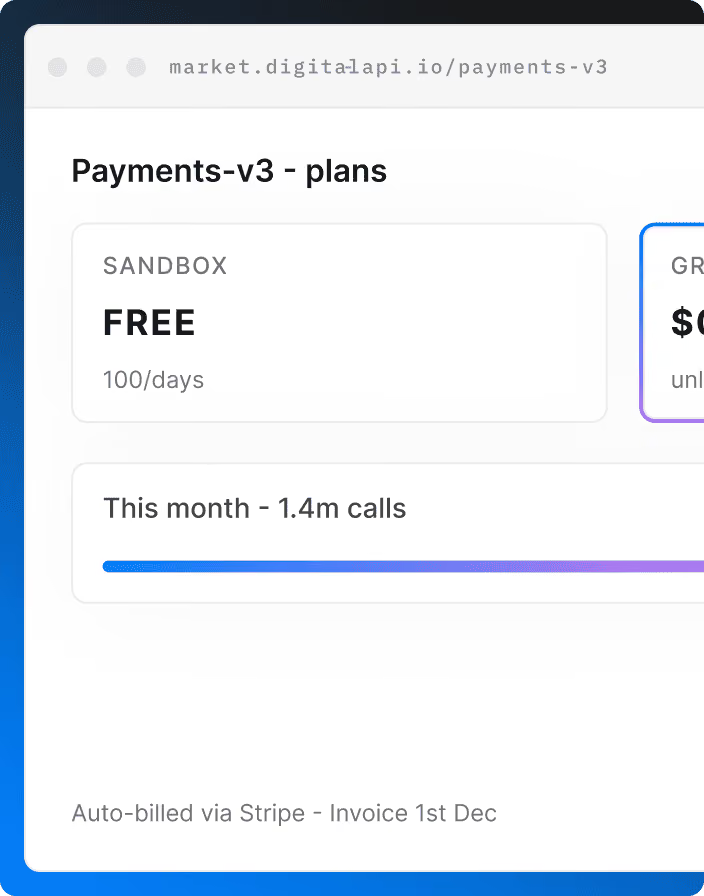
- Products, plans and billing: Packages APIs into products with tiers and quotas, with built-in billing and Stripe integration.
- Governance: Scores APIs on security, style and documentation, with lint rules and breaking-change checks.
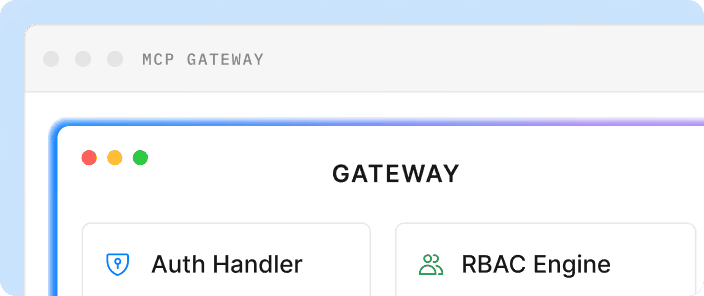
- AI agents and deployment: Generates MCP servers from OpenAPI specs, with SaaS, single-tenant or self-hosted options.
Pros:
- Covers sign-up, keys and access approval, not only publishing
- Works with your existing gateways, so there's no gateway migration
- Combines docs, governance, analytics and billing in one platform
Cons:
- Not a writer-first editor for long product guides, so some teams keep a docs tool for help content
- Pricing is by custom quote, and the free trial's length and scope aren't published
- More platform than a team that only publishes a few internal docs needs
Who is it for: Teams whose partners or customers need self-service access to APIs across one or more gateways.
Outgrown GitBook for your API docs? Give partners docs, keys and access in one portal, without moving off your gateways.
Book a Demo with DigitalAPI!
2. Mintlify
Mintlify is an AI-focused docs platform with a web editor, Git sync and an API playground. It's the closest like-for-like GitBook alternative, used by startups and enterprises that want modern-looking product docs and API reference in one place. Its AI features use credits, so estimate your expected usage before you switch from GitBook.
Key features:
- Web editor and Git sync: Lets writers edit in a browser while developers work in Git.
- API playground: Gives readers a place to try API calls from the docs.
- MCP server: Makes your documentation available to AI tools.
- AI assistant and agent: Answers reader questions and helps with writing, on the Pro plan.
- Preview deployments: Lets teams review changes before they go live, on the Pro plan.
Pros:
- Web editor and Git sync work the way GitBook teams already work
- Produces modern-looking docs quickly
- Strong focus on how AI tools read your docs
Cons:
- Per-user auth and API key prefill are Enterprise features, and we didn't find access requests or key issuing
- AI features use credits, which adds something to monitor
- Not a design or mocking tool
Who is it for: Teams that want a modern, AI-ready replacement for GitBook's docs.
3. ReadMe
ReadMe is a hosted developer hub known for its interactive API reference and polished reader experience. It suits teams whose GitBook site has outgrown general docs and now centers on API reference. Once you connect its Metrics SDK or API, it also shows what each developer called, which helps support teams answer questions faster.
Key features:
- Interactive reference: Lets developers read about and try API calls from the docs.
- Two-way sync: Syncs docs and API specs between your Git repository and ReadMe.
- Usage analytics: Shows how developers use your API, once connected.
- AI access: Includes an MCP server and LLMs.txt, so AI tools can read your docs.
Pros:
- Interactive reference is built around API calls, not general pages
- Usage logs help support teams see what a developer called
- Two-way Git sync keeps docs and specs aligned
Cons:
- Displays developers' API keys, but your own systems issue them
- Some G2 reviewers mention editor bugs and weak search
- Not a full API design tool
Who is it for: SaaS API providers who want polished, API-first docs. See our guide to ReadMe alternatives to compare.
4. Fern
Fern generates API docs and SDKs from the same API spec, so both stay in step. Postman acquired it in January 2026, and it's now part of Postman. Its free plan is generous for docs, which makes it easy to try. Postman says the roadmap will stay the same, but check it before you commit long term.
Key features:
- Docs and API explorer: Publishes docs with an API explorer and a web editor.
- SDK generation: Generates client libraries from your API specs.
- Broad format support: Works with OpenAPI, AsyncAPI, OpenRPC and gRPC, and generates GraphQL reference docs.
- AI features: Includes an AI assistant, an agent and an MCP server.
Pros:
- Docs and SDKs come from one source, so they stay in step
- Supports more API formats than most docs tools
- Docs-as-code workflow fits developer teams
Cons:
- Now owned by Postman, so its direction may change
- Setup is spec-driven, which suits engineers more than writers
- We didn't find key issuing or access approval
Who is it for: API-first companies that ship SDKs.
5. Redocly
Redocly is an OpenAPI documentation platform with a command-line tool and the open-source Redoc renderer. Docs live in Git and change through pull requests, with previews for review. It suits teams that want docs tied to the spec rather than a visual editor, and its unlimited seats help large contributor groups.
Key features:
- Interactive docs: Publishes reference docs for OpenAPI, GraphQL and AsyncAPI.
- Linting: Checks API descriptions against configurable rules in the command line and CI.
- Mock server: Lets developers try calls before an API is ready.
- Developer onboarding: Lets external developers register apps and manage credentials, with Apigee and Gravitee adapters.
Pros:
- Pull request previews fit how developers already review changes
- Includes app registration for teams on Apigee or Gravitee
- Unlimited seats avoid per-user costs
Cons:
- No WYSIWYG editor like GitBook's, so non-developers find it harder
- No hosted free plan, so trying it means a trial or the open-source tools
Who is it for: Docs-as-code teams with OpenAPI specs in Git.
6. Apidog
Apidog is an all-in-one tool for API design, debugging, mocking, testing and docs. It suits smaller teams that use GitBook for docs and other tools for design and testing, and want one product instead. Its free plan covers up to 4 users, which makes it cheap to try against GitBook's per-site pricing.
Key features:
- Visual designer: Designs APIs with OpenAPI and JSON Schema, without hand-writing specs.
- Mocks and testing: Creates mock responses and runs test scenarios from a command-line tool.
- Published docs: Publishes API docs from the same project, so docs match the design.
- Multi-protocol client: Debugs APIs across protocols, including gRPC and MCP.
Pros:
- Covers design, mocking, testing and docs in one tool
- Docs come from the same source as the API design
- Free for up to 4 users
Cons:
- Not a writer-first tool for long product guides
- Some G2 reviewers mention a learning curve at first
- No key issuing or access approval for external developers
Who is it for: Small teams consolidating API design, testing and docs.
7. Scalar
Scalar offers API reference docs, an API client, SDK generation and hosted MCP servers in one product. It suits teams whose GitBook site is mostly API reference and who want a modern, developer-first look. Its open-source tools appeal to engineers, though publishing a hosted docs site, Git sync and MCP servers need a paid plan.
Key features:
- Hosted docs: Publishes interactive reference docs from your OpenAPI files.
- API client: Includes a built-in client, so developers can test requests from the docs.
- SDK generation: Generates SDKs from the same API description.
- Hosted MCP servers: Makes your APIs available to AI agents without running your own server.
Pros:
- Modern reference docs with a built-in API client
- Combines docs, SDKs and MCP in one product
- Open-source tools to try before you buy
Cons:
- Hosted docs, Git sync and MCP servers need a paid plan
- Less suited to long, writer-led product guides
- No key issuing or access approval
Who is it for: API teams that want modern reference docs plus SDKs.
8. Archbee
Archbee is a hosted documentation platform with a block editor, API documentation and GitHub integration. It's one of the closest matches to GitBook's writing experience, built for product and developer docs written by mixed teams. It has no free plan, but offers a 14-day trial and 50% off for early-stage startups.
Key features:
- Block editor: Lets writers build pages without Markdown or Git.
- API documentation: Publishes API docs alongside product guides.
- Custom domain and branding: Included from the entry plan.
- AI add-on: Includes AI tokens on each plan, with overage billed per million tokens.
- Cloud-Prem: Deploys to an AWS account you own, on custom Enterprise contracts.
Pros:
- Editing feels familiar to GitBook users
- Product and API docs sit in one site
- An option to run in your own AWS account for strict compliance needs
Cons:
- No free plan, only a trial
- SSO is on Enterprise only, and Cloud-Prem carries a large minimum contract
- No key issuing or access approval
Who is it for: Mixed teams of writers and developers who want a GitBook-style editor with a different pricing model.
9. Bump.sh
Bump.sh publishes API documentation portals and offers a managed MCP platform. It stands out for automatic change tracking, which shows what changed between API versions and when. It suits teams with many specs that have outgrown a single GitBook space for API reference. Plans limit how many API docs and internal users you can have.
Key features:
- Broad format support: Publishes docs from OpenAPI and AsyncAPI, and applies Overlays.
- API hubs: Groups many API docs together, with unified search across them.
- Breaking-change detection: Compares versions, so teams can see what could break.
- Automation: Publishes through a command-line tool and a GitHub Action.
Pros:
- Change tracking shows what changed between versions
- API hubs help teams with many specs
- Fits a CI pipeline that already produces specs
Cons:
- Not a writer-led tool for product guides
- No free plan
- No key issuing or access approval
Who is it for: Teams with many specs that need change tracking.
10. Docusaurus
Docusaurus is an open-source documentation site generator from Meta, built on React. You write in Markdown or MDX, keep everything in Git and host it yourself, so there are no per-site or per-user fees. It suits engineering teams that want full control over their docs and are comfortable maintaining the site themselves.
Key features:
- Markdown and MDX: Lets you mix Markdown with React components.
- Versioning: Keeps docs for several product versions side by side.
- Search and translation: Supports search integrations and multiple languages.
- Plugins: Adds OpenAPI reference docs through community plugins.
Pros:
- Free and open source, with no seat or site fees
- Full control over hosting, design and data
- Large community and plugin ecosystem
Cons:
- You host, maintain and update it yourself
- API reference relies on community plugins, not a built-in feature
- No visual editor, so writers need to work in Git
Who is it for: Engineering teams that want a self-hosted, open-source GitBook alternative.
11. Document360
Document360 is a knowledge base platform with an API documentation use case. It targets support, technical writing and product teams who keep product guides and API docs in one place. Its visual editor suits non-developers, which makes it the closest match to GitBook's writing experience on this list, though it has no free plan.
Key features:
- Editors: Offers Markdown and visual editors for technical and non-technical writers.
- Workflows and history: Manages reviews and tracks revisions as docs change.
- AI features: Includes the Eddy AI assistant, and an MCP server on Business and Enterprise plans.
- Access: Supports SSO and SCIM for managing users in larger organizations.
Pros:
- Keeps product guides and API docs in one knowledge base
- Visual editor gives non-developers an easy way to contribute
- Review workflows suit regulated or larger teams
Cons:
- At least one G2 reviewer describes its API documentation as dated
- No free plan
- No key issuing or access approval
Who is it for: Support teams and technical writers who want a structured knowledge base.
What are the best free and open-source GitBook alternatives?
The best free GitBook alternatives are Docusaurus for a self-hosted, open-source site, and the free plans from Mintlify, ReadMe, Fern and Apidog for hosted docs. Open-source tools cost nothing to license, but you pay in setup and upkeep. Free hosted plans are quicker to start, but limit seats, features or branding.
A common open-source setup pairs Docusaurus for guides with Redoc or Swagger UI for API reference. Material for MkDocs was another popular choice, but its team moved it into maintenance mode in November 2025 to focus on a successor called Zensical, so check its status before you start a new site on it.
None of these free options handles sign-up, API keys or access approval. If you need those, budget for a developer portal alongside your free docs.
How does GitBook compare with Mintlify and ReadMe?
GitBook's two most common head-to-head comparisons are with Mintlify and ReadMe. Mintlify competes for the same docs teams, while ReadMe competes for API-first teams.
GitBook vs Mintlify: which is better for API docs?
Mintlify is the better choice if your docs are mostly API reference and you want a developer-first, AI-focused site. GitBook is the better choice if non-developers write most of your docs and you want the simplest visual editor. Both offer Git sync, interactive API docs and MCP servers, so the decision usually comes down to who writes and how much the docs center on the API.
Neither tool issues API keys or approves access requests. If that's the gap you're trying to close, compare a developer portal instead of a second docs tool.
GitBook vs ReadMe: which is better for API docs?
ReadMe is the better choice if your docs are mainly an interactive API reference and you want to see how developers use your API. GitBook is the better choice if API reference is one section of broader product docs written by non-developers. ReadMe is built around API calls, while GitBook is built around pages.
How do you choose the right GitBook alternative?
Start with the job GitBook isn't doing for you, then pick the tool that does that job. If your docs are fine but developers still email for access, a better docs tool won't help. If your docs drift from the API, a spec-driven tool will help more than a nicer editor.
Stay on GitBook if: your API reference is one part of wider product docs, writers do most of the work and developers get access some other way without delay.
Switch from GitBook if: your docs center on APIs, partners wait on email for keys or access, or you need SDKs, self-hosting or one catalog across gateways. For more options, see our list of API documentation tools.
How do you migrate from GitBook?
You migrate from GitBook in six steps: export your content through Git Sync, move your OpenAPI specs, map your structure, rebuild custom blocks, set up redirects and switch your domain. Most of the work is in custom blocks and redirects, not the text itself. Plan for a short period where both sites run.
- Export your content: Connect each GitBook space to a GitHub or GitLab repository with Git Sync, so your pages land in Git as Markdown.
- Move your API specs: Keep your OpenAPI files in Git as the single source of truth, and point the new tool at them.
- Map your structure: Match GitBook spaces, sections and groups to the new tool's navigation before you import.
- Rebuild custom blocks: Replace GitBook-specific blocks, such as tabs, hints and embeds, with the new tool's components.
- Set up redirects: Redirect every old URL to its new page, so you keep search rankings and links from partners.
- Switch your domain: Move your custom domain, then check search, analytics and the AI assistant on the new site.
If you're adding a developer portal rather than replacing docs, you can keep GitBook for guides and link API reference and access to the portal. Our guide on cutting time to first call covers what to measure after the move.
FAQ
What is the best GitBook alternative for API documentation?
The best GitBook alternative for API documentation depends on the job. Mintlify and ReadMe are the strongest hosted docs options, Fern adds SDK generation, and Redocly suits docs-as-code teams. If developers also need sign-up, API keys and access approval, choose a developer portal such as DigitalAPI instead of another docs tool.
How much does GitBook cost?
As of November 2026, GitBook is free for individuals. Essential costs $65 per site per month and Ultimate costs $249 per site per month, plus $12 per user per month, on annual billing. Enterprise pricing is custom. Paid plans include a 14-day free trial.
Is GitBook good for API documentation?
GitBook is good for API documentation that sits inside wider product docs. It generates interactive API reference from OpenAPI files and gives every site an MCP server. It doesn't issue API keys, manage subscriptions or approve access requests, so teams with external developers usually need another tool for those steps.
Is there a free GitBook alternative?
Yes. Docusaurus is free and open source. Mintlify, ReadMe and Fern have free plans, and Apidog is free for up to 4 users. GitBook also has its own Free plan for individuals, which includes interactive API docs and an MCP server.
What is the open-source alternative to GitBook?
Docusaurus is the most widely used open-source alternative to GitBook. It's a React-based site generator from Meta that supports Markdown, MDX and versioned docs, and you host it yourself. For API reference, teams often pair it with Redoc or Swagger UI, which are also open source.
Can you self-host GitBook?
No self-hosted option appears on GitBook's published plans, which are all hosted by GitBook. Teams that need docs on their own infrastructure usually choose an open-source tool such as Docusaurus, or a vendor with a private deployment option, such as Archbee's Cloud-Prem or DigitalAPI's self-hosted option.
Does GitBook have an MCP server?
Yes. As of November 2026, every docs site published on GitBook automatically gets an MCP server, including sites on the Free plan. AI coding assistants can connect to it to read your docs. It serves your documentation, not your API, so it doesn't let AI agents call your endpoints.
What is the best GitBook alternative for internal documentation?
For internal docs, choose a tool that your whole team can edit without Git. Document360 and Archbee suit internal knowledge bases with review workflows, and Docusaurus suits engineering teams that keep docs next to code. For an internal catalog of APIs across gateways, use a developer portal instead of a docs tool.
Is GitBook free for open-source projects?
Yes. GitBook runs an open-source program that offers free docs, and funding, to eligible open-source projects. Its standard Free plan is for individuals, and inviting a team needs a paid plan.
What is the difference between GitBook and Mintlify?
GitBook is built around a visual block editor for writer-led product docs, with Git Sync for developers. Mintlify is developer-first and docs-as-code first, with a focus on API reference and AI tools. Both offer interactive API docs and MCP servers, and neither issues API keys.
Final word
GitBook is a strong docs platform, and many teams should stay on it. The reason to look at GitBook alternatives is usually not the editor. It's that your API docs are published, but access to the API still happens somewhere else. Pick the tool that closes that gap, not the one with the nicest pages.
If partners still email your team for keys and access, see how DigitalAPI handles it across every gateway you run.
Dhayalan Subramanian is Associate Director, Product Growth at DigitalAPI, where he leads go-to-market and product growth for the company’s multi-gateway API management platform. His work focuses on helping large enterprises and mid-market cloud companies consolidate APIs across AWS, Azure, Apigee, Kong, MuleSoft, and other gateways into a single control plane for governance, discovery, monetization, and agent consumption.
Dhayalan brings 14+ years of experience across product strategy, enterprise architecture, and engineering leadership. Earlier in his career, he held senior roles at Encora (as Associate Architect and Technical Manager), Mindtree (Technology Lead), Tech Mahindra (Technical Lead), and Primus Analytics, where he designed integration frameworks and delivered enterprise-grade digital platforms for global customers.
At DigitalAPI, he works directly with platform, integration, and developer experience leaders at Fortune 500 organizations to operationalize unified API catalogs, developer portals, and MCP-ready APIs. He writes regularly on API developer experience, API governance, and AI agent architectures.
One email a fortnight. Worth opening.
A short digest of what we're writing, what we're learning from customers, and the handful of links you'd actually want from us. No tracking pixels.