

Authentication vs Authorization: Key Differences Explained
Your partners have valid API keys, but can they reach more than they should? This guide explains authentication vs authorization in plain terms, with real API examples. You will learn where each check runs in a request, when to return 401 vs 403, and how to stop keys that open every API.

TL;DR
Authentication vs Authorization: Authentication verifies who a user, app or AI agent is. Authorization decides what that verified identity is allowed to do. Authentication always runs first, and when it fails an API returns401 Unauthorized. Authorization runs second, and when it fails the API returns403 Forbidden.
In short: authentication checks the credential, authorization checks the permission.
A partner emails your team asking for API credentials. An engineer creates a key in Terraform, pastes it into a password manager, and sends a link. The partner connects. Authentication works perfectly. But nobody decided which APIs that key should reach, so it reaches all of them. That gap, between proving identity and limiting access, is what authentication vs authorization comes down to.
It’s not a rare gap. In its 2025 State of API Security report, Salt Security found that 95% of API attacks came from authenticated sources. The attackers had valid credentials. What they exploited was weak authorization.
This guide explains the difference between authentication and authorization with real API examples. You’ll see where each check runs, what 401 vs 403 means, and how to fix the access problems API teams hit most.
What is the difference between authentication and authorization?
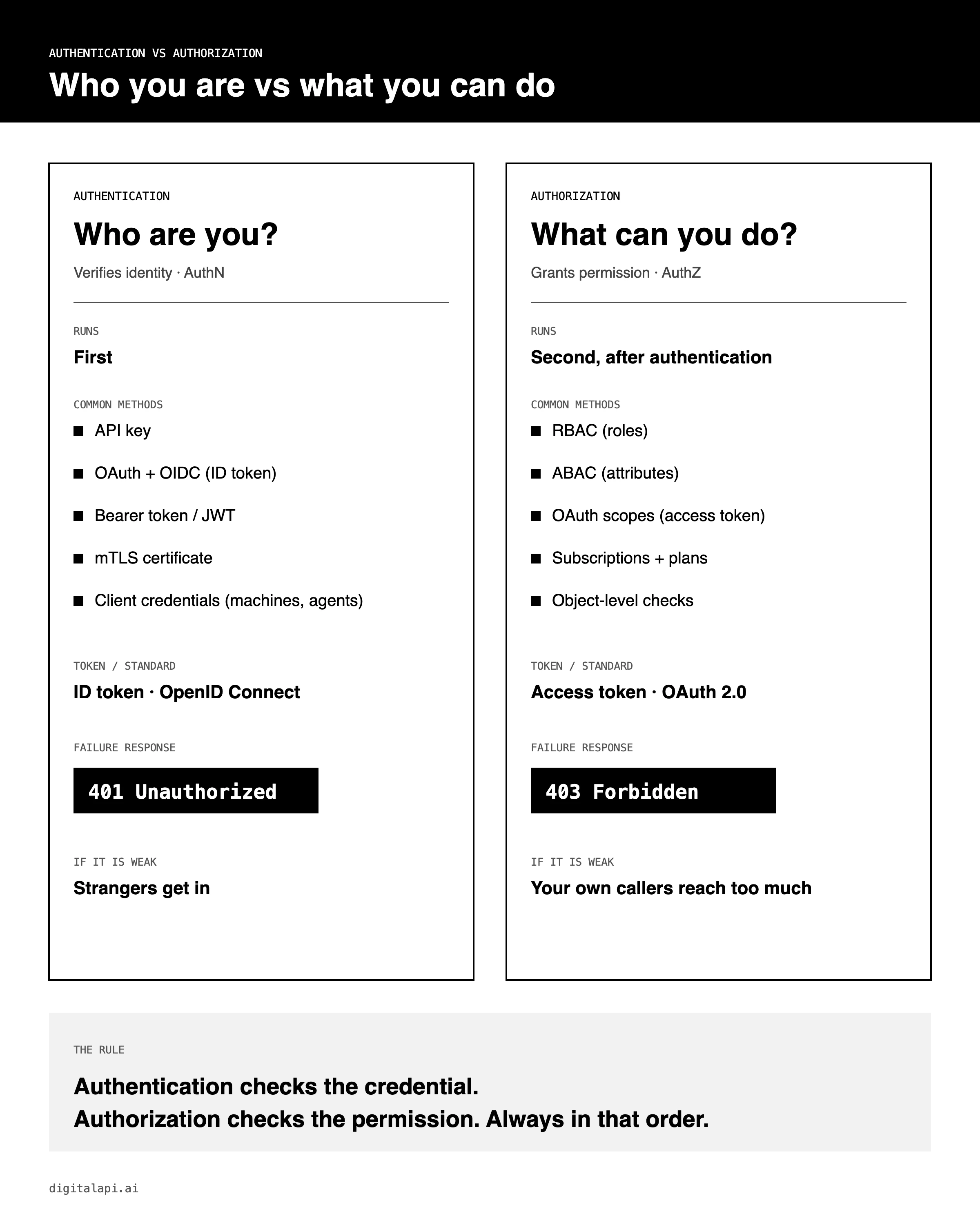
Authentication proves identity. Authorization grants permission. Authentication asks “Who are you?” Authorization asks “What are you allowed to do?” Every secure system needs both, always in that order.
What is authentication?
Authentication (AuthN) is the process of verifying that a user, app, device or AI agent is who it claims to be. It uses a credential such as a password, API key, token or certificate.
What is authorization?
Authorization (AuthZ) is the process of deciding which resources and actions an authenticated identity may access, based on roles, attributes, scopes or policies.
Think of a hotel. At check-in, the front desk looks at your passport. That’s authentication. Then you get a key card that opens room 412 and the gym, but not room 413. That’s authorization.
APIs work the same way. A partner’s app sends an API key to prove it’s the partner. The API then checks whether that partner may call GET /orders, or only GET /products.
What is authentication?
Authentication is the first check every request goes through. The caller presents a credential, and the system verifies it against something it trusts. If the credential is missing, expired or fake, the request stops right there.
What are the authentication factors?
The National Institute of Standards and Technology groups credentials into three factor types in its Digital Identity Guidelines (SP 800-63):
- Something you know: a password, PIN or shared secret.
- Something you have: a phone, hardware key or private key.
- Something you are: a fingerprint or face scan.
Multi-factor authentication (MFA) combines two or more. Stolen credentials are still the easiest way in: the Verizon 2025 Data Breach Investigations Report found they were the initial access vector in 22% of breaches, more than any other.
How do APIs authenticate callers?
APIs don’t log in with fingerprints. Their callers are apps, backend services and, more and more, AI agents. So API authentication relies on machine credentials:
Example: a bearer token in a request
GET /v1/orders HTTP/1.1
Host: api.example.com
Authorization: Bearer eyJhbGciOiJSUzI1NiIsInR5cCI6IkpXVCJ9...
Want the full comparison? Read our guide to API authentication methods and what mTLS is.
What is authorization?
Authorization is the second check, and it’s the one that limits damage. Once the system knows who’s calling, it compares the caller’s permissions to a policy. A valid identity with no permission still gets refused.
What are the main access control models?
Most API authorization uses one or more of these access control models:
- Role based access control (RBAC): permissions attach to roles like “partner,” “internal developer” or “admin.” Easy to run, but roles tend to multiply.
- Attribute-based access control (ABAC): decisions use attributes such as team, plan tier, region or environment. More precise than roles. See how RBAC and ABAC work in a developer portal.
- Access control lists (ACLs): each resource lists who may touch it. Hard to manage at scale.
- OAuth scopes: a token carries scopes like
orders:read, and the API allows only those operations. Learn how scopes fit into OAuth 2.0. - Fine grained authorization: checks down to a single record, such as “this partner may read only its own orders.”
Is OAuth authentication or authorization?
OAuth 2.0 is an authorization framework. It issues an access token that tells an API what a client may do. OpenID Connect (OIDC) adds identity on top by issuing an ID token. So OIDC handles authentication, and OAuth handles authorization. For a deeper look, see what is OAuth and OAuth 2.0 vs OpenID Connect.
Why does least privilege matter?
Least privilege means every caller gets only the access it needs, and nothing more. A partner that reads one product catalog shouldn’t hold a key that writes to your payments API. When a key leaks, least privilege decides whether you lose one dataset or everything. It’s one of the core API security best practices.
Authentication vs authorization: what are the key differences?
The key difference in authentication vs authorization is identity versus permission. Authentication confirms the caller. Authorization limits what that caller can reach. The table compares authentication and authorization across ten dimensions, including the API details most guides skip.
The last row is the one that matters most for APIs. Weak authentication lets strangers in. Weak authorization lets your own partners, apps and agents wander.
How do authentication and authorization work together in an API request?
Authentication runs at the entry point. Authorization runs twice: at the gateway and inside the service. The gateway asks, “Can this app call this API?” The service asks, “Can this app read this exact record?”
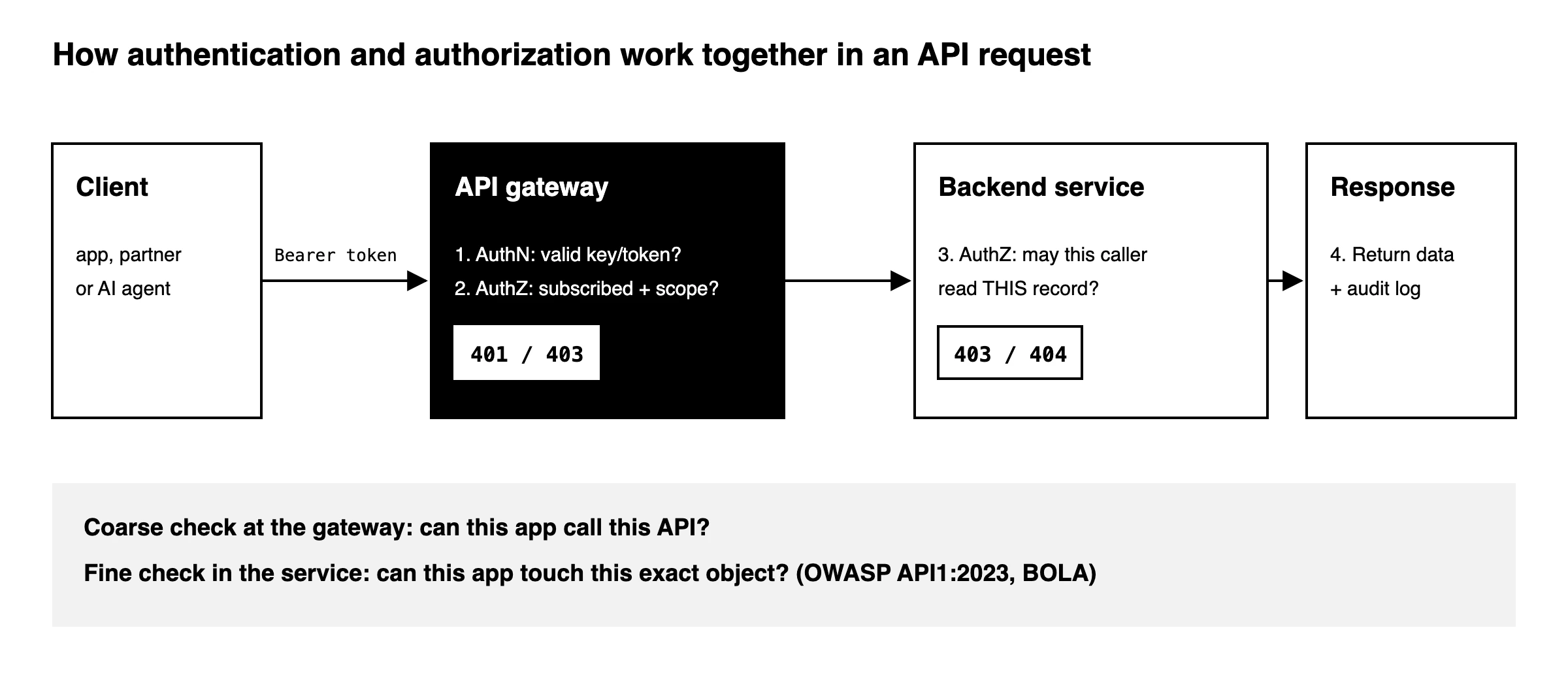
Here’s the path one request takes:
- The client sends a request with a credential, such as an API key or a bearer token in the
Authorizationheader. - The gateway authenticates the caller. It validates the key, checks the token’s signature and expiry, or verifies the client certificate. A bad credential gets a
401. - The gateway authorizes the API call. It checks whether the caller has an approved subscription to this API and whether its scopes cover the operation. Missing permission gets a
403. - The service authorizes the object. It confirms the caller may access the specific record requested, such as order #4521. This is object-level authorization.
- The API responds and logs the decision, so you can later prove who accessed what.
Step 4 gets skipped more than any other. A gateway can confirm a partner may call GET /orders/{id}. It can’t always tell whether order #4521 belongs to that partner. That’s why the OWASP API Security Top 10 (2023) ranks Broken Object Level Authorization as the top API risk. Broken Authentication is second.
What is the difference between 401 and 403?
A 401 means the API doesn’t know who you are. A 403 means it knows exactly who you are, and the answer is still no. So 401 is an authentication failure and 403 is an authorization failure. The naming trips everyone up: “401 Unauthorized” means unauthenticated.
401 vs 403, per RFC 9110
- 401 Unauthorized: the request lacks valid authentication credentials. The server must send a
WWW-Authenticateheader that tells the client how to authenticate. - 403 Forbidden: the server understood the request and refuses it. Sending new credentials won’t change the answer.
Source: RFC 9110, HTTP Semantics
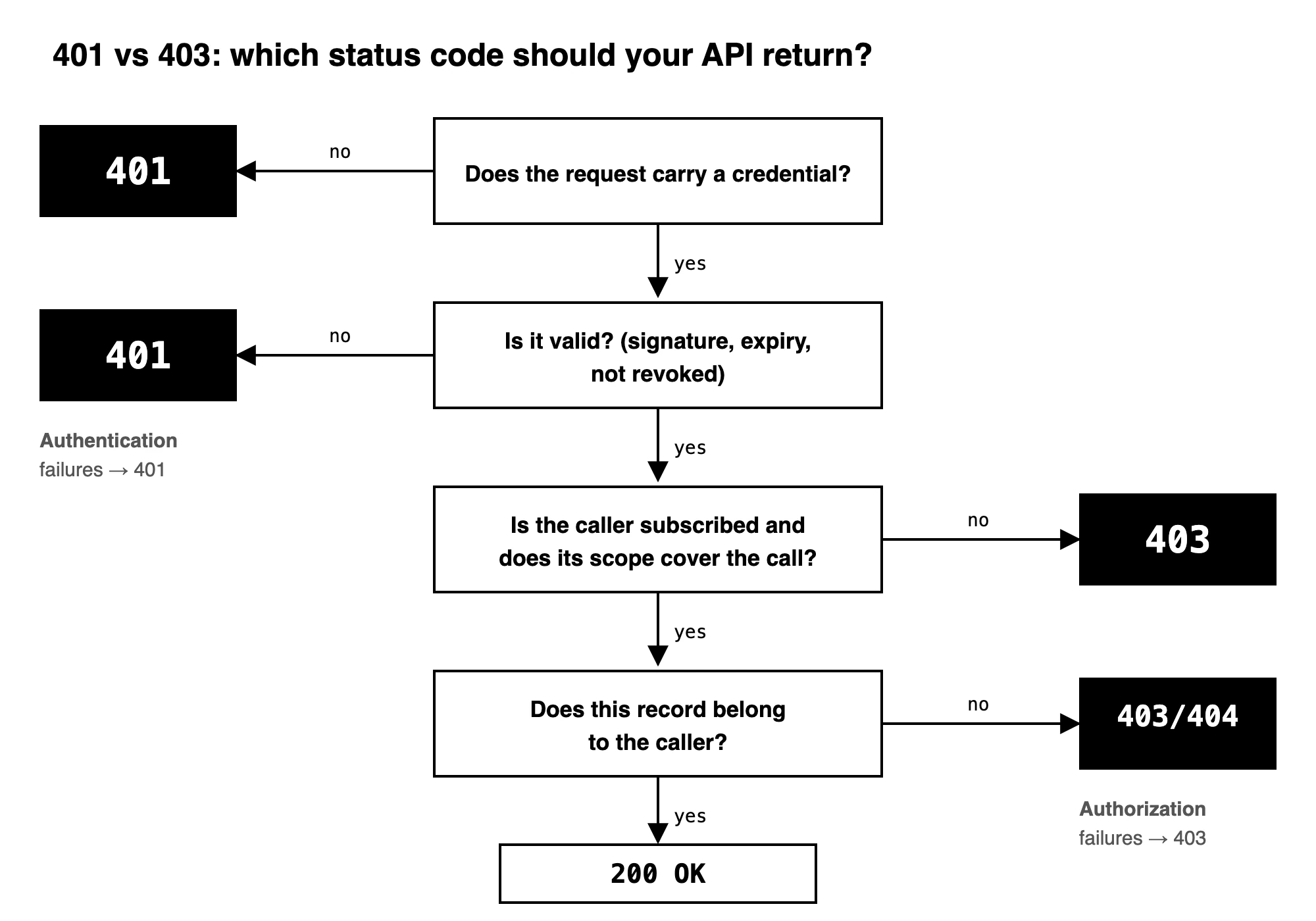
What each response looks like:
HTTP/1.1 401 Unauthorized
WWW-Authenticate: Bearer realm="api", error="invalid_token", error_description="The access token expired"

HTTP/1.1 403 Forbidden
Content-Type: application/json

{"error": "insufficient_scope", "required_scope": "orders:write"}
This isn’t pedantic. Clients treat a 401 as “refresh the token and retry.” Send a 401 for a permission problem, and the client retries forever while your logs hide the real issue.
Where do authentication and authorization break down in real API programs?
Most teams get authentication right and authorization wrong. The credential checks work. What breaks is everything around them: how access is requested, who approves it, what each key reaches, and who takes it back. In our 2026 discovery calls with API teams in airlines, banking, insurance, healthcare and real estate, five problems kept coming up.
1. Partners request access by email
The pain: an airline with dozens of reseller partners told us every new partner asks for credentials by email. There’s no record of who approved what.
The fix: move access requests into a developer portal. The partner picks an API and a plan, registers an app, and the request goes to the API owner. Approval becomes a decision with an audit trail.
2. Engineers create keys by hand
The pain: a healthcare product leader onboards beta clients with a Word doc, while an engineer creates each API key. A real estate platform team generates keys in Terraform and hands them over through a password manager. It’s secure, but every key costs engineering time.
The fix: issue credentials the moment access is approved. The API key or OAuth client lands in the partner’s portal account, with no engineer involved.
3. One key opens every API
The pain: keys created outside a governed process are often scoped to “everything.” One leaked key becomes a full breach. That’s the authenticated-attacker pattern behind Salt Security’s 95% figure.
The fix: tie every credential to the API products and plans that were approved, and enforce those limits at the gateway. That’s authentication vs authorization done properly: the key proves identity, and the subscription defines reach.
4. Access is never reviewed or revoked
The pain: a bank piloting a new API wanted to release it to a few consumers, then revoke one without touching the rest. An insurer’s security team pushed for regular recertification and key recycling. The hard part wasn’t checking access. It was changing it later.
The fix: make rotation and revocation self-service. Partners rotate their own keys. Admins revoke one app or a whole subscription the moment a contract ends or a key leaks. Here’s how to rotate API keys automatically.
5. AI agents need the same rules, and usually don’t get them
The pain: teams wiring in-house agents to internal APIs often hand the agent a broad service key. Nobody has defined scopes for it yet. That makes the agent your most over-privileged caller.
The fix: treat agents as first-class identities. Authenticate them with OAuth, API keys or mTLS from the same store your developers use. Then scope each agent to the exact tools it needs, and deny everything else by default. See our guide to securing MCP endpoints for AI agents.
How do you manage API authentication and authorization at scale?
You manage it at scale by separating the decision from the enforcement. Gateways enforce authentication and authorization on every request. A management layer above them decides who gets access, to what, and for how long. Without that layer, the gateway enforces access nobody remembers granting.
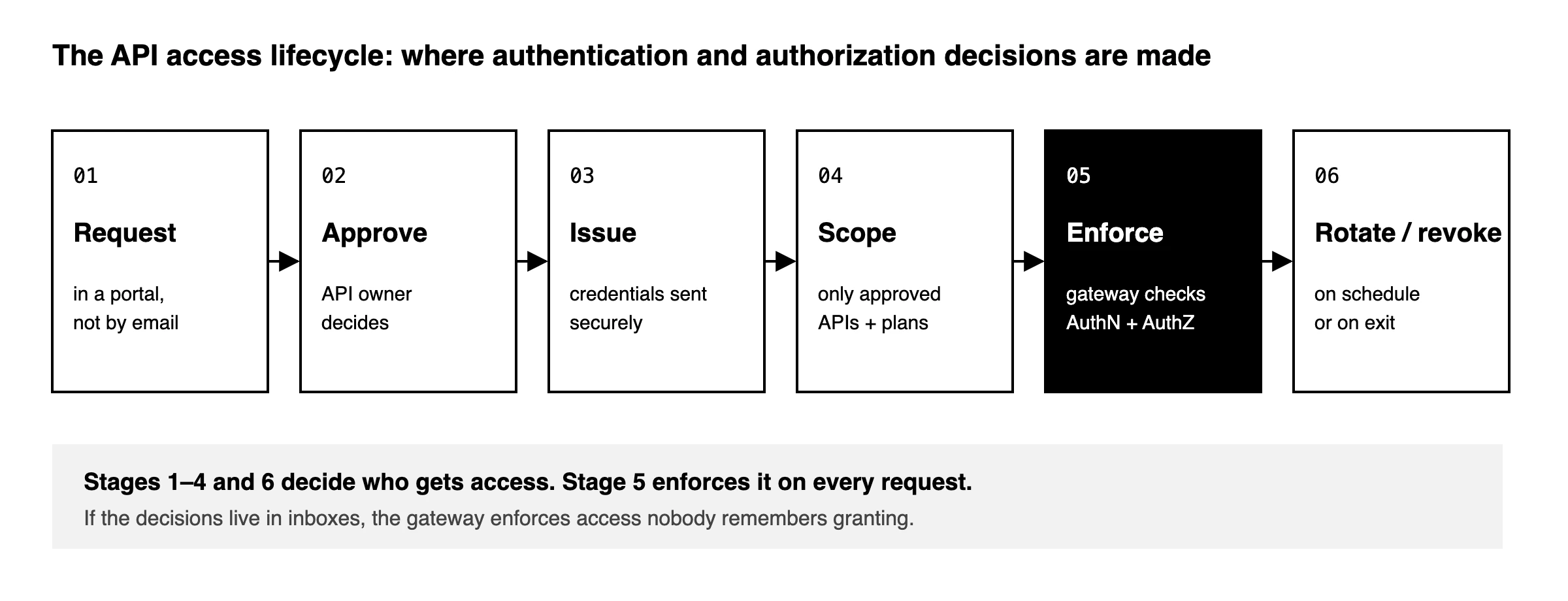
A complete setup covers six stages:
- Request: consumers ask for access in a portal, not by email.
- Approve: the API owner approves or rejects, with sandbox plans approving automatically if you allow it.
- Issue: credentials are generated and delivered securely to the consumer’s account.
- Scope: each credential reaches only the approved APIs, plans and operations.
- Enforce: the gateway checks identity and permission on every call. See API gateway security for the controls involved.
- Rotate and revoke: keys rotate on a schedule, and access ends cleanly when it should.
This is where DigitalAPI’s API management platform fits:
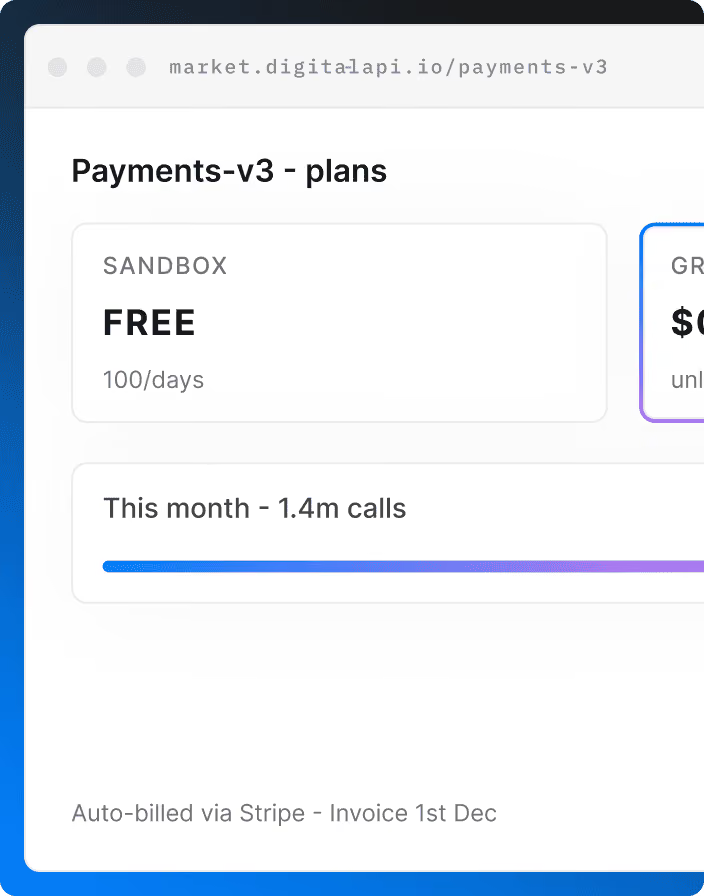
- API Developer Portal: runs stages 1 to 4 and 6. Partners request access, owners approve in one click, and keys arrive scoped to the approved plan. It works across Apigee, Kong, AWS API Gateway, Azure API Management and MuleSoft.
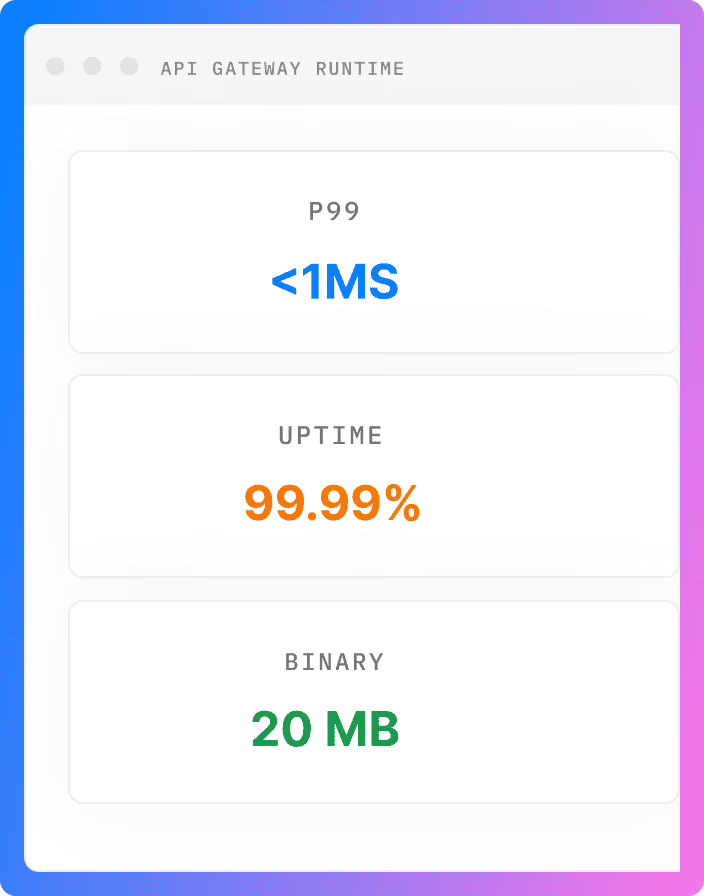
- API Gateway: enforces those decisions at runtime.
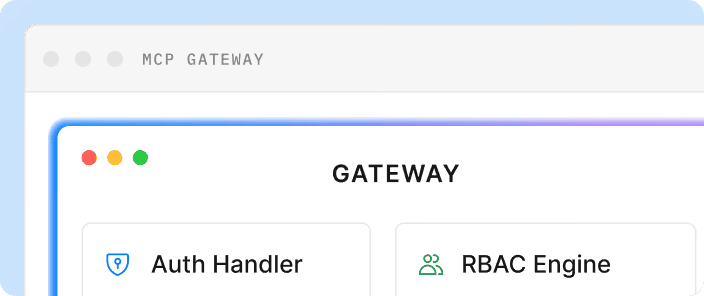
- MCP Gateway: applies the same model to AI agents, with per-agent scopes, default-deny policy and an audit record of every decision.
Teams using DigitalAPI replace email threads and hand-made keys with an approval flow that issues scoped credentials and lets admins revoke them in one place.
Not sure how ready your partner access process is? Take the free Partner API Access Readiness Score.
See how DigitalAPI gives every partner, app and agent the right access, and nothing more → Book a Demo
Is this guide right for you?
This is right for you if:
- You build or run APIs that partners, customers, internal teams or AI agents call.
- You hand out API keys or OAuth credentials and need to control what each one reaches.
- You want to return
401and403correctly and stop permission bugs from hiding in your logs.
This is not right for you if:
- You need setup steps for one specific identity provider. Its own docs will serve you better.
- You’re designing an end-user login screen (passwords, MFA prompts) rather than API access.
Key takeaways
- Authentication verifies who is calling. Authorization decides what they can do. Authentication always comes first.
- OpenID Connect and the ID token handle authentication. OAuth 2.0 and the access token handle authorization.
- 401 means “I don’t know who you are.” 403 means “I know who you are, and no.”
- Enforce both at the API gateway, then check object-level permissions inside each service.
- The biggest risks sit in authorization: keys that reach every API, access granted by email, and access nobody revokes.
Frequently asked questions
1. What is the main difference between authentication and authorization?
Authentication verifies who a user, app or AI agent is, using a credential such as a password, API key or token. Authorization decides what that verified identity may access, using roles, attributes, scopes or policies. Authentication always happens first. When it fails, an API returns 401. When authorization fails, it returns 403.
2. Can you have authorization without authentication?
Usually not. Authorization needs a known identity to check permissions against. The exception is public access, where every anonymous caller gets the same limited permissions, such as a public catalog API. Even then, most teams require an API key to track usage.
3. Is an API key authentication or authorization?
An API key is mainly an authentication credential because it identifies the calling application. Most API platforms also link each key to a subscription or plan, so the key drives authorization decisions too. An API key identifies the app, not the end user, so it can’t answer user-level permission questions on its own.
4. Is JWT authentication or authorization?
A JSON Web Token (JWT) is a token format, and it can serve either purpose. An ID token in JWT format proves who a user is, which is authentication. An access token in JWT format carries scopes that say what the caller may do, which is authorization. The API verifies the signature, then reads the claims inside.
5. What does 403 Forbidden mean in an API?
A 403 Forbidden response means the API recognized the caller but refused the request because the caller lacks permission. Common causes are a missing scope, no subscription to that API, or a record that belongs to someone else. Logging in again won’t fix a 403. The caller needs the right permission.
How do AI agents authenticate and get authorized to call APIs?
AI agents authenticate like any machine client: with an API key, an OAuth client credentials token, or mTLS. Authorization then limits the agent to approved tools and APIs through scopes and policies. Best practice is default-deny, so an agent can only call what it was explicitly granted, with every call logged for audit.
Conclusion
Authentication vs authorization comes down to one sentence: prove who you are, then prove you’re allowed. Most API teams have the first half solved. The risk lives in the second half: keys that reach every API, access granted over email, and access nobody revokes.
Fixing that starts before a request ever reaches your gateway. It starts with how you grant API access in the first place. Read next: how to onboard external partners through a secure API portal, or go deeper with the Ultimate Guide to API Access Control and API access management.
Give every partner, app and AI agent the right API access, and nothing more.
Book a Demo.
Dhayalan Subramanian is Associate Director, Product Growth at DigitalAPI, where he leads go-to-market and product growth for the company’s multi-gateway API management platform. His work focuses on helping large enterprises and mid-market cloud companies consolidate APIs across AWS, Azure, Apigee, Kong, MuleSoft, and other gateways into a single control plane for governance, discovery, monetization, and agent consumption.
Dhayalan brings 14+ years of experience across product strategy, enterprise architecture, and engineering leadership. Earlier in his career, he held senior roles at Encora (as Associate Architect and Technical Manager), Mindtree (Technology Lead), Tech Mahindra (Technical Lead), and Primus Analytics, where he designed integration frameworks and delivered enterprise-grade digital platforms for global customers.
At DigitalAPI, he works directly with platform, integration, and developer experience leaders at Fortune 500 organizations to operationalize unified API catalogs, developer portals, and MCP-ready APIs. He writes regularly on API developer experience, API governance, and AI agent architectures.
One email a fortnight. Worth opening.
A short digest of what we're writing, what we're learning from customers, and the handful of links you'd actually want from us. No tracking pixels.