

API Developer Experience Best Practices: How to Fix an Outdated Developer Portal
10 API developer experience best practices for fixing an outdated developer portal, with warning signs, what to do first and when to rebuild or add a layer.

TL;DR
Good API developer experience means an outside developer can find the right API, get access and make a working call without asking you for help.
To fix an outdated portal, start with self-serve access, a first call that works and docs generated from your specs.
Most portals need improving, not replacing. If your APIs sit on more than one gateway, a portal layer over those gateways is often a third option.
Outdated developer portals rarely get fixed, because they still work. The docs load. Keys get issued, eventually. Partners go live, after a few emails. Nothing is broken enough to put on a roadmap, so the portal stays as it is for another year.
The cost sits in other places: a support queue, a slow partner launch, an engineer answering the same question again. Most teams know this. Few have tried signing up to their own portal lately.
What does API developer experience mean?
API developer experience is how easily developers outside your API team can find, adopt and keep using your APIs. It covers the whole journey, from the first docs page to a live integration. The developer portal is where most of that journey happens.
The term is easy to confuse with internal developer experience. Most articles on how to "improve developer experience" mean your own engineers: build times, code reviews and deployment speed. This guide covers the people who consume your APIs. For the numbers behind it, see our guide to API developer experience metrics.
How can you tell your developer portal is outdated?
Age isn't the test. A portal is outdated when developers need a person to do what the portal should do. A five-year-old portal can be fine, and a new one can have every problem below.
Try this test. Create a new account with an outside email address, and try to make one successful call using only what the portal tells you. Write down each time you get stuck, and each time you'd have needed to ask someone.
What are the best practices for API developer experience?
The 10 best practices below follow a developer from first visit to live use. Each one fixes a specific problem found in older portals, and most don't need a new portal.
1. Show docs and sample responses before sign-up
The problem: A sign-up wall makes developers commit before they know whether the API does what they need.
The fix: Make reference docs, use cases and sample responses public where your security rules allow it. Keep sign-up for the moment a developer needs credentials. If your APIs are private, show partners an overview of what's available and what access involves.
2. Organize APIs by use case and audience
The problem: A flat list reflects how your teams are organized, not what a developer wants to do. Postman's 2025 State of the API report found that 34% of respondents can't find existing APIs. That survey covers teams working on APIs, and outside developers have less context to go on.
The fix: Group APIs by task, such as "check availability" or "place an order". Add a route for each audience, such as buyers and sellers. Use names a newcomer would understand, and make search return results for those terms.
3. Make the first call work
The problem: Reading docs doesn't prove anything to a developer. A working response does.
The fix:
- Add a try-it console to the reference docs.
- Offer a sandbox with realistic data, not empty placeholder values.
- Give copy-and-paste samples, and test them against the live API.
- Add a quickstart that ends in a successful call.
Our guide to slashing time to first call covers this step in more depth.
4. Replace email with self-serve access
The problem: In our conversations with API teams, new partners often get credentials by emailing someone. It works at five partners, and it becomes a queue at fifty.
The fix: Let developers request access in the portal, and match the approval to the risk.
- Low risk: approve sandbox access automatically.
- Higher risk: send production access to a named reviewer.
- Existing process: connect approvals to your ticket system, such as ServiceNow, instead of creating a new one.
- Key lifecycle: let developers rotate and revoke their own keys, and keep an audit trail.
Self-service doesn't mean removing approvals. It means a developer can see the request, the status and what happens next. Collect expected call volumes and payload sizes in the request form too, so you can set rate limits from real numbers. See how to build a self-serve developer experience.
5. Generate docs from your specs
The problem: Hand-written reference docs drift away from the API. In Postman's 2025 report, 55% of respondents said they struggle with inconsistent documentation.
The fix: Publish reference docs from your OpenAPI or AsyncAPI files, and update them in your release process. Keep hand-written pages for what a spec can't explain, such as concepts, auth setup and common errors. Then check the specs against the live API, because a generated doc is only as accurate as its spec.
6. Document non-REST APIs properly
The problem: Many organizations also run Kafka topics, SOAP services, webhooks or SFTP feeds. These often live in a wiki or in one person's head, so partners can't find them.
The fix: List them in the same catalog as your REST APIs, with an owner, a schema and clear steps to get access. AsyncAPI can describe event-driven APIs. For older services, a short page in the catalog beats nothing.
7. Write error messages that explain the fix
The problem: A bare "400 Bad Request" sends a developer to your support team.
The fix: Say what went wrong and what to do next, and use the same format across your APIs. RFC 9457 defines a standard format for HTTP API errors. Link each error to a docs page, and start with the errors that appear most often in your first-week traffic.
8. Announce changes early
The problem: A breaking change reaches a partner when their integration fails.
The fix:
- Keep a public changelog, and version your APIs in a consistent way.
- Publish a deprecation date and a migration guide before you remove anything.
- Email the developers using the affected API, which needs usage data.
- Signal it in the API too, with the Deprecation and Sunset response headers.
9. Turn repeat questions into self-service
The problem: Support answers the same questions, and the answers stay in tickets.
The fix: Review your top support questions each month, and turn the top five into docs. Give developers their own usage, error and quota data in the portal, so they can check a problem before they open a ticket. Then make it easy to reach a person when they still need one.
10. Make the portal readable for AI agents
The problem: Agents and AI coding tools now read API docs, and many portals weren't built for them. Postman's 2025 report found that 89% of developers use AI, while only 24% design APIs with AI agents in mind.
The fix:
- Keep specs complete, with clear descriptions of each operation and parameter.
- Offer docs in a form tools can read, such as Markdown. llms.txt is one proposal for this, not yet a settled standard.
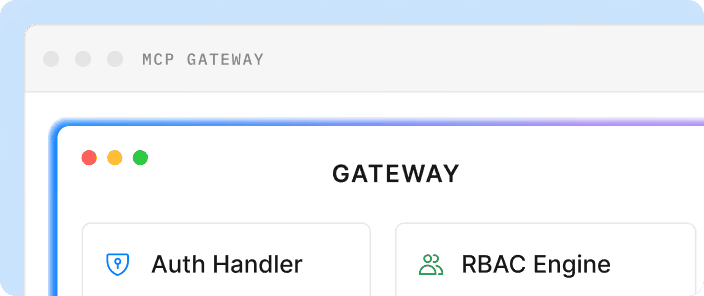
- Consider exposing selected APIs through the Model Context Protocol (MCP), a standard way for agents to call tools. Start with read-only operations.
Want to improve your API developer experience? See how to remove friction from discovery to go-live → Talk to our experts
Which API developer experience fixes should you do first?
Start where developers get stuck before their first working call, because nothing later matters to a developer who never gets there. These ratings are our judgment and assume a typical existing portal, so adjust them using your own test results.
Should you fix, rebuild or add a layer to your portal?
Most teams should fix what they have first, because many of these problems are about content and process, not software. Rebuild or add a layer only when the portal itself is what blocks you.
Several gateways is a common situation. Postman's 2025 report found that 31% of organizations use more than one API gateway.
Before any move, check how existing partners authenticate. Partners using long-lived static keys may need a careful transition, so plan it with them instead of switching on one date.
How do you know the fixes worked?
Compare the same few numbers before and after each change, and split them by audience. Choose the numbers that match what you fixed:
- Time to credentials, for self-serve access.
- Time to first call and first-call success, for samples, sandboxes and docs.
- 7-day activation, for whether developers keep going after the first call.
- Tickets per active developer, for docs and error messages.
Then repeat the new-account test from earlier, and see how many steps still need a person. Our guide to API developer experience metrics covers formulas and data sources, and why developer experience drives API adoption explains how to make the case internally.
How does DigitalAPI help you improve API developer experience?
Many of these fixes get harder when your APIs sit on several gateways, because each gateway brings its own portal, keys and data.
Teams using DigitalAPI give developers one developer portal across their existing gateways, without moving their APIs off them. Developers can find APIs, try them, request access and get credentials from the underlying gateway, with approvals where needed. API teams can see usage across gateways, and can generate MCP servers from their OpenAPI specs.
It isn't necessary for every team. If one gateway's portal does what you need, the practices above may be all you need.
Want developers to reach a working call sooner? See how it works with your gateways → Talk to our experts
FAQ
What is good API developer experience?
Good API developer experience means an outside developer can find the right API, understand it, get access and make a successful call without contacting you. It also covers what happens after that first call, including clear errors, advance notice of changes and easy access to usage data.
How do you improve developer experience for an API?
Sign up to your own portal as a new developer, and note where you get stuck. Then fix those points, usually starting with sample calls that fail, slow access to keys and docs that don't match the API. Measure time to first call before and after each change.
What makes a good developer portal?
A good developer portal helps developers find APIs by use case, read accurate docs, try calls in a sandbox and get credentials without emailing anyone. It also shows them their usage and warns them about changes. For the API team, it shows who uses which API.
How often should you update a developer portal?
Reference docs should update with every API release, ideally from your specs. Review support questions and portal analytics monthly, and turn repeat questions into docs. Repeat a full new-developer sign-up test at least once a quarter, because broken steps often go unnoticed.
Do you need to replace your API gateway to improve your portal?
No. A developer portal sits in front of your gateways, so you can usually improve or replace the portal without changing them. If your APIs sit on several gateways, a portal layer can give developers one place to work while each gateway keeps handling traffic.
How do AI agents change API developer experience?
AI agents read specs and docs instead of browsing a portal, so incomplete descriptions cause failed calls. Keep specs complete, offer docs in formats tools can read, and consider exposing selected APIs through MCP. Start with read-only operations, and control what agents can access.
Final words
- Don't judge a portal by its age. Judge it by how often a developer needs a person.
- Fix the first call first. Later improvements only help developers who get that far.
- Improve before you replace. Many of these fixes are content and process, not software.
Then go back to the test from the start of this guide: one new account, and one successful call, using only the portal.
Ready to improve developer experience across your APIs? See how DigitalAPI can help → Talk to our experts
Dhayalan Subramanian is Associate Director, Product Growth at DigitalAPI, where he leads go-to-market and product growth for the company’s multi-gateway API management platform. His work focuses on helping large enterprises and mid-market cloud companies consolidate APIs across AWS, Azure, Apigee, Kong, MuleSoft, and other gateways into a single control plane for governance, discovery, monetization, and agent consumption.
Dhayalan brings 14+ years of experience across product strategy, enterprise architecture, and engineering leadership. Earlier in his career, he held senior roles at Encora (as Associate Architect and Technical Manager), Mindtree (Technology Lead), Tech Mahindra (Technical Lead), and Primus Analytics, where he designed integration frameworks and delivered enterprise-grade digital platforms for global customers.
At DigitalAPI, he works directly with platform, integration, and developer experience leaders at Fortune 500 organizations to operationalize unified API catalogs, developer portals, and MCP-ready APIs. He writes regularly on API developer experience, API governance, and AI agent architectures.


One email a fortnight. Worth opening.
A short digest of what we're writing, what we're learning from customers, and the handful of links you'd actually want from us. No tracking pixels.