



How to Build an API Inventory Across Multiple Gateways (2026 Guide)
How to build an API inventory across multiple gateways in 5 steps: where to pull API data from, which fields to track and how to keep the inventory current.

TL;DR
An API inventory is a single, current list of every API your organization runs, with its owner, gateway, lifecycle stage and consumers.
To build one across multiple gateways, connect every gateway, import specs from Git, compare against live traffic, remove duplicates and assign owners.
Most inventories go stale within weeks because they start as a one-off spreadsheet. The ones that stay accurate sync from your gateways automatically and make ownership part of every API record.
If your own developers can't find your APIs, an AI agent won't either.
Most teams know this. Few have tested it. Ask three teams how many APIs your organization runs, and you'll usually get three different numbers. This guide shows you how to build an API inventory across multiple gateways, and how to keep it accurate after the first week.
What is an API inventory?
An API inventory is a complete, current record of every API an organization runs, including internal, partner and public APIs, across every gateway and environment. Each entry lists who owns the API, where it runs, what stage it's in and who uses it. It's the source of truth that security, platform and product teams all work from.
Three terms get mixed up here. They're related, but each does a different job.
| API inventory | API discovery | API catalog | |
|---|---|---|---|
| What it is | The record of every API you run | The process of finding APIs, including unknown ones | A searchable place where people browse and reuse APIs |
| Main question | What do we have, and who owns it? | What exists that we don't know about? | Which API should I use? |
| Main users | Platform, security and architecture teams | Security and platform teams | Developers, partners and AI agents |
| Output | A list with owners and lifecycle data | New or unknown endpoints | Docs, specs and access requests |
Discovery feeds the inventory, and the inventory feeds the catalog. For more on the last step, see what an API catalog is and why you need one.
Why do API inventories go stale?
API inventories go stale because APIs change daily while most inventories are updated by hand, if at all. APIs live on several gateways, teams ship APIs outside any gateway, specs drift from what's deployed, and nobody owns the list. A spreadsheet that was right in January is wrong by March.
The scale makes manual tracking hard. Akamai's 2026 API Security Impact Study puts the median enterprise at more than 5,900 APIs, and the top quarter of enterprises at more than 29,400. About three in four respondents say they have a full API inventory. Yet only 23% know which APIs return sensitive data, down from 40% in 2022.
The five most common causes of a stale inventory:
- APIs spread across gateways: Postman's 2025 State of the API report found that 31% of organizations run more than one API gateway. Each gateway keeps its own list, and none of them sees the others. Gartner warns that running several gateways without an overall API management layer leads to API sprawl and shadow APIs.
- APIs shipped outside the gateway: Teams expose services directly from Kubernetes, serverless functions or legacy servers. These are the APIs nobody lists. The Thales API Threat Report for the first half of 2025 estimates that organizations run 10–20% more active APIs than they know about.
- Specs that drift: The OpenAPI file in Git says one thing, and the deployed API does another.
- No owner: When the team that built an API moves on, its record stops changing, but the API keeps running.
- A one-off project: The inventory starts as an audit spreadsheet and is never updated again.
The cost shows up as duplicate work. One global consumer goods company we spoke to runs about 10,000 APIs and can't see what it already has, so teams build new APIs that already exist. Postman's 2025 report found the same pattern across the industry: 34% of respondents can't find existing APIs. Our guide to API sprawl covers the wider causes and risks.
Where should you pull API data from?
Pull API data from four main places: your gateways, your Git repositories, your traffic logs and your developer portals, then fill gaps from CI/CD pipelines and cloud accounts. No single source sees everything. Gateways see managed APIs, Git sees specs, traffic sees what's running, and portals see what's published to consumers.
| Source | What it finds | What it misses |
|---|---|---|
| API gateways (Apigee, Kong, AWS, Azure, MuleSoft) | Managed APIs, policies, keys and consumers | APIs that never went through a gateway |
| Git repositories and specs | OpenAPI and AsyncAPI files, owners from commit history | Whether the spec matches what's deployed |
| Traffic logs (gateways, load balancers, service mesh) | APIs that are running and being called | Who owns them and why they exist |
| Developer portals and catalogs | APIs published to developers or partners | Internal APIs that were never published |
| CI/CD pipelines | New APIs as they're deployed | APIs deployed before the pipeline existed |
| Cloud accounts | Endpoints in serverless functions and API services | Context about purpose and consumers |
Start with gateways and Git, because they give you the most structured data. Then use traffic to find what the first two miss.
How do you build an API inventory in 5 steps?
You build an API inventory in five steps: connect every gateway, import specs from Git, compare against live traffic, remove duplicates, and assign owners and lifecycle stages. Steps 1 and 4 can take weeks by hand. A multi-gateway platform such as DigitalAPI automates the sync, so the inventory doesn't go stale after week one.
Step 1: Connect every gateway
List every gateway and account you run, including Apigee, Kong, AWS API Gateway, Azure API Management, MuleSoft and any gateway a business unit brought in through an acquisition. Export the APIs, versions, policies and consumers from each one into a single list.
- What it misses: APIs that never went through a gateway. Step 3 catches those.
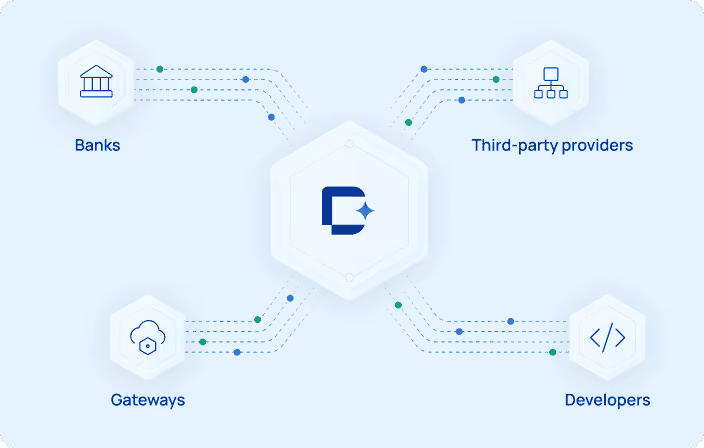
- With DigitalAPI: Connect Apigee, Kong, AWS, Azure, MuleSoft, IBM and Tyk once, and their APIs sync into one catalog automatically instead of through exports.
Step 2: Import specs from Git
Scan your repositories for OpenAPI and AsyncAPI files. Match each spec to the gateway API it describes, and flag gateway APIs with no spec and specs with no deployed API.
- What it misses: Specs that have drifted from what's deployed.
- With DigitalAPI: Pull specs from Git alongside the gateway APIs, so each inventory record shows both the spec and the deployed version.
Step 3: Compare against live traffic
Check gateway, load-balancer and service-mesh logs for endpoints that get traffic but aren't in your list. These are shadow APIs. Then look for APIs in your list that get no traffic at all. These are zombie APIs, which are candidates for retirement. Our guide to shadow APIs covers how they appear and why they matter.
- With DigitalAPI: Usage analytics across your gateways show which APIs are called, by whom and how often, so unused APIs stand out without a log-analysis project.
Step 4: Remove duplicates and standardize names
Merge the same API published on two gateways into one record. Agree naming, versioning and tagging rules, such as domain, team and data sensitivity, and apply them to every entry.
- What it misses: Near-duplicates, such as two teams building separate customer-lookup APIs, need a human review.
- With DigitalAPI: Governance scoring checks every API for security, style and documentation, so inconsistent APIs are flagged before they're published.
Step 5: Assign owners and lifecycle stages
Give every API an owner, a team and a lifecycle stage: design, live, deprecated or retired. An API without an owner is the first one to go stale and the last one anyone dares to switch off.
- With DigitalAPI: Owners, lifecycle stages and role-based visibility live in the same catalog, so the inventory stays current and each partner or team sees only the APIs they should.
Skip the spreadsheet: see your APIs from every gateway in one inventory.
What fields should every API inventory record have?
Every API inventory record needs enough data to answer who owns the API, where it runs, who calls it and whether it's safe. Twelve fields cover most needs. Start with the fields you can fill automatically from gateways and Git, such as gateway, version, spec link, authentication and consumers, and add the rest as you go.
| Field | What it holds | Where it comes from |
|---|---|---|
| Name and description | A plain-language name and one-line purpose | Spec, then reviewed by the owner |
| Owner and team | A named person and the team responsible | Git history, then confirmed |
| Gateway and environment | Which gateway and which environment (dev, staging, production) | Gateway sync |
| Version | The current version and any versions still live | Gateway and spec |
| Lifecycle stage | Design, live, deprecated or retired | Owner |
| Spec link | A link to the OpenAPI or AsyncAPI file | Git |
| Audience | Internal, partner or public | Owner |
| Authentication | API key, OAuth 2.0, mTLS or other | Gateway policy |
| Data sensitivity | Whether the API handles personal, financial or health data | Owner and security review |
| Consumers | Which apps, teams or partners call it | Gateway analytics |
| Last traffic | When the API was last called | Traffic logs |
| Dependencies | Which services and APIs it relies on | Architecture docs or service mesh |
Data sensitivity matters more than most teams expect. Akamai's 2026 study found that only 23% of organizations know which APIs return sensitive data, even though most say their inventory is complete.
How do you keep an API inventory current?
You keep an API inventory current by making it update itself and by making ownership part of shipping an API. Automated sync from gateways handles most changes. Rules in your delivery process handle the rest, so no new API reaches production without a record.
- Sync from gateways continuously: Pull changes from every gateway daily or in real time, not once a quarter.
- Gate deployments in CI: Block any API from production unless it has a spec, an owner and an inventory record.
- Review owners every quarter: Ask each owner to confirm their APIs are still live and still theirs. Reassign APIs from people who have left.
- Set deprecation rules: Mark an API for retirement after 90 days with no traffic, then confirm with the owner.
- Track one health metric: Watch the share of APIs with an owner, a spec and a lifecycle stage. If it falls, the inventory is going stale again.
This works when one team owns the inventory itself, usually the platform or API governance team, even though every API has its own owner.
What makes an API inventory ready for AI agents?
An API inventory is ready for AI agents when every API has a machine-readable spec, a plain-language description and consistent names, and is published somewhere agents can reach. Agents choose APIs by reading their descriptions. An API with a vague name and no spec is invisible to them, the same way it's invisible to a new developer.
Four things make the difference:
- Complete specs: Every API has an OpenAPI or AsyncAPI file that matches what's deployed.
- Clear descriptions: Each API and endpoint says what it does in plain words, not internal team shorthand.
- Consistent naming: The same concept has the same name across every API, so an agent doesn't have to guess.
- Agent access: APIs are exposed through a catalog or MCP server (Model Context Protocol, a standard way for AI agents to discover and call tools), with scoped access.
Postman's 2025 report found that 89% of developers use AI, but only 24% design APIs with AI agents in mind. An accurate inventory is the first step, because you can't make APIs agent-ready if you don't know which ones you have.
Spreadsheet, discovery tool or multi-gateway catalog: which do you need?
A spreadsheet works for a one-off audit, a security discovery tool finds unknown endpoints, and a multi-gateway catalog keeps the inventory current and usable. Most enterprises with more than one gateway end up needing the catalog, because only it combines discovery, ownership and reuse in one place.
| Spreadsheet | Security discovery tool | Multi-gateway catalog | |
|---|---|---|---|
| Finds APIs automatically | No | Yes, from traffic | Yes, from gateways and Git |
| Finds shadow APIs | No | Yes | Partly: usage analytics flag unused APIs on connected gateways |
| Tracks owners and lifecycle | Manually | Rarely | Yes |
| Stays current | No | Yes, for endpoints | Yes, for APIs and their metadata |
| Helps developers reuse APIs | No | No | Yes, with search, docs and access requests |
| Ready for AI agents | No | No | Yes, with specs and MCP access |
| Best for | A first audit of under 50 APIs | Security teams hunting unknown endpoints | Platform teams managing APIs across gateways |
A spreadsheet is right for you if you have one gateway, fewer than 50 APIs and a one-time audit to finish.
A spreadsheet is not right for you if you run more than one gateway, APIs change every week or developers keep rebuilding APIs that already exist.
How DigitalAPI builds and maintains your API inventory
Teams using DigitalAPI get one inventory across every gateway they run, without a migration. It connects to Kong, Apigee, AWS, Azure, MuleSoft, IBM and Tyk, and keeps the inventory in sync as APIs change.
- One catalog across gateways: APIs from every connected gateway appear in one searchable place.
- Usage analytics: Per-API and per-consumer metrics show which APIs are used and which are idle.
- Governance scoring: Every API gets a score out of 100 across security, style and documentation.
- Ownership and visibility: Role-based visibility controls which teams and partners see each API.
- Agent-ready: MCP servers can be generated from OpenAPI specs, so AI agents can use the same inventory.
See your full API estate in one place
Book a DigitalAPI demo.
FAQs
What is an API inventory?
An API inventory is a complete, current list of every API an organization runs, with the owner, gateway, environment, lifecycle stage, spec and consumers for each one. It's the source of truth that security, platform and product teams use to manage, secure and reuse APIs.
What is the difference between API inventory and API discovery?
API discovery is the process of finding APIs, including shadow APIs nobody documented. An API inventory is the maintained record that discovery feeds into. Discovery tells you what exists, and the inventory tracks who owns it, where it runs and whether it's still in use.
How do you find shadow APIs?
You find shadow APIs by comparing live traffic against your known list. Check gateway, load-balancer and service-mesh logs for endpoints that receive calls but have no inventory record. The Thales API Threat Report for the first half of 2025 estimates that organizations run 10–20% more active APIs than they know about.
How many APIs does a typical enterprise have?
Akamai's 2026 API Security Impact Study puts the median enterprise at more than 5,900 APIs, with the top quarter of enterprises running more than 29,400. At that scale, a manual inventory goes out of date within weeks, so most enterprises sync their inventory from gateways automatically.
Can a spreadsheet work as an API inventory?
A spreadsheet can work for a one-off audit of a small API estate, such as one gateway and fewer than 50 APIs. It doesn't update itself, so it goes stale as soon as APIs change. Organizations with several gateways usually move to a multi-gateway catalog that syncs automatically.
What fields should an API inventory include?
An API inventory should include the API's name and description, owner and team, gateway and environment, version, lifecycle stage, spec link, audience, authentication method, data sensitivity, consumers, last traffic date and dependencies. Start with the fields you can fill automatically from gateways and Git.
How often should you update an API inventory?
Update an API inventory continuously by syncing from gateways daily or in real time, and review ownership every quarter. A one-off inventory starts going stale the day it's finished, because teams release, change and retire APIs every week.
Final word
An API inventory isn't a document. It's a habit your platform keeps for you. Build it from your gateways, Git and traffic, give every API an owner, and make the list update itself. Then the next team that needs a customer-lookup API will find the one you already have.
If your teams still rebuild APIs because they can't see what exists.
See how DigitalAPI builds one inventory across every gateway you run.
Dhayalan Subramanian is Associate Director, Product Growth at DigitalAPI, where he leads go-to-market and product growth for the company’s multi-gateway API management platform. His work focuses on helping large enterprises and mid-market cloud companies consolidate APIs across AWS, Azure, Apigee, Kong, MuleSoft, and other gateways into a single control plane for governance, discovery, monetization, and agent consumption.
Dhayalan brings 14+ years of experience across product strategy, enterprise architecture, and engineering leadership. Earlier in his career, he held senior roles at Encora (as Associate Architect and Technical Manager), Mindtree (Technology Lead), Tech Mahindra (Technical Lead), and Primus Analytics, where he designed integration frameworks and delivered enterprise-grade digital platforms for global customers.
At DigitalAPI, he works directly with platform, integration, and developer experience leaders at Fortune 500 organizations to operationalize unified API catalogs, developer portals, and MCP-ready APIs. He writes regularly on API developer experience, API governance, and AI agent architectures.


One email a fortnight. Worth opening.
A short digest of what we're writing, what we're learning from customers, and the handful of links you'd actually want from us. No tracking pixels.