



Best Internal Developer Portal: Platforms, Features and How to Choose
Internal developer portals are no longer a nice-to-have; they're the backbone of scalable, secure API ecosystems inside modern enterprises.

TL;DR
1. An internal developer portal is a self-service platform that gives engineers governed access to every API, service, and tool their organization owns, from one searchable interface.
2. The best internal portals in 2026 combine: AI-powered search catalog, in-built API sandboxing, automatic key provisioning and management, multi-gateway aggregation, self-serve governed access, reuse and dependency visibility, and built-in onboarding for new engineers.
3. Building your own developer portal takes 3 to 6 months, needs a dedicated platform team, and still won't match a mature product, which is why most enterprise platform teams now buy.
4. Top tools compared in this guide Each wins on a different axis. Pick based on your gateway mix and governance model.
5. DigitalAPI's API developer portal excels for organisations that need self-serve API discovery, sandbox testing, and subscription management without any dependency on other teams.
Try our DigitalAPI's internal developer portal today, Book a Demo Now!
Your engineers are building the same internal service for the third time this quarter. Not because they're inefficient - because they had no way of knowing it already existed. API documentation lives in Confluence, Notion, Slack threads, and READMEs that nobody updates. Onboarding a new engineer to your internal stack takes three weeks.
According to the 2024 CNCF developer productivity report, engineering teams without a centralised internal portal spend an average of four hours per week searching for internal APIs, services, and documentation. That's 200 hours per engineer per year lost to discoverability.
An internal developer portal solves this. This guide reviews the 10 best internal developer portal platforms for 2026 - what they do, who they're best for, and how to choose between them.
What is an internal developer portal?
An internal developer portal is a self-service platform that gives engineers governed access to every API, service, and tool their organization owns, from one searchable interface. Developers discover assets, read documentation, test endpoints, and request access without involving the platform team. It replaces Slack threads, stale wikis, and ticket-based access requests with a single, role-controlled catalog.
Technically, it is a governed catalog layer that aggregates asset metadata from across your engineering ecosystem and exposes it through a searchable, role-controlled interface with self-service access workflows attached.
The business case is direct. Without an internal developer portal, every integration project starts with investigation instead of implementation. Engineers rebuild services that already exist because discovery failed. New hires spend two weeks chasing documentation that lives across four Confluence spaces and one developer's laptop. A working internal developer portal eliminates all three from day one.
Internal developer portal vs internal developer platform what's the difference?
These two terms are often used interchangeably but they are not the same thing.
An internal developer platform is the underlying infrastructure layer-the pipelines, compute, secrets management, Kubernetes clusters, and deployment automation your teams run services on.
An internal developer portal is the interface layer on top of that platform. It is the UI and catalog developers actually use to discover APIs, read documentation, request access, test endpoints, and monitor usage without needing to understand the plumbing underneath.
Think of it this way: the platform is the engine; the portal is the dashboard.
For API-heavy enterprises, the distinction matters because a portal built specifically for APIs not just services needs multi-gateway integration, spec-driven documentation, subscription management, and usage analytics per consumer. That is a different scope than a general-purpose IDP portal like Backstage.
Who uses an internal developer portal?
Internal API portals serve more than just developers. The stakeholders who depend on a well-governed internal portal span five roles — each with different needs and different ways of measuring whether the portal is working.
[fs-toc-omit]1. Product engineers and backend developers
Use it daily to discover APIs that already exist, avoid rebuilding duplicated services, and onboard to a new gateway without reading tribal documentation.
[fs-toc-omit]2. Platform and API teams
Use it to enforce governance policies, manage access controls, and track which APIs are being consumed by which teams.
[fs-toc-omit]3. Architects
Use it to get a dependency map of the entire API estate essential for audit readiness, deprecation planning, and migration decisions.
[fs-toc-omit]4. Security and compliance teams
Use it to verify that every API in production has an owner, an SLA, and an access policy before it reaches external consumers.
[fs-toc-omit]5. Engineering managers
Use it to reduce onboarding time for new hires and measure API reuse rates as a platform engineering KPI.
If your portal is only being used by backend developers, it is not working at full capacity.
Who Uses an Internal Developer Portal?
Five stakeholder groups use an internal developer portal, each with different needs. A portal delivering full value satisfies all five, not just developers.
- Product engineers and backend developers use it to find APIs and services before building new ones, and to onboard without waiting for access from another team.
- Platform and API teams use it to enforce governance, manage access approvals, and track consumption data that informs deprecation decisions.
- Architects use it to map the full dependency graph of the engineering estate for migration planning, audit readiness, and impact analysis.
- Security and compliance teams use it to verify that every asset in production has a documented owner, an active access policy, and a governance check on record.
- Engineering managers use it to measure onboarding time, API reuse rates, and time-to-first-call as platform engineering KPIs.
If your portal serves only developers, it runs at a fraction of its potential value.
What to Look for in an Internal Developer Portal
The features that separate portals worth deploying from ones that look good in a demo and fail in production come down to these sixcapabilities. Evaluate each one before committing.
[fs-toc-omit]1. Unified API Catalog with Multi-Source Ingestion
The portal must pull assets from every source your organization uses. A catalog that covers only one gateway or one cloud creates a new silo rather than eliminating existing ones. For API-centric teams, look for native ingestion from Kong, AWS, Azure, Apigee, MuleSoft, GitHub, and Postman simultaneously. For DevOps teams, look for Kubernetes, Terraform, and CI/CD integrations without custom plugin development for each source.
[fs-toc-omit]2. AI-Powered Discovery That Prevents Duplicate Builds
Keyword search fails in any catalog larger than a few dozen assets. AI-powered API discovery ranks results by semantic relevance, so a developer searching "customer verification" surfaces the right endpoint even when it's titled "user identity check v2" in a repository owned by a different team. The best portals go one step further: they detect duplicate APIs across the estate using specification similarity matching and alert architects before a redundant build begins. That feature alone pays for the portal inside the first quarter.
[fs-toc-omit]3. Self-Service Governance That Doesn't Create Ticket Queues
Discovery without action is just a better search engine. The portal must let developers request access, receive a governed approval, and receive credentials automatically, without a manual handoff. API governance built into the access workflow turns compliance from a quarterly audit into a continuous automated process. Look for RBAC at the asset level, configurable approval workflows, full audit trails for every access event, and automatic key provisioning on approval.
[fs-toc-omit]4. Automated Documentation That Never Goes Stale
Documentation written manually by engineers goes stale within weeks of a version change. The portal should auto-generate API documentation from specifications at the point of ingestion, and flag any asset ingested without a complete spec. Teams that rely on manually maintained docs end up with exactly the same stale-wiki problem the portal was meant to solve.
[fs-toc-omit]5. Sandbox Testing Before Production Access
Developers should test any API they find before requesting production credentials. A live API sandboxing environment with sample data confirms an endpoint behaves as documented, and prevents integrations built against the wrong response schema from reaching code review. No sandbox means every integration starts with a guess.
[fs-toc-omit]6. MCP and Agentic AI Readiness
AI agents that query internal APIs through natural language are in production at enterprise organizations today, not on a roadmap. A portal with one-click MCP server conversion makes any cataloged API immediately queryable by AI agents via API-GPT, without writing custom integration code per workflow. This is the feature that separates portals built for today from those built for the next 24 months.
Best internal developer portal platforms for 2026 compared
With internal APIs powering everything from microservices to AI workflows, having the right developer portal can make or break your platform strategy. In 2026, teams need more than static documentation, they need governed, discoverable, and self-serve API access at scale. Here are seven platforms leading the way in internal developer experience this year.
1. DigitalAPI
DigitalAPI's internal Developer Portal is a self-serve, fully customizable branded developer portal built to offer a great developer experience. It can work with all the current api gateways you might be using (Apigee, Kong, AWS, Tyk, and more) and is a purpose-built solution for any organization that exposes APIs to developers, partners, or AI agents and has outgrown documentation-only tools, spreadsheets, or homegrown portals.
Instead of forcing teams to stitch together a docs tool, a key-management spreadsheet, a sandbox, a ticket queue, and a finance handoff, the portal connects discovery, testing, access, subscriptions, and analytics in one place. Developers and AI agents query the catalog in plain English and find any API by use case, name, or data type.
Unlike documentation-only or gateway native developer portals that offer a subpar experience, or open-source internal portal frameworks that take 3 to 6 months to set up and require huge engineering effort, DigitalAPI's Developer Portal handles the entire developer journey out of the box and can be up and running in 3 days. It's built agent-ready from day one, so AI agents consume your APIs through the same governance and audit trail as human developers.
Key capabilities:
- Unified internal API catalog: One searchable registry of every API across your gateways, teams, repos, and environments, with role-based visibility per team.
- AI-powered search and API-GPT: Internal engineers and AI agents find the right API by use case, name, data type, or plain English query.
- Interactive API explorer and sandboxing: In-portal sandbox with pre-filled tokens, saved history, and shareable examples, cutting first-call time from days to minutes.
- Self-serve internal access: Engineers request access, auto-route to the API owner, and get scoped credentials with quotas, key rotation, and audit trails.
- Reuse and dependency analytics: Dashboards show which APIs are called, by which team, how often, with reuse rates and dependency maps across the org.
- Chargeback and showback ready: Per-team usage flows into your finance stack, making platform costs traceable to the teams driving them.
- Comprehensive SDKs: Auto-generated kits in Python, Java, JavaScript, Go, and .NET via your internal package registries, with one-click language switching.
- Governance and RBAC: Custom roles for platform, app teams, and AI agents under one model, with IP allowlisting, scoped credentials, and SIEM-exportable audit logs.
- Internal community and support: Changelogs, FAQs, embedded chatbot, and Jira or ServiceNow ticket routing, with a CMS for non-engineers to publish guides.
- Automated docs and key management: Docs generate from OpenAPI specs and stay current, while keys provision, rotate, and notify on policy.
- Branded for your engineering org: Custom domain, colors, typography, and logos through a drag-and-drop theme editor and built-in CMS.
- Agent and MCP ready: Every API auto-generates an MCP tool definition, with internal agents authenticating via OAuth M2M under scoped access and per-agent rate limits.
Limitations:
- Focused on external and partner-facing API portals - not designed as an internal DevOps service catalogue
- Less suited to organisations whose primary need is tracking microservice ownership rather than API consumption
Who it's for: API-first and cloud-native companies that publish APIs to external developers, partners, or internal consumers and need a self-serve portal where users can discover, test, and access APIs without engineering intervention.
.png)
2. Backstage by Spotify
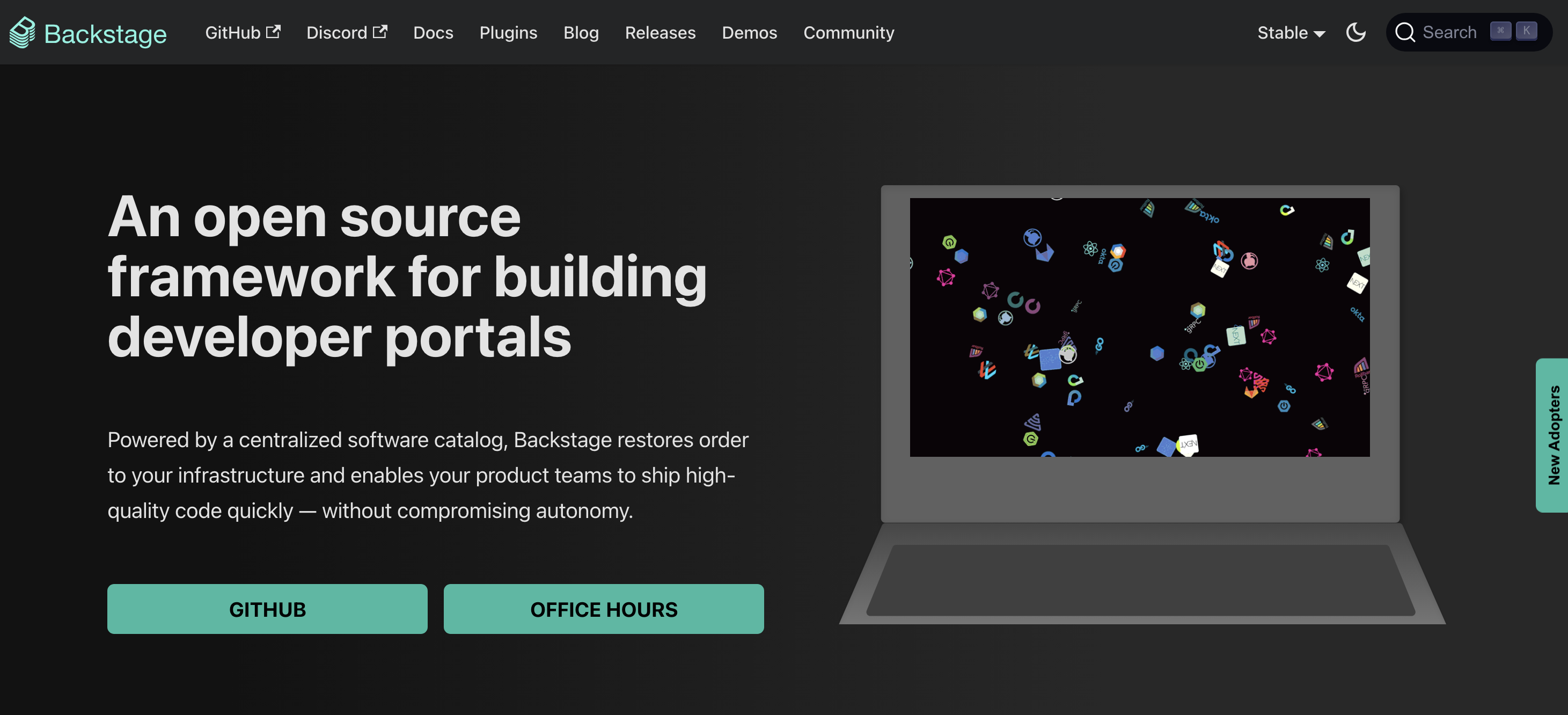
Backstage is the open-source developer portal framework that Spotify built internally and open-sourced in 2020. It is now a CNCF project with a large community and an extensive plugin ecosystem. Teams use it to build a centralised software catalogue, provision new services through scaffolder templates, and publish internal documentation via TechDocs. Its flexibility is its greatest strength and its most significant cost - running Backstage properly requires a dedicated platform engineering team and typically three to six months to reach production readiness.
Key capabilities:
- Software catalogue for tracking every service, API, and component in your organisation
- Scaffolder templates for standardising how new services are created
- TechDocs for publishing Markdown-based documentation from repositories
- Plugin architecture with hundreds of community-built integrations
- GitHub, GitLab, and PagerDuty integrations out of the box
Limitations:
- Requires a dedicated platform engineering team to build, maintain, and extend - it is a framework, not a finished product
- No built-in self-serve API key provisioning or sandbox testing out of the box
- Setup typically takes three to six months before it is production-ready
- Plugin quality varies significantly across the community ecosystem
Who it's for: Large engineering organisations with the internal resources to treat a developer portal as a long-term engineering project, and who need a fully customisable catalogue to manage hundreds of internal services and components.
3. Port
Port is a cloud-native developer portal that gives DevOps and platform engineering teams a highly customisable internal catalogue and self-service layer. Teams model their own software entities, define ownership, and build self-service actions that trigger real workflows across GitHub, Jira, and other tools — without writing a portal framework from scratch.
Key capabilities:
- Customisable data model for mapping any software entity your organisation uses
- Self-service actions that trigger automated workflows directly from the portal
- Role-based access controls for governed developer experiences
- Built-in scorecards to track service maturity and ownership
- Native integrations with GitHub, GitLab, Jira, and cloud providers
Limitations:
- Primarily an internal DevOps portal - not designed for external developer or partner-facing API experiences
- The flexible data model requires upfront configuration investment to get right
- No native sandbox testing or API key provisioning for external consumers
Who it's for: Platform and DevOps engineering teams that need a configurable internal catalogue with workflow automation, and want to avoid building on top of an open-source framework like Backstage.
4. Cortex
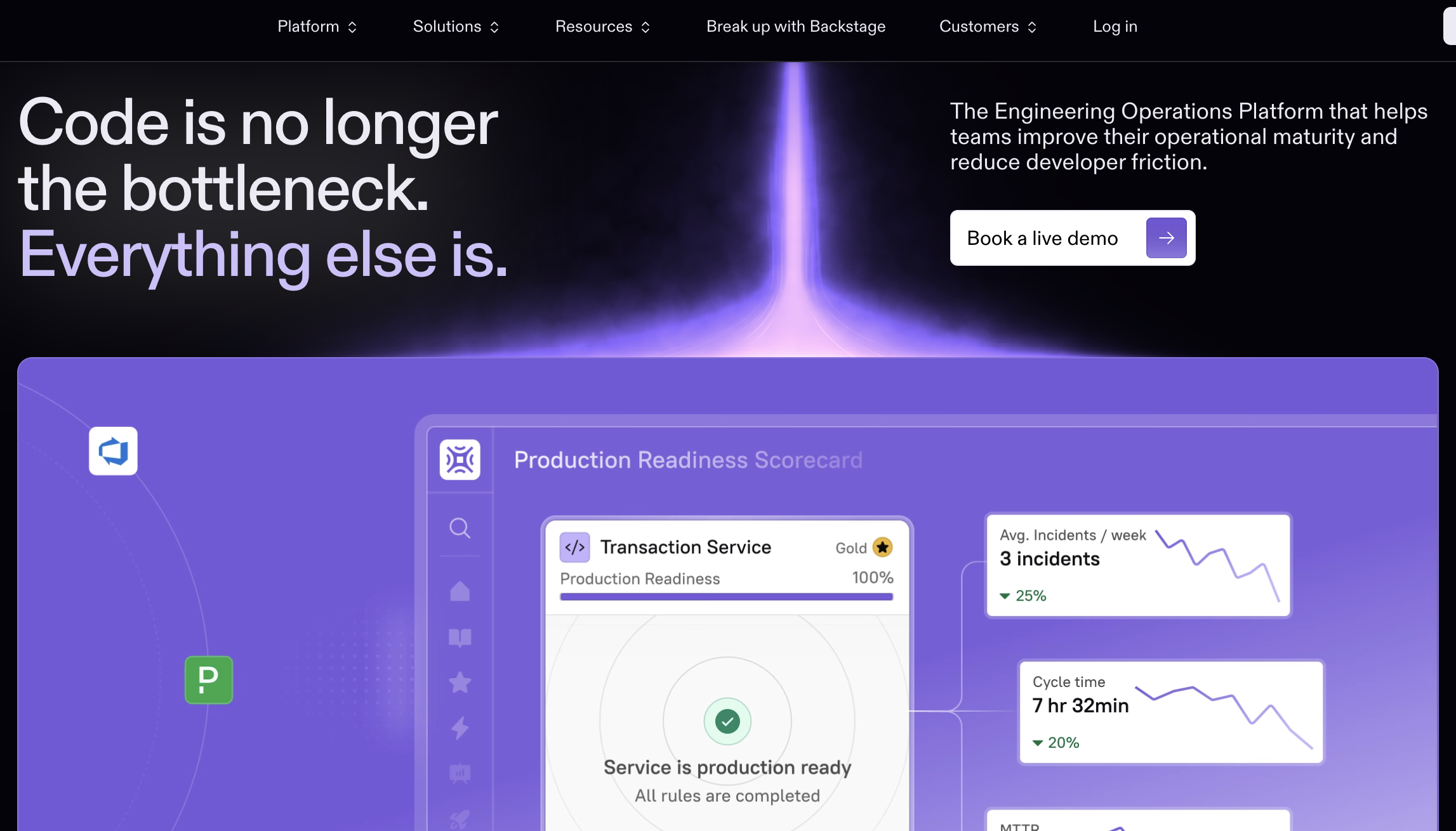
Cortex is a developer portal focused on service ownership and engineering excellence. Teams use it to build a service catalogue, set quality standards through scorecards, and give engineers visibility into the health and ownership of every service in their organisation. It is particularly well suited to organisations that want to reduce operational risk by making ownership and maturity standards explicit.
Key capabilities:
- Service catalogue with clear ownership assignments
- Scorecards to enforce and track engineering standards across services
- Native GitLab and GitHub integrations
- Incident and on-call context surfaced alongside service records
- Customisable templates for standardising service creation
Limitations:
- Heavily focused on internal service ownership - not built for external developer-facing use cases
- Scorecard and governance features can feel heavyweight for smaller engineering teams
- Limited self-service capabilities beyond service cataloguing and standards tracking
Who it's for: Mid-to-large engineering organisations with a microservices architecture that need to enforce clear service ownership, track engineering standards, and reduce operational risk across a large number of services.
5. OpsLevel

OpsLevel is a service-oriented developer portal that helps engineering teams track, manage, and improve their services through maturity frameworks and automated checks. Rather than focusing on servers or infrastructure, OpsLevel centres the developer experience around services - giving teams clear visibility into what they own and how mature it is.
Key capabilities:
- Service catalogue with automated ingestion from GitHub, GitLab, and cloud providers
- Maturity levels and checks that score services against your engineering standards
- Self-service runbooks and action templates
- Integration with popular DevOps tools including PagerDuty, Datadog, and Jira
- Customisable reporting for engineering managers and leads
Limitations:
- Designed entirely for internal engineering teams - no external developer portal capabilities
- Maturity framework approach can require significant initial work to define meaningful checks
- Less suitable for organisations primarily focused on API documentation or consumer-facing portals
Who it's for: DevOps-focused engineering teams that want a structured, measurable approach to service quality and need clear visibility into ownership, reliability, and compliance standards across their service estate.
6. Atlassian Compass
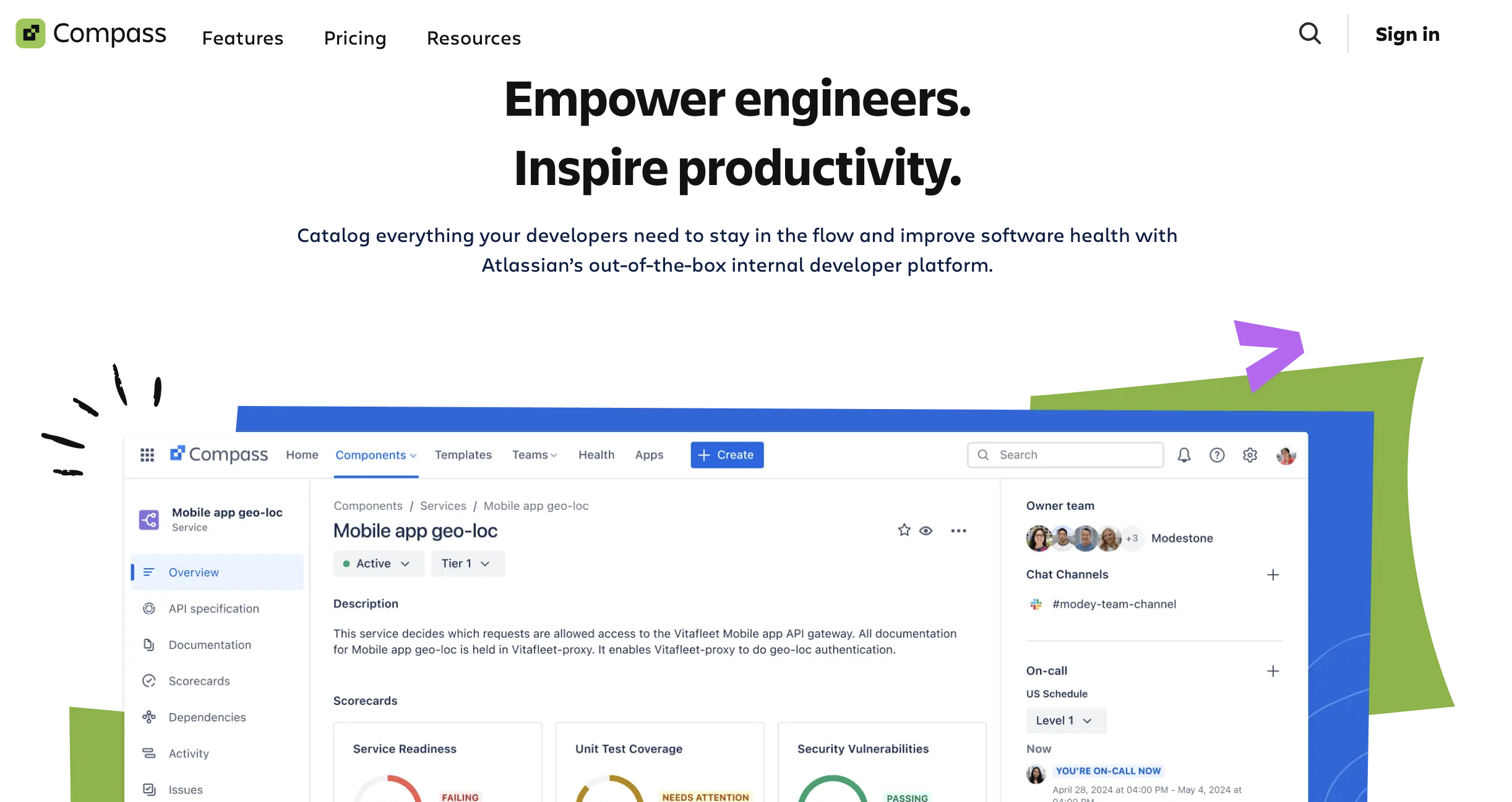
Atlassian Compass is a developer experience platform built for teams already operating within the Atlassian ecosystem. It brings services, components, and teams into a unified catalogue that connects directly to Jira, Bitbucket, and Confluence - making it easy for organisations that rely on Atlassian products to extend their existing workflows into a portal layer without migrating data.
Key capabilities:
- Component catalogue integrated with Jira and Bitbucket
- Scorecards for tracking component health and compliance
- Team and ownership mapping across your engineering organisation
- Atlassian Intelligence integration for AI-assisted discovery
- Extension marketplace for additional integrations
Limitations:
- Value drops significantly for teams not already using Jira, Bitbucket, or Confluence
- Not designed for external API consumer experiences or self-serve key provisioning
- Less flexible than dedicated portal tools for teams with non-Atlassian toolchains
Who it's for: Engineering organisations already standardised on the Atlassian stack that want to add a developer portal layer without introducing new vendors or migrating existing project and repository data.
7. Postman API Hub (Private Workspaces)
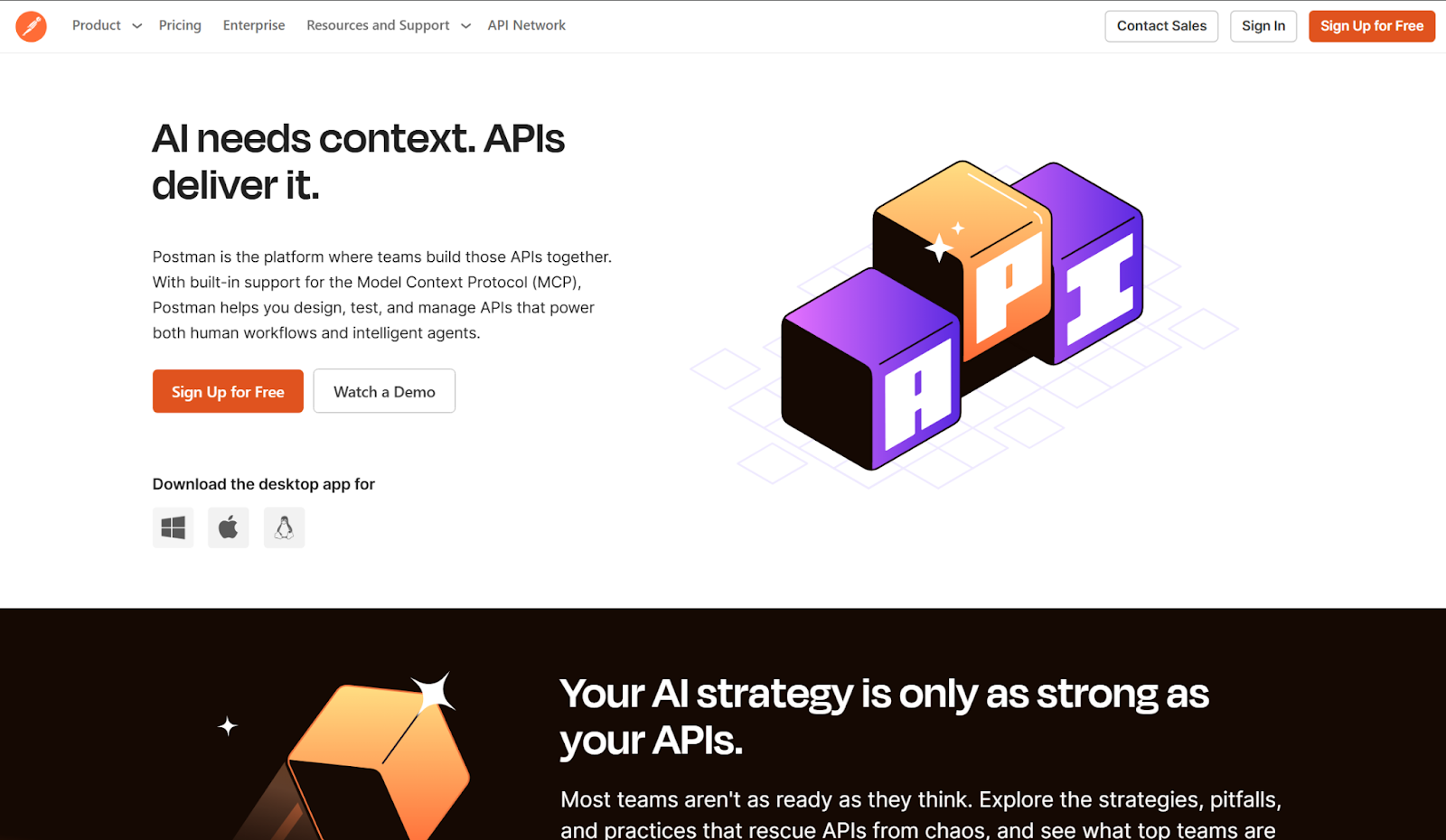
Postman API Hub is the enterprise-facing API catalogue and collaboration layer within the Postman platform. For teams that already use Postman for testing and collection management, the API Hub provides a private, searchable repository of APIs with version control, governance rules, and collaborative workflows built in.
Key capabilities:
- Private workspaces for organising and sharing API collections
- API version control and change tracking
- Built-in testing and mock server capabilities
- Governance rules for enforcing API design standards
- Role-based access and team permission management
Limitations:
- Primarily a collaboration and testing tool - not a fully branded external developer portal
- Self-serve API key provisioning and consumer onboarding are limited compared to dedicated portal platforms
- Best value is for teams already invested in the Postman ecosystem; less compelling as a standalone portal
Who it's for: Development teams that use Postman daily and want to extend it into a shared API catalogue for their organisation, without the overhead of setting up a separate developer portal platform.
8. Configure8
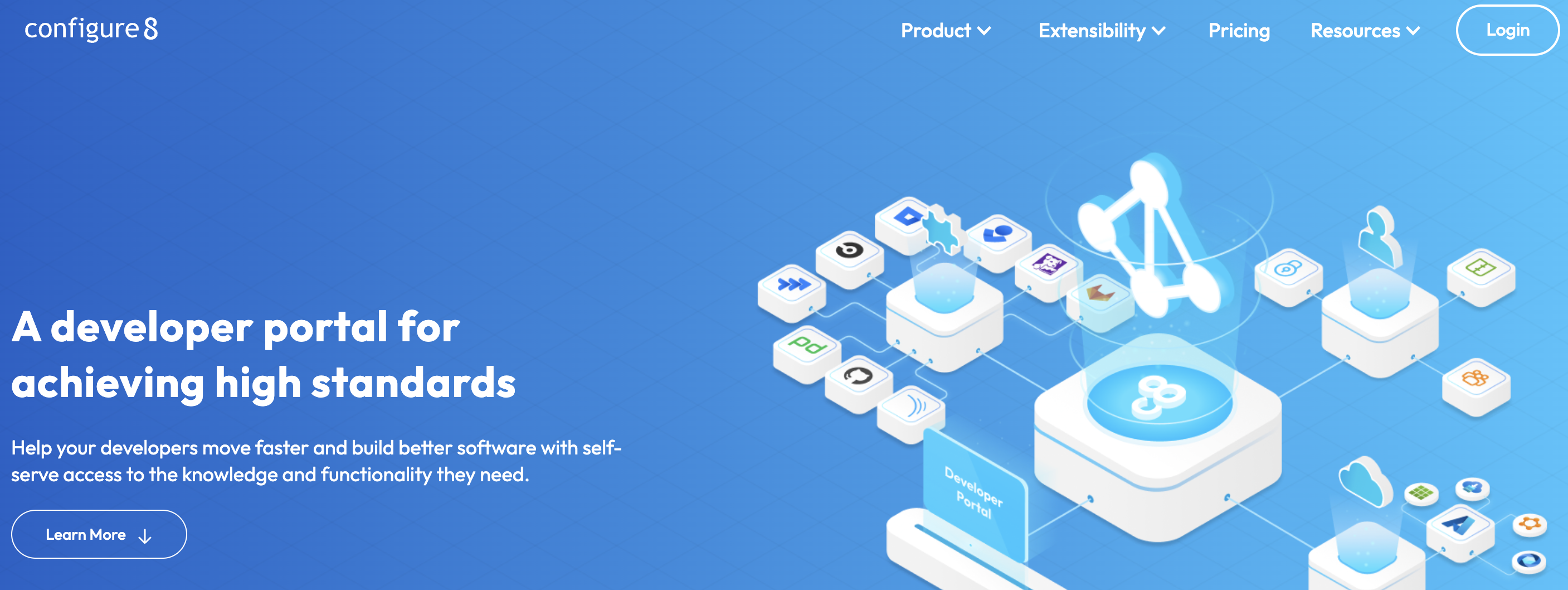
Configure8 is a highly flexible internal developer portal that lets platform teams build and customise every part of the developer experience - from the catalogue structure to the self-service workflows engineers see. Where many portals lock you into a fixed data model, Configure8 is designed to adapt to how your organisation actually works, making it a strong choice for teams with complex or non-standard service topologies.
Key capabilities:
- Fully customisable portal interface and catalogue structure
- Expansive service catalogue with support for complex ownership models
- Self-service workflows that map to your existing engineering processes
- Integration with GitHub, GitLab, and Jira
- Scorecard and standards tracking for service maturity
Limitations:
- High flexibility means a higher configuration burden upfront - it does not work well out of the box
- Focused on internal platform engineering use cases, not external API consumer portals
- Smaller community and ecosystem compared to Backstage or Port
Who it's for: Platform engineering teams with complex, non-standard service structures who need a portal that can be shaped around their organisation rather than the other way around.
9. Harness
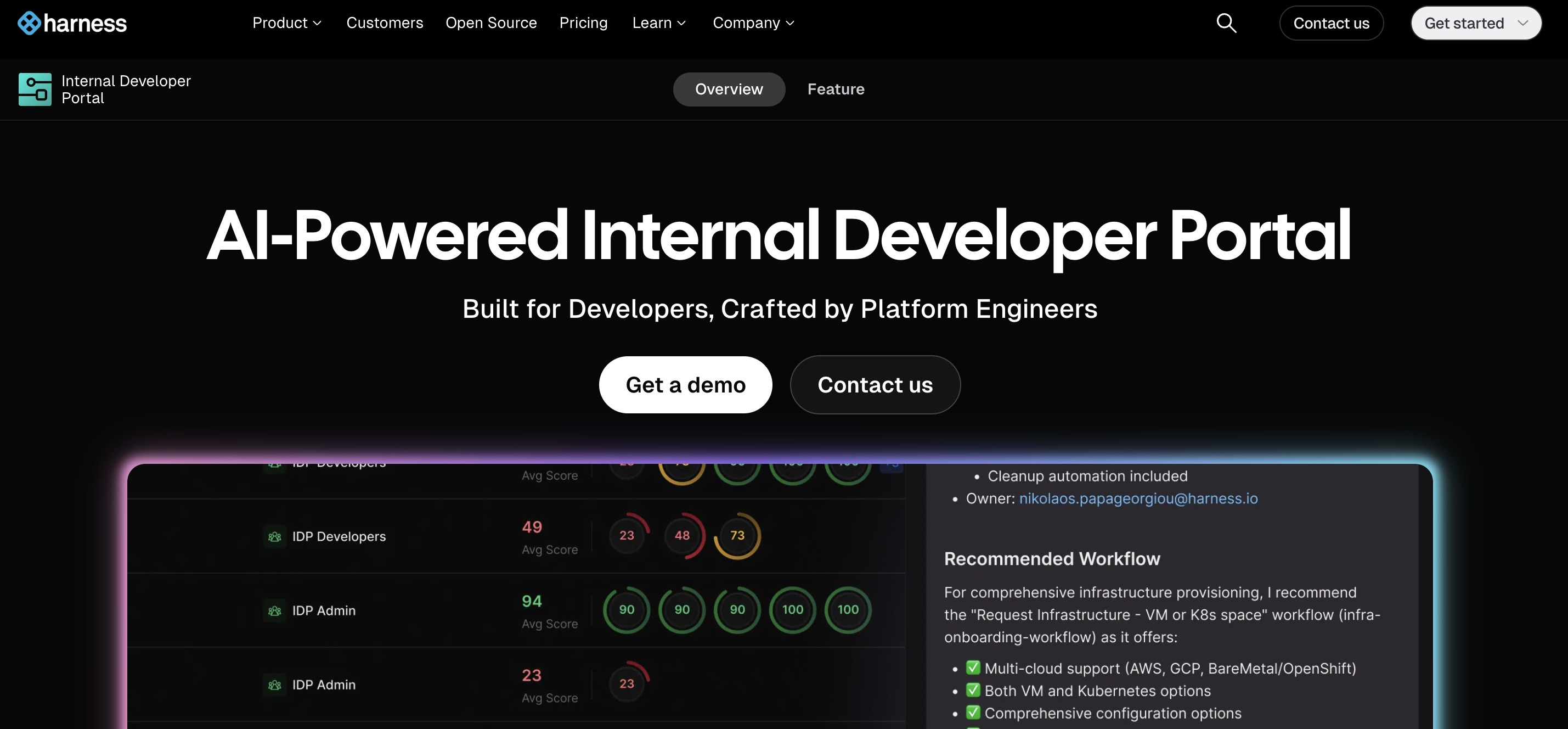
Harness is best known as a CI/CD platform, but its Internal Developer Portal module brings a full developer portal experience into the same platform where teams already manage pipelines, deployments, and feature flags. The result is a portal with unusually tight context around deployments — engineers can see service health, recent releases, and environment status from a single interface.
Key capabilities:
- Centralised view of services, environments, and deployment status
- Backstage-compatible software catalogue built into the Harness platform
- Self-service templates for provisioning infrastructure and kicking off pipelines
- Built-in scorecards for tracking service readiness and compliance
- Direct integration with Harness CI/CD, feature flags, and cloud cost management
Limitations:
- The developer portal module is most valuable when Harness is already the CI/CD platform - it adds limited value as a standalone portal
- Not designed for external developer or partner-facing API portal use cases
- Teams not using Harness for deployments will find the integration advantage largely irrelevant
Who it's for: Engineering teams already using Harness for CI/CD and deployments who want a developer portal with native pipeline and release context, without adopting a separate portal tool.
10. Roadie
Roadie is a managed, hosted version of Backstage that removes the overhead of self-hosting and maintaining the framework. It gives teams most of the Backstage functionality - software catalogue, scaffolder, TechDocs, and plugin ecosystem - without needing a dedicated platform engineering team to keep the underlying infrastructure running.
Key capabilities:
- Hosted Backstage with managed upgrades and infrastructure
- Full access to the Backstage plugin catalogue
- Software catalogue and TechDocs out of the box
- Simplified setup compared to self-hosted Backstage
- Single sign-on and role-based access management
Limitations:
- Inherits Backstage's core limitations - no native self-serve API key provisioning or external consumer portal features
- Still requires engineering effort to configure and maintain catalogue data and plugins
- Ongoing subscription cost on top of the configuration investment required to get full value
Who it's for: Engineering teams that want the Backstage catalogue and plugin ecosystem but lack the internal capacity to self-host and maintain the infrastructure - typically mid-size organisations scaling their platform engineering practice.
Top use cases for an internal developer portal
An internal developer portal is not a single-use tool. Its value compounds as your API estate grows. Below are the five use cases where internal portals deliver the fastest, most measurable return - and what "success" looks like for each.
[fs-toc-omit]1. Eliminating API duplication across business units:
When every team can search the catalog before they build, they find existing APIs they didn't know existed. Large banks and insurance companies using multi-gateway portals report 20–30% reduction in new API builds within the first year of portal adoption.
[fs-toc-omit]2. Speeding up developer onboarding:
New engineers can self-serve API credentials, read interactive documentation, and run test calls without raising a single support ticket. Most enterprises report onboarding time for API consumers dropping from two weeks to under two days.
[fs-toc-omit]3. Enforcing governance at scale:
As API estates grow past 100 internal APIs, manual governance breaks down. Portals enforce RBAC, subscription approval workflows, deprecation notices, and SLA monitoring automatically turning governance from a quarterly audit into a continuous process.
[fs-toc-omit]4. Enabling AI agent workflows:
Internal portals that expose APIs as MCP tools allow AI agents to discover and call governed APIs autonomously. For enterprises experimenting with agentic AI, the internal portal becomes the agent's API surface making governance and discoverability a prerequisite for safe agent deployment.
[fs-toc-omit]5. Supporting platform engineering KPIs:
DORA metrics, API reuse rate, mean time to onboard, and time to first call are all measurable through a portal's analytics layer. Platform teams use this data to demonstrate the value of the API program to engineering leadership.
FAQs
[fs-toc-omit]1. What is the difference between an internal and external developer portal?
An internal developer portal is built for in-house engineers and platform teams - focused on governed self-serve access, API discoverability, and reuse across business units. An external portal serves third-party developers or partners, prioritising public documentation, sandbox environments, and self-serve API access. Both serve the same platform, but for entirely different audiences with different onboarding needs.
[fs-toc-omit]2. Why does my business need an internal developer portal?
An internal API portal streamlines developer onboarding, improves API discoverability, and enforces consistent governance across teams. It centralises your API catalogue, provides role-based access control, and ensures every API is documented before reaching consumers. Once your API estate grows past 50 endpoints, the cost of not having a portal - duplicated builds, ungoverned access, slow onboarding - outweighs the investment within the first quarter.
[fs-toc-omit]3. What features should I look for in an internal API portal?
Look for a searchable API catalogue, role-based access control, built-in documentation, versioning, interactive testing, and consumer analytics. It should integrate with your existing identity systems and API infrastructure. In 2026, also evaluate AI agent support - specifically MCP tool registration and OAuth machine-to-machine flows - as agent-based API consumption is becoming a standard use case for platform teams.
[fs-toc-omit]4. What are the best internal developer portal companies?
The leading internal developer portal platforms in 2026 include DigitalAPI, Backstage (Spotify), Gravitee, Postman API Hub, and SwaggerHub. The right choice depends on your team's technical capacity and governance needs - DigitalAPI suits API-first teams that need self-serve access and fast deployment, Backstage suits teams with dedicated platform engineering resources, and SwaggerHub suits teams prioritising documentation workflows.
[fs-toc-omit]5. What is the difference between an internal developer platform and an internal developer portal?
An internal developer platform is the underlying infrastructure layer - CI/CD pipelines, compute, Kubernetes, and deployment automation. An internal developer portal is the interface layer engineers use to discover APIs, request access, read documentation, and monitor usage. The platform is the engine; the portal is the dashboard. Most API-first teams need both - but the portal is where developer experience is won or lost.
[fs-toc-omit]6. How long does it take to set up an internal developer portal?
A purpose-built internal developer portal like DigitalAPI can be live in 3 days. Building from scratch or adopting Backstage typically takes 3–6 months and requires a dedicated platform engineering team. The gap comes from API infrastructure connectors, access control configuration, and documentation pipelines - all of which a pre-built platform handles out of the box.
Dhayalan Subramanian is Associate Director, Product Growth at DigitalAPI, where he leads go-to-market and product growth for the company’s multi-gateway API management platform. His work focuses on helping large enterprises and mid-market cloud companies consolidate APIs across AWS, Azure, Apigee, Kong, MuleSoft, and other gateways into a single control plane for governance, discovery, monetization, and agent consumption.
Dhayalan brings 14+ years of experience across product strategy, enterprise architecture, and engineering leadership. Earlier in his career, he held senior roles at Encora (as Associate Architect and Technical Manager), Mindtree (Technology Lead), Tech Mahindra (Technical Lead), and Primus Analytics, where he designed integration frameworks and delivered enterprise-grade digital platforms for global customers.
At DigitalAPI, he works directly with platform, integration, and developer experience leaders at Fortune 500 organizations to operationalize unified API catalogs, developer portals, and MCP-ready APIs. He writes regularly on API developer experience, API governance, and AI agent architectures.
One email a fortnight. Worth opening.
A short digest of what we're writing, what we're learning from customers, and the handful of links you'd actually want from us. No tracking pixels.

.avif)